Top 29 Miraa Alternatives in 2026
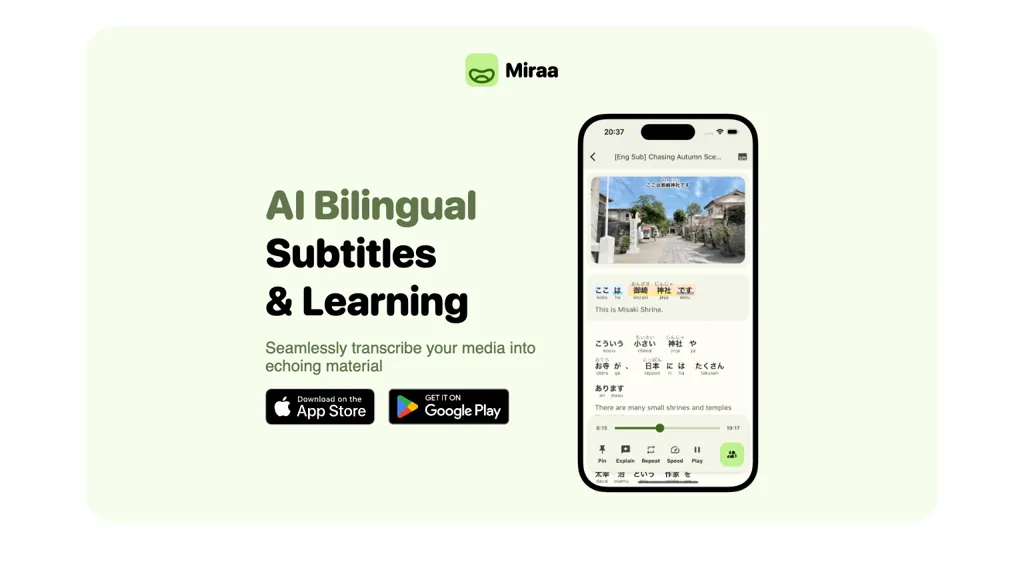
No user reviews yet FreemiumMiraa automatically transcribes and translates audio/video into real‑time bilingual subtitles, syncing with playback and letting users adjust speed. It offers AI explanations for contextual questions, aiding language learners and creators by simplifying subtitle production on Android.
We've ranked 29 Miraa alternatives, including 21 with a free plan. Rankings are based on feature coverage and user feedbacks.
Top-rated alternatives include SubEasy, Free Subtitles AI, and TurboScribe.
29 Miraa Alternatives & Competitors, Ranked by User Reviews
Click Compare on any tool to compare it side-by-side with Miraa.
#1
SubEasy
SubEasy AI delivers near‑perfect transcription and multilingual subtitles for video and audio, supporting 100 languages with 99 % accuracy. It offers dubbing, animated captions, speaker ID, OCR extraction, audio splitting, and export to VTT/SRT for social media publishing.
#2
Free Subtitles AI
FreeSubtitles.AI converts MP4, MKV, MOV, MP3, WAV, and FLAC files up to 1 hour and 300 MB into accurate transcripts in over 100 languages, then translates subtitles into 91 languages, supporting educators, podcasters, and researchers.
#3
TurboScribe
TurboScribe is an AI-powered transcription tool offering ultra-fast conversion of audio and video files to text. It supports over 98 languages, handles uploads up to 10 hours long, and features speaker recognition for meetings, interviews, and podcasts.
#4
SubtitleGen
Subtitlegen is an AI-powered tool that automatically transcribes videos and generates subtitles with high accuracy in multiple languages. It features online editing, easy export options, and strong privacy measures, enhancing accessibility for content creators.
#5
Captions App
Captions App is an AI tool that simplifies adding subtitles and captions to videos with auto-generation, translation, and customization options. It also offers AI dubbing in over 100 languages, enabling creators to enhance accessibility and engage a broader audience effortlessly.
#6
Translate.Video
Translate.video automates video localization: it transcribes, generates subtitles, and dubs content in 75+ languages using voice cloning from a 50‑second clip. Users can edit captions, export SRT/VTT/MP4, and integrate plugins for Photoshop, Illustrator, and Figma.
- Catch deals before they expire
- Unlock tools matched to you
- Show off your AI stacks
Already a member? Sign in
#7
Maestra AI
Maestra transcribes and translates audio/video into searchable text, subtitles, and dubbed audio across 125+ languages, offering live transcription, subtitle editing, voice cloning/TTS, collaboration tools, content workflows, and APIs for integrations and automated publishing.
#8
AutoCaption
Auto Caption AI instantly generates subtitles in 99+ languages, preserving full HD 1080p/60 fps video quality. Editors can adjust fonts, colors, placement, and use ready‑made or custom templates, with one‑click emoji insertion to enhance captions.
#9
SubtitleBee
SubtitleBee automatically generates and syncs subtitles for video and audio files, supports on‑screen editing, customization, and multilingual translation, offers multiple export formats, and provides social‑media cropping for creators and podcasters, enabling accessible content across platforms.
#10
AIVideoTranslator.ai
Free AI Video Translator converts videos into over 30 languages, offering natural voice synthesis and lip synchronization. It supports various formats and includes batch processing and a transcript editor for reviewing and editing translations.
#11
CaptionCreator
CaptionCreator automatically transcribes and captions audio/video in over 50 languages, detecting input language and translating to English. It handles noisy and multilingual speech, supporting files up to 2 GB and offering unlimited processing for registered users.
#12
InterSub
InterSub offers side‑by‑side subtitles in native and target languages on major streaming platforms. Hovering reveals real‑time AI definitions; highlighted words auto‑save to a personal wordbook that syncs with Anki, Telegram, and mobile apps.
#13
Sub translate ai
SRT Subtitle Translator converts SRT, VTT, MP3, WAV, MP4, MKV, AAC files into multiple languages using AI that considers full context. Users upload files, choose target languages, adjust settings, and download translated subtitles ready for editing or streaming.
#14
Scribewave AI
Scribewave converts audio and video up to 5 GB and 5 hours into accurate transcripts in over 90 languages. The platform offers real‑time editing, export to Word, Docs, SRT/VTT, subtitle burning, AI‑generated summaries, chapter markers, and GDPR‑compliant European data storage.
#15
Syncwords.com
SyncWords delivers real‑time AI captioning, subtitling, and voice dubbing for live broadcasts and events, reproducing speaker voices via Vocalics cloning and translating into 30+ languages with minimal latency. It outputs broadcast‑grade captions in multiple formats and supports FCC compliance.
#16
Addsubtitle
AddSubtitle is an AI video editing tool for creating multilingual subtitles and dubbing videos in 100+ languages, with translation and precise text-audio sync. It also allows subtitle customization and video rewriting while preserving original voice tones.
#17
Dubverse
Dubverse automates video dubbing, subtitles, and text‑to‑speech across 72+ languages with realistic AI voices. It syncs subtitles, supports custom voice cloning, and offers low‑latency API integration for fast, scalable audio production.
#18
TurboTranscript
TurboTranscript is a transcription and translation tool that converts audio and video into text across 130+ languages, featuring automatic language detection, speaker segmentation, real-time toxicity detection, and export options for subtitles and transcripts.
#19
VideoLingo
VideoLingo is an AI tool for generating bilingual subtitles and dubbing, focusing on precise translations and cultural localization. It supports over eight languages, enhancing global accessibility while maintaining emotional tone and technical accuracy.
#20
Akkadu AI Subtitles
Akkadu delivers real‑time, multilingual AI translations and captions for live meetings, events, and streams on Zoom, Teams, Webex, YouTube Live, and Facebook Live. It lets users choose engines, add glossaries, customize fonts, apply safety filters, capture audio via OBS, and store transcripts online.
#21
Happy Scribe
HappyScribe captures audio from Google Meet, Teams, and Zoom, providing AI transcription, instant meeting notes, summaries, and action items. It supports over 120 languages, offers human‑edited reviews, secure GDPR‑compliant cloud storage, collaboration, integrations, and usage analytics.
#22
Voscribe
Voscribe automatically transcribes audio and video with over 95% accuracy, converting 15 minutes of content in about one minute. Transcripts sync to media and can export SRT subtitles, simplifying editing for podcasters and video producers.
#23
Supertranslate
Supertranslate converts audio/video up to 10 GB into text in 125+ languages, offering noise‑reduction and speaker diarization. It supports collaborative editing and exports to SRT, VTT, XML, ASS, with direct upload to YouTube, Brightcove, Wistia, and integrations to Google Drive, Dropbox, S3.
#24
Checksub
Checksub automates subtitle creation, translation, and AI dubbing across 200+ languages, transcribing audio first for accuracy. It offers voice cloning, subtitle styling, sentence‑level editing, API integration, and export options for videos and social media.
#25
AccurateScribe.ai
AccurateScribe.ai transcribes audio and video files into text with 99.8% accuracy in over 134 languages. Key features include automatic speaker detection, bulk processing for large files, and various export options like DOCX and PDF.
#26
Video Transcriber AI
Video Transcriber AI is a tool that instantly converts videos from MP4, YouTube, or Zoom into text. It offers speaker recognition and accuracy modes for transcriptions up to 1GB, with no sign-up required.
#27
Banva
Banva transcribes audio/video into subtitles in over 80 languages with 95% accuracy, handles background noise and multiple speakers, and offers an editor for corrections and styling. Export as SRT, VTT, TXT, JSON, or burn directly into the video.
#28
LingoSync.ai
LingoSync automatically translates and voices over videos in 40+ languages with 220 voices. Upload a video, choose a target language, and download a synced video—no manual translation or voice actor needed, saving time and cost.
#29
WhisperTranscribe
WhisperTranscribe uses OpenAI’s Whisper to transcribe audio/video into accurate text, supporting 55+ languages and speaker labels. It offers interactive query, multi‑format export, automated translation, content creation, clip‑finding for social media, and a desktop app for macOS/Windows.
Frequently Asked Questions
Why look for Miraa alternatives?
Common reasons users switch from Miraa:
- Feature gaps: teams needing specific capabilities like Generate Subtitles may find a more focused alternative better suited to their workflow.
- Flexibility: exploring alternatives helps find tools that better match your team size, integrations, and budget.
What is the best alternative to Miraa?
Based on 24 user reviews, SubEasy (95.8% positive) ranks as the top Miraa alternative. SubEasy AI delivers near‑perfect transcription and multilingual subtitles for video and audio, supporting 100 languages with 99 % accuracy. It offers It is available on a Freemium plan starting from $9.9/mo.
How do the top Miraa alternatives compare?
| Tool | Pricing | Starting Price | User Rating |
|---|---|---|---|
| Miraa this tool | Freemium | — | — |
| SubEasy | Freemium | $9.9/mo | 95.8% (24) |
| Free Subtitles AI | Free | — | — |
| TurboScribe | Freemium | $10/mo | 76.9% (13) |
| SubtitleGen | Freemium | $10/mo | — |
| Captions App | Freemium | — | 62.5% (8) |
Are there free Miraa alternatives?
Yes, 21 free alternatives found in our list: SubEasy, Free Subtitles AI, TurboScribe. and 18 more — use the pricing filter above to see them all.
What should I look for in a Miraa alternative?
- Core capabilities: confirm the tool supports Generate Subtitles, Transcribe Audio, Translate Subtitles.
- Pricing transparency: look for clear free plan, trial period, or tiered pricing — avoid tools that hide costs.
- User reviews: check both the satisfaction percentage and the number of reviews; a high score from few users is less reliable.
- Integrations: verify it connects with your existing stack before committing.
- Support and updates: active development and responsive support are strong signals of a maintained product.
Which Miraa alternative has the highest user rating?
Translate.Video has the highest satisfaction score among Miraa alternatives, with 100% positive from 1 user review. It is available on a Freemium plan starting from $29/mo.
What are Miraa alternatives used for?
- Generate Subtitles
- Transcribe Audio
- Translate Subtitles
- Generate Voice
- Optimize Videos