
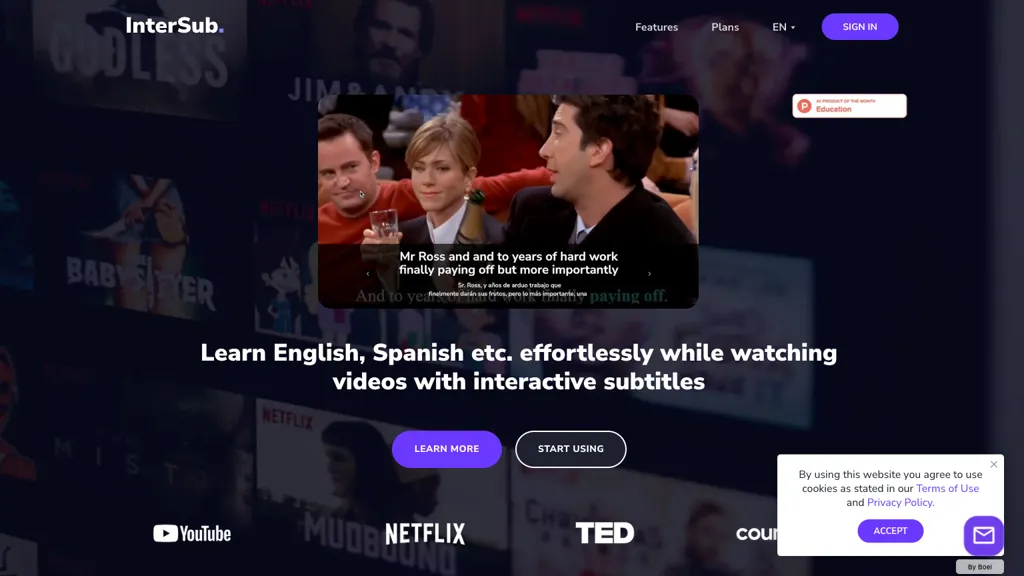
What is InterSub?
InterSub delivers side‑by‑side subtitles in the user’s native language and target language while watching videos on platforms such as YouTube, Netflix, Prime Video, HBO Max, Crunchyroll, TED, Coursera, Udemy, and LinkedIn Learning.
Hovering over a word in the subtitle provides an AI‑generated definition and contextual translation in real time.
All highlighted words are automatically stored in a personal wordbook, which can be synced to Anki, Telegram bots, and other mobile vocabulary apps for review on the go.
The extension supports over 30 languages, detects phrasal verbs, idioms, and compound nouns, and offers a remote control feature that lets users search words from a phone while viewing on a larger screen.
InterSub details
- Built for
- Individuals
InterSub pricing
Freemium- Free trial
- 14 days
- Refund window
- 14 days
Verify on the official pricing page.
View plansInterSub's key features
-
Dual subtitles with instant translation
-
Subtitles only on pause mode
-
Remote control via mobile browser
-
Personal profile wordbook with filters
-
Auto pause on cursor movement
-
Keyboard hotkeys for playback control
InterSub use cases
-
Watch your favorite streaming series in native language and target language side‑by‑side with InterSub, instantly getting AI definitions for difficult words without leaving the video.
-
Build a personalized vocabulary deck by highlighting words during a movie, automatically saving them to your InterSub wordbook that syncs with Anki, Telegram, and mobile apps for on‑the‑go spaced repetition.
-
Control subtitle playback remotely on major streaming platforms using InterSub’s remote subtitle control feature, enabling synchronized language study sessions for solo or group learning.
InterSub user reviews
Would you recommend InterSub?
Who is InterSub for?
-
Language learners
-
Vocabulary builders
-
Content consumers
-
Cross-cultural communicators
-
Digital natives
InterSub FAQ
Is InterSub free?
Partly. InterSub has a free plan with usage limits, and paid plans unlock the full feature set. Plans include Premium plan at from $6 and Pay-as-you-go at from $1.5.
What are the best alternatives to InterSub?
The closest alternatives to InterSub are Trancy, Language REACTOR, SubEasy, Lingosub and EasySub. You can compare them side by side in the alternatives section further down this page.
What does InterSub do with my data?
Its privacy policy states that personal data is not sold or shared for marketing purposes. Data may be shared with third-party service providers that help run the product.
Does InterSub auto-renew or offer refunds?
InterSub states a 14-day refund window.
Compliance, privacy and billing terms are as stated in each product's own published documentation and have not been independently verified by TopAI.tools.


