Best InterSub Alternatives in 2026
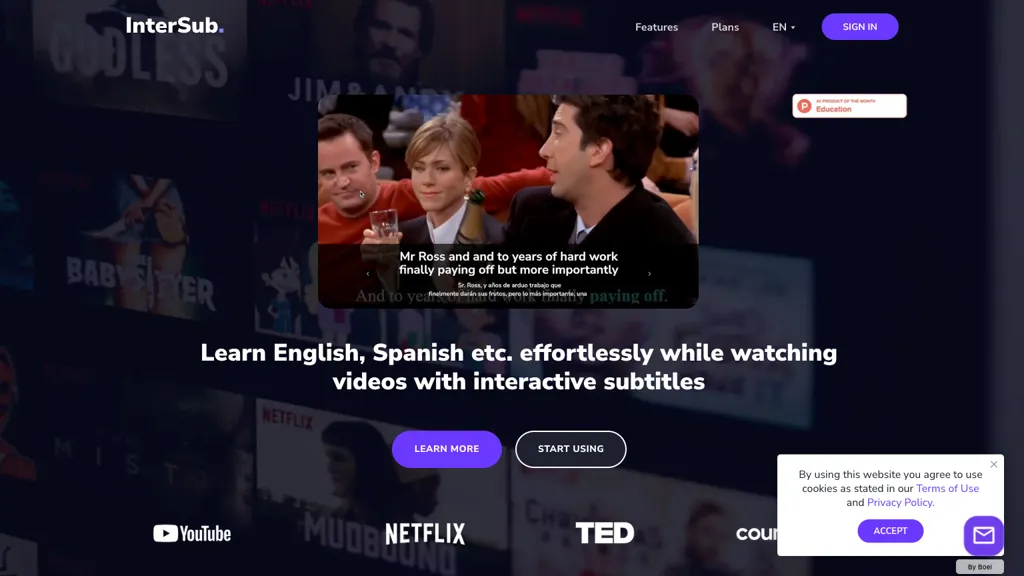
No user reviews yet FreemiumInterSub offers side‑by‑side subtitles in native and target languages on major streaming platforms. Hovering reveals real‑time AI definitions; highlighted words auto‑save to a personal wordbook that syncs with Anki, Telegram, and mobile apps.
We've ranked 29 InterSub alternatives, including 19 with a free plan. Rankings are based on feature coverage and user feedbacks.
Top-rated alternatives include Lingosub, Language REACTOR, and EasySub.
29 InterSub Alternatives & Competitors, Ranked by User Reviews
Click Compare on any tool to compare it side-by-side with InterSub.
#1
Lingosub
LingoSub lets learners watch videos in their target language with AI‑generated subtitles and translations. Tap words for definitions and pronunciations, reinforcing vocabulary in context. It offers level‑appropriate content, speed adjustment, and a curated library of learning titles across multiple languages.
#2
Language REACTOR
Language Reactor enhances language learning with dual subtitles, a popup dictionary, and precise video controls on Netflix. Features like Turtle Tube, machine translation, vocabulary suggestions, PhrasePump, and a chatbot support interactive and immersive learning experiences, making it a valuable tool for language learners.
#3
EasySub
EasySub AI automatically transcribes and translates videos into over 150 languages. It supports MP4, MOV, AVI, MKV, MP3, WAV, and YouTube uploads, offers downloadable SRT/TXT/ASS files, an editor for fine‑tuning, and export presets for major social media platforms.
#4
SubEasy
SubEasy AI delivers near‑perfect transcription and multilingual subtitles for video and audio, supporting 100 languages with 99 % accuracy. It offers dubbing, animated captions, speaker ID, OCR extraction, audio splitting, and export to VTT/SRT for social media publishing.
#5
Syncwords.com
SyncWords delivers real‑time AI captioning, subtitling, and voice dubbing for live broadcasts and events, reproducing speaker voices via Vocalics cloning and translating into 30+ languages with minimal latency. It outputs broadcast‑grade captions in multiple formats and supports FCC compliance.
#6
SubtitleBee
SubtitleBee automatically generates and syncs subtitles for video and audio files, supports on‑screen editing, customization, and multilingual translation, offers multiple export formats, and provides social‑media cropping for creators and podcasters, enabling accessible content across platforms.
- Personalized recommendations
- Custom collections
- Save favorites
Already a member? Sign in
#7
LingoSync.ai
LingoSync automatically translates and voices over videos in 40+ languages with 220 voices. Upload a video, choose a target language, and download a synced video—no manual translation or voice actor needed, saving time and cost.
#8
Akkadu AI Subtitles
Akkadu delivers real‑time, multilingual AI translations and captions for live meetings, events, and streams on Zoom, Teams, Webex, YouTube Live, and Facebook Live. It lets users choose engines, add glossaries, customize fonts, apply safety filters, capture audio via OBS, and store transcripts online.
#9
Trancy
Trancy delivers bilingual subtitles for YouTube, Netflix, and educational platforms, featuring a reading mode, AI‑powered word lookup, grammar analysis, and part‑of‑speech tagging. It offers customizable translation engines, TTS voices, adjustable display options, and offline learning decks.
#10
Animaker’s Subtitle Generator
Animaker Subtitle Generator auto‑transcribes audio, adds and edits subtitles with a click, supports 20+ animated styles, translates to 100+ languages, allows manual adjustments or .srt/.vtt uploads, and exports videos or subtitle files for broader use.
#11
Free Subtitles AI
FreeSubtitles.AI converts MP4, MKV, MOV, MP3, WAV, and FLAC files up to 1 hour and 300 MB into accurate transcripts in over 100 languages, then translates subtitles into 91 languages, supporting educators, podcasters, and researchers.
#12
SubtitlesDog
SubtitlesDog AI Subtitle Translator offers effortless translation of subtitles in over 100 languages, supporting popular formats like SRT and VTT. With advanced AI models ensuring accuracy and secure processing, it provides flawlessly timed subtitles for seamless playback.
#13
AutoCaption
Auto Caption AI instantly generates subtitles in 99+ languages, preserving full HD 1080p/60 fps video quality. Editors can adjust fonts, colors, placement, and use ready‑made or custom templates, with one‑click emoji insertion to enhance captions.
#14
Translate.Video
Translate.video automates video localization: it transcribes, generates subtitles, and dubs content in 75+ languages using voice cloning from a 50‑second clip. Users can edit captions, export SRT/VTT/MP4, and integrate plugins for Photoshop, Illustrator, and Figma.
#15
VideoLingo
VideoLingo is an AI tool for generating bilingual subtitles and dubbing, focusing on precise translations and cultural localization. It supports over eight languages, enhancing global accessibility while maintaining emotional tone and technical accuracy.
#16
Sub translate ai
SRT Subtitle Translator converts SRT, VTT, MP3, WAV, MP4, MKV, AAC files into multiple languages using AI that considers full context. Users upload files, choose target languages, adjust settings, and download translated subtitles ready for editing or streaming.
#17
Checksub
Checksub automates subtitle creation, translation, and AI dubbing across 200+ languages, transcribing audio first for accuracy. It offers voice cloning, subtitle styling, sentence‑level editing, API integration, and export options for videos and social media.
#18
Rask
Rask is an AI-powered localization tool that offers video translation, captioning, subtitling, voice over, and dubbing services in multiple languages, with a 14-day free trial for businesses, content creators, and educators.
#19
Addsubtitle
AddSubtitle is an AI video editing tool for creating multilingual subtitles and dubbing videos in 100+ languages, with translation and precise text-audio sync. It also allows subtitle customization and video rewriting while preserving original voice tones.
#20
Captions App
Captions App is an AI tool that simplifies adding subtitles and captions to videos with auto-generation, translation, and customization options. It also offers AI dubbing in over 100 languages, enabling creators to enhance accessibility and engage a broader audience effortlessly.
#21
vidby
Vidby is an AI platform delivering video translation, subtitling, dubbing, and text‑to‑speech for YouTube, Vimeo, Drive, Dropbox, and uploads. It supports multilingual voice options, automated or manual subtitle review, and real‑time translation via Google Meet and Zoom.
#22
BlipCut
BlipCut AI Video Translator automates localization for over 140 languages, using speech recognition, transcription, AI‑dubbed voice cloning, and lip‑sync. It supports batch processing, subtitle editing, and customizable voice libraries for global video content.
Sider AI is a browser extension that consolidates instant summarization, translation, and research tools in a side panel. Users compare AI model responses, receive on‑the‑fly explanations for highlighted text, extract OCR, and store snippets in a searchable knowledge base.
#24
Dubverse
Dubverse automates video dubbing, subtitles, and text‑to‑speech across 72+ languages with realistic AI voices. It syncs subtitles, supports custom voice cloning, and offers low‑latency API integration for fast, scalable audio production.
#25
TranslateTracks
TranslateTracks offers AI‑driven dubbing and translation with transcription, verified translation, automatic lip sync, and subtitles in over 50 languages. A web editor lets creators fine‑tune timing and audio before export, cutting production to 1–2 days.
#26
AI Phone
AI Phone delivers real‑time bilingual subtitles and voice translation for phone, video, and messaging calls in 150+ languages, with instant camera‑text support for signs and menus. Invite contacts via a link—no extra download needed for seamless communication.
#27
Scribewave AI
Scribewave converts audio and video up to 5 GB and 5 hours into accurate transcripts in over 90 languages. The platform offers real‑time editing, export to Word, Docs, SRT/VTT, subtitle burning, AI‑generated summaries, chapter markers, and GDPR‑compliant European data storage.
#28
Innerai.com
All‑in‑one platform integrating GPT‑4o, Claude, Gemini, and others for unified text, image, video, and document AI. Offers summarizing, translation, prompt templates, workflow tools, quiz creation, SCORM export, web search, subtitles, dubbing. SOC II‑compliant with field‑level encryption and data isolation.
#29
Supertranslate
Supertranslate converts audio/video up to 10 GB into text in 125+ languages, offering noise‑reduction and speaker diarization. It supports collaborative editing and exports to SRT, VTT, XML, ASS, with direct upload to YouTube, Brightcove, Wistia, and integrations to Google Drive, Dropbox, S3.
Frequently Asked Questions
Why look for InterSub alternatives?
Common reasons users switch from InterSub:
- Feature gaps: teams needing specific capabilities like Translate Voice may find a more focused alternative better suited to their workflow.
- Flexibility: exploring alternatives helps find tools that better match your team size, integrations, and budget.
What is the best alternative to InterSub?
Lingosub ranks as the top InterSub alternative. LingoSub lets learners watch videos in their target language with AI‑generated subtitles and translations. Tap words for definitions and pronunciation It is available on a Paid plan.
How do the top InterSub alternatives compare?
| Tool | Pricing | Starting Price | User Rating |
|---|---|---|---|
| InterSub this tool | Freemium | — | — |
| Lingosub | Paid | — | — |
| Language REACTOR | — | — | 82.4% (17) |
| EasySub | Freemium | — | — |
| SubEasy | Freemium | $9.9/mo | 95.8% (24) |
| Syncwords.com | Freemium | $0.5 | — |
Are there free InterSub alternatives?
Yes, 19 free alternatives found in our list: EasySub, SubEasy, Syncwords.com. and 16 more — use the pricing filter above to see them all.
What should I look for in a InterSub alternative?
- Core capabilities: confirm the tool supports Translate Voice, Generate Definitions, Organize Wordbooks.
- Pricing transparency: look for clear free plan, trial period, or tiered pricing — avoid tools that hide costs.
- User reviews: check both the satisfaction percentage and the number of reviews; a high score from few users is less reliable.
- Integrations: verify it connects with your existing stack before committing.
- Support and updates: active development and responsive support are strong signals of a maintained product.
Which InterSub alternative has the highest user rating?
Translate.Video has the highest satisfaction score among InterSub alternatives, with 100% positive from 1 user review. It is available on a Freemium plan starting from $29/mo.
What are InterSub alternatives used for?
- Translate Voice
- Generate Definitions
- Organize Wordbooks
- Automate Vocabularys
- Analyze Languages