Best Eklipse Alternatives in 2026
97% positive · 66 user reviews FreeEklips is an AI tool that automatically clips gaming moments from Twitch streams and converts them into TikTok, Reel, and Short formats for easy editing and sharing on social media. It also has a mobile app and video editor for customization.
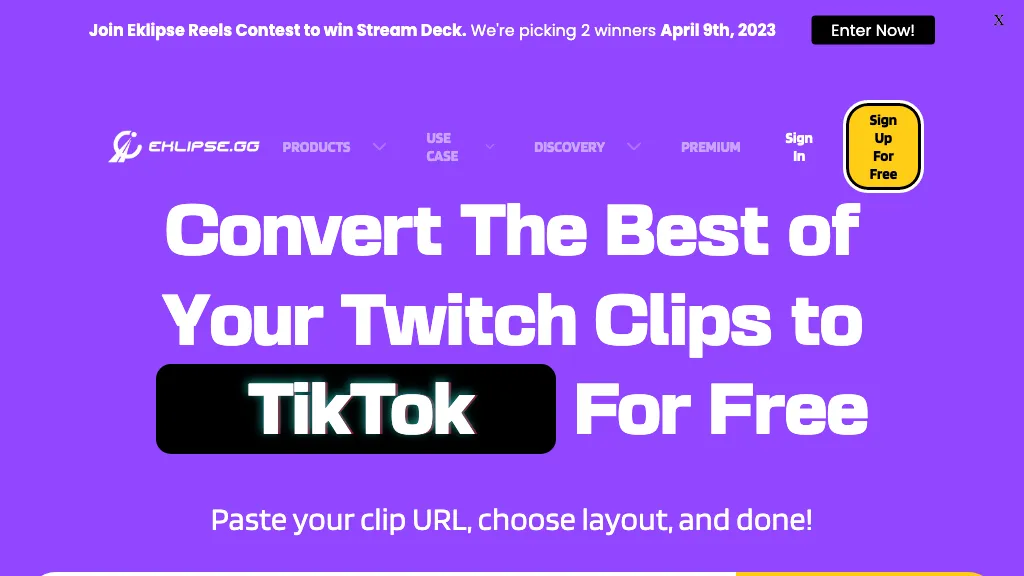
We've ranked 29 Eklipse alternatives, including 21 with a free plan. Rankings are based on feature coverage and user feedbacks.
Top-rated alternatives include Klap.app, Qlip.ai, and Klipme.
29 Eklipse Alternatives & Competitors, Ranked by User Reviews
Click Compare on any tool to compare it side-by-side with Eklipse.
#1
Klap.app
Klap automatically extracts key moments from long videos, reframes them for vertical formats, adds multilingual subtitles, and lets you customize branding. Upload files or YouTube links, then share or schedule ready‑to‑publish clips across TikTok, Instagram, LinkedIn, and YouTube.
#2
Qlip.ai
Qlip automatically extracts short, vertical or square clips from longer videos, preserving focus on key moments. It applies brand templates, generates speech‑to‑text transcripts with speaker tags, and offers an API for clip creation, aspect‑ratio conversion, subtitle burning, and transcription.
#3
Klipme
Klipme automates generating short-form clips and summaries from long-form video for TikTok, Reels, and Shorts by analyzing audio/visual cues. It offers vertical autocrop, speech subtitles, beat-synced edits, generative styling, templates, and batch processing.
#4
10LevelUp
10levelup is an AI tool that transforms long videos into engaging, short social media clips in minutes, highlighting key moments automatically.
#5
FlexClip
FlexClip is an online video editor with templates, resources, and powerful tools to create and edit videos for various purposes, as well as integration with royalty-free stock media providers and easy social media sharing.
#6
Clip FM
ClipFM uses AI to scan long videos, automatically extract highlights, generate captions, detect emotions, and assign virality scores. Export clips in platform‑specific formats (TikTok, Instagram, YouTube, X, LinkedIn, Facebook) with a one‑click export.
- Personalized recommendations
- Custom collections
- Save favorites
Already a member? Sign in
#7
Snapcut.ai
Snapcut.ai is an AI-driven video editing tool that transforms long videos into engaging short clips. It identifies key moments, reframes for various platforms, and adds animated captions, streamlining the editing process for social media content creators.
#8
Vizard
Vizard.ai automatically transcribes footage, spots highlights, and creates TikTok, Reels, and Shorts‑ready clips with one click. It provides text trimming, timeline precision, vertical resizing, multilingual captions, brand templates, collaborative workspaces, and API integration.
#9
ClipZap AI
Clipzap.ai is a free AI video workflow editor that enables users to clip, edit, and translate videos in multiple languages. It features face-swapping, video generation, and integration with audio/video products for streamlined content creation.
#10
Cococlip.ai
CoCoClip.AI transforms text prompts into videos, auto‑edits image sequences, and tracks real‑time trends on TikTok, YouTube Shorts, and Instagram Reels. It offers face swap, watermark removal, talking photos, lip‑sync, and creative generators for efficient content creation.
#11
Spikes Studio
Spikes Studio automates video editing, turning raw footage into platform‑ready clips for TikTok, Instagram Reels, and YouTube Shorts. It detects high‑impact moments, adds multilingual captions, auto‑resizes, schedules posts, tracks analytics, and supports team collaboration.
#12
Videoleap
Videoleap is a cross‑platform editor with AI background removal, infinite‑zoom, text‑to‑video, audio cutting, subtitles, and built‑in filters. It offers templates for TikTok, Reels, Shorts, and ads, plus a drag‑and‑drop interface for quick professional videos on web or mobile.
#13
StreamGen
Streamgen is an AI tool for streamers that generates highlight clips from Twitch VODs by identifying viral moments. It features customizable captions, silence removal, automated word censoring, and a content scheduler for easy posting on various platforms.
#14
Klipify
Klipify is an AI-driven video creation tool that efficiently extracts clips from long videos, automates post scheduling, and offers multilingual support through video translation, streamlining content production for creators and enhancing audience engagement.
#15
AnyClip
AnyClip automates video tagging, subtitles, and chapter creation, enabling searchable, measurable content. It extracts highlights, clusters topics, and builds contextual playlists. Facial recognition and brand‑safety filters keep compliant, while interactive players support live captions and AI‑driven ads.
#16
AICut
aicut.pro automates short‑form video creation for YouTube Shorts, TikTok, and Instagram Reels. It offers ready‑made viral templates, prompt cloning, AI voice‑overs, background swaps, image generation, auto‑posting, and a community forum for support.
#17
AI Video Cut
AI Video Cut uses prompt‑based AI to transform long videos into short, platform‑optimized clips. It auto‑detects faces, crops frames, adds multilingual captions, and supports multiple aspect ratios for fast, high‑quality content creation.
#18
Shorts Generator ai
Shorts Generator AI converts text or links into ready‑to‑post vertical videos for YouTube, TikTok, and Instagram. It auto‑creates scripts, selects visuals, compiles clips in under a minute, and offers export options, auto‑publishing, and quick repurposing of existing content.
#19
Saved
Saved is an AI clipper for streamers that automatically detects and edits highlights from live streams, facilitating quick uploads to platforms like YouTube and Twitch while allowing users to customize highlights for enhanced viewer engagement.
#20
Taja AI
Taja AI automatically extracts high‑engagement segments from long‑form videos, producing vertical clips under 60 seconds for YouTube Shorts, TikTok, Reels, Facebook, LinkedIn, and X. It batches uploads, schedules via a content calendar, and supplies SEO‑friendly titles, descriptions, and keyword‑rich topics.
#21
Flowjin
Flowjin AI Clip Maker extracts share-worthy moments from long videos and podcasts, creating 10+ short, captioned clips with platform‑specific titles, hashtags, and CTAs. It offers editing, templating, and one‑click scheduling for LinkedIn, YouTube, X, Instagram Reels, TikTok, and Facebook.
#22
Blipix
Blipix is an AI-powered tool for creating faceless videos for platforms like YouTube and TikTok, automating production in three simple steps. It supports diverse video styles, offers customization options, and enables auto-pilot posting for seamless content sharing.
#23
Chopcast
Chopcast is an AI-powered content repurposing tool that automates the process of identifying key moments in long-form video and turning them into short-form content for social media channels, saving time and reducing edit costs.
#24
ClipLab
Cliplab is an AI-driven tool that converts single sentence story prompts into engaging short videos. It automates scene selection and timing, enabling users to create shareable content for platforms like TikTok and Instagram effortlessly.
#25
Reap.video
Reap is an AI video repurposing tool that extracts engaging clips from long videos, offers accurate auto-captioning, adjusts aspect ratios, and provides editing features, making it efficient for creating shareable content across social media platforms.
#26
ShortsNinja
Shortsninja is an AI platform for creating engaging faceless videos for social media. Users can customize styles and scripts, edit videos easily, and schedule automated postings, enabling efficient content production in over 50 languages.
#27
Opus Clip
OpusClip is an AI-powered video tool that transforms long videos into shareable short clips with one click. It uses AI to identify compelling moments, generate captions, and optimize for social media.
#28
Slick
Slick is an AI‑powered video editor that auto‑cuts full‑length footage into social‑media shorts via drag‑and‑drop or a YouTube link. It removes silences, adds multilingual captions, inserts b‑roll, supports 4K, and exports for TikTok, Instagram, YouTube.
#29
Clip Remix
Clip Remix is an AI tool that converts YouTube videos into concise Twitter threads, enabling content creators to repurpose video content for greater social media engagement. Its user-friendly interface makes it accessible without technical skills.
Frequently Asked Questions
Why look for Eklipse alternatives?
Common reasons users switch from Eklipse:
- Feature gaps: teams needing specific capabilities like Generate highlights may find a more focused alternative better suited to their workflow.
- Flexibility: exploring alternatives helps find tools that better match your team size, integrations, and budget.
What is the best alternative to Eklipse?
Based on 3 user reviews, Klap.app (100% positive) ranks as the top Eklipse alternative. Klap automatically extracts key moments from long videos, reframes them for vertical formats, adds multilingual subtitles, and lets you customize bran It is available on a Paid plan.
How do the top Eklipse alternatives compare?
Are there free Eklipse alternatives?
Yes, 21 free alternatives found in our list: Qlip.ai, Klipme, 10LevelUp. and 18 more — use the pricing filter above to see them all.
What should I look for in a Eklipse alternative?
- Core capabilities: confirm the tool supports Generate highlights, Convert videos, Edit clips.
- Pricing transparency: look for clear free plan, trial period, or tiered pricing — avoid tools that hide costs.
- User reviews: check both the satisfaction percentage and the number of reviews; a high score from few users is less reliable.
- Integrations: verify it connects with your existing stack before committing.
- Support and updates: active development and responsive support are strong signals of a maintained product.
Which Eklipse alternative has the highest user rating?
Klap.app has the highest satisfaction score among Eklipse alternatives, with 100% positive from 3 user reviews. It is available on a Paid plan.
What are Eklipse alternatives used for?
- Generate highlights
- Convert videos
- Edit clips
- Automate clipping
- Optimize content