
Top 29 CollabMap Alternatives in 2026
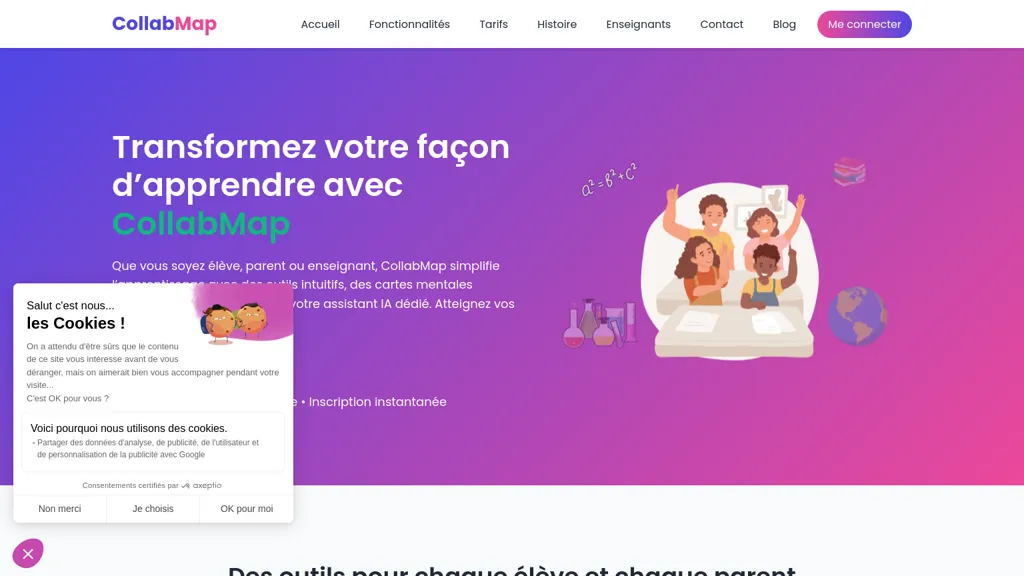
No user reviews yet PaidCollabMap transforms handwritten or digital notes into interactive mind maps and revision sheets, automatically generating flashcards for self‑testing. An AI assistant guides practice without giving direct answers. Parents view progress dashboards; teachers embed the workflow into lesson plans.
We've ranked 29 CollabMap alternatives, including 23 with a free plan. Rankings are based on feature coverage and user feedbacks.
Top-rated alternatives include ConceptMap AI, MyMap.AI, and Mind Grasp.
29 CollabMap Alternatives & Competitors, Ranked by User Reviews
Click Compare on any tool to compare it side-by-side with CollabMap.
 #1
ConceptMap AI
#1
ConceptMap AI
Concept Map AI is a free mind mapping tool that enables users to create visual concept maps quickly through AI interaction. It supports educational purposes, project planning, brainstorming, and process mapping, enhancing clarity, collaboration, and operational efficiency.
 #2
MyMap.AI
#2
MyMap.AI
MyMap turns text prompts into mind maps, flowcharts, SWOT, timelines, and database schemas on an infinite canvas. It auto‑generates and places nodes with real‑time AI context awareness, letting users drag, connect, and reorganize for brainstorming and planning.
 #3
Mind Grasp
#3
Mind Grasp
Mindgrasp converts PDFs, documents, audio, video, and URLs into organized study assets. It auto‑creates notes, summaries, flashcards, and quizzes, and offers a 24/7 AI tutor and real‑time progress tracking across devices for students and professionals.
 #4
Wisemap.ai
#4
Wisemap.ai
WiseMap uses ChatGPT to expand keyword‑driven mind maps, adding nodes and refining structures via natural language. It offers AI‑generated backgrounds, unlimited edits, export options, and collaborative sharing with credit tracking for teams and educators.
 #5
Quizlet AI
#5
Quizlet AI
Quizlet is a versatile study platform offering customizable flashcards, practice tests, and interactive learning activities. It fosters collaborative learning through a vast community sharing thousands of subject-specific sets.
 #6
AmyMind
#6
AmyMind
AmyMind turns text, PDFs, Word, Markdown, and YouTube captions into AI‑generated mind maps. It offers new branch creation, detailed exploration, refinement suggestions, rich node formatting, outline view, shortcuts, custom themes, and export to PPT, PDF, PNG, DOC, plus pitch mode.
- Catch deals before they expire
- Unlock tools matched to you
- Show off your AI stacks
Already a member? Sign in
 #7
Algor education
#7
Algor education
Algor Education turns notes, PDFs, audio, video, and images into AI‑generated interactive study tools—concept and mind maps, flashcards, quizzes, and structured notes. It highlights key points, visualizes content, and streamlines exam preparation, curriculum design, and independent learning.
 #8
Study Fetch
#8
Study Fetch
StudyFetch converts uploaded course materials into a structured learning system, generating personalized study schedules, milestone plans, quizzes, flashcards, and interactive game challenges. It offers AI tutoring, live lecture capture, and supports educators and institutions.
 #9
Revix AI
#9
Revix AI
Revix AI is an AI-driven learning platform that enables students to create personalized study sets, generate notes, use flashcards, and collaborate with peers. It also offers custom mind maps for better topic visualization and comprehension.
 #10
Student AI
#10
Student AI
StudentAI consolidates academic tools: auto‑generates practice tests, quizzes from PDFs, drafts papers with citations, summarizes documents, converts YouTube lectures to timestamped notes, offers mock interviews, APA referencing, 24/7 AI tutors across subjects, study planning, flashcards, and group collaboration.
 #11
MindmapAI
#11
MindmapAI
MindmapAI turns PDFs, YouTube videos, and web pages into structured visual maps, automatically extracting key concepts and summaries. Users can collaborate, add notes, icons, tags, and export maps to PDF, PNG, or JPEG for presentations.
 #12
To Teach
#12
To Teach
AI lesson planner generates curriculum‑aligned plans, quizzes, flashcards, mind maps, and more in seconds, with 800+ pre‑made exercises and customizable imports. H5P‑ready output integrates into Moodle, Canvas, and other LMS, supporting multiple levels and gamification.
 #13
Answer AI
#13
Answer AI
Answer.AI offers 24/7 AI tutoring from elementary math to AP courses, with step‑by‑step explanations, flashcards, a math camera, study‑group tools, progress tracking, scholarship guidance, and mental‑health tips, accessible via web, Chrome, iOS, Android.
 #14
Youlearn
#14
Youlearn
AI tutor that transforms PDFs, videos, slides, and recordings into study notes, quizzes, podcasts, and personalized exams, providing key takeaways, answer breakdowns, progress tracking, and interactive chat support for learners and educators.
 #15
TutorAI
#15
TutorAI
Tutor AI instantly creates personalized courses with lessons, quizzes, flashcards, and study materials tailored to a learner’s goals, level, and style. It provides step‑by‑step homework help, tracks progress, and supports diverse subjects for students, professionals, and teams.
 #16
FunBlocks AI
#16
FunBlocks AI
FunBlocks AI converts topics, notes, PDFs, and videos into visual mind maps using models like First Principles and SWOT. Users can export maps to AI‑generated docs, slides, or Markdown, and switch between GPT, Claude, Gemini, and DeepSeek within one workflow.
 #17
GitMind
#17
GitMind
GitMind is an AI workspace that transforms text, audio, video, PDFs, images, and web pages into mind maps, summaries, and visual diagrams. It offers transcript, OCR, and diagram generation, a content‑specific chatbot, and cross‑platform collaboration while safeguarding data.
 #18
Xmind
#18
Xmind
Xmind generates AI-powered mind maps and summaries from Markdown, DOC, OPML and TextBundle files, converts documents into SOPs, and provides real-time collaboration, cross-platform apps, integrations, and enterprise controls for team planning, documentation, and process design.
 #19
StudyFlash AI
#19
StudyFlash AI
StudyFlash is an AI tool that simplifies studying by creating and managing flashcards in three easy steps. It helps users achieve study-life balance by enhancing efficiency and effectiveness, catering to both students and professionals.
 #20
Turbo AI
#20
Turbo AI
Turbo.ai is an AI-powered note-taking and study platform that converts lectures, PDFs, videos, and audio into structured notes, flashcards, quizzes, and summaries. It automatically extracts key concepts, preserves technical formatting, and supports collaboration across devices for students, researchers, and professionals.
 #21
Ace it
#21
Ace it
Ace It converts handwritten or digital notes into flashcards, quizzes, and concise summaries, tailoring content to individual study styles. It suggests related YouTube videos and streamlines preparation, aiding retention through focused practice.
 #22
Revisely
#22
Revisely
Revisely uses AI to produce flashcards, quizzes, notes, and video summaries for students, teachers, and professionals. It auto‑generates spaced‑repetition flashcards, graded multiple‑choice and short‑answer quizzes, and concise summaries of PDFs, slides, and transcripts.
 #23
shutu.cn
#23
shutu.cn
TreeMind uses AI to convert prompts, images, or documents into structured mind maps and other diagram types. It supports unlimited nodes, real‑time collaboration, multiple export formats, and cross‑platform sync for students, educators, and teams.
 #24
Study Point AI
#24
Study Point AI
Study Point AI delivers instant, step‑by‑step math solutions, AI‑assisted writing feedback, and tutoring across math, science, programming, and history. It includes graph plotting, an interactive periodic table, 3‑D solar explorer, custom quizzes, mind‑maps, progress analytics, and adaptive learning.
 #25
StudyX.ai
#25
StudyX.ai
StudyX is an AI‑powered platform that converts lecture recordings, PDFs, and videos into organized notes, generates spaced‑repetition flashcards, creates custom quizzes from uploaded content, and supports text, image, PDF, and YouTube inputs across web, Discord, and a browser extension.
 #26
edraw ai
#26
edraw ai
Edraw.ai is an AI-driven platform for visual collaboration, offering a variety of diagram types and real-time editing. It enhances productivity by facilitating teamwork, streamlining workflows, and improving visual documentation across diverse industries.
 #27
Atlas
#27
Atlas
Atlas automatically generates lecture notes, flashcards, and quizzes from course materials, offers step‑by‑step problem explanations and essay drafting, and answers specific class queries, integrating with common learning platforms for seamless syllabus access.
 #28
Ideamap
#28
Ideamap
Ideamap is an AI-driven brainstorming tool that helps teams unleash their creative potential. With its cutting-edge technology, Ideamap enables real-time collaboration and innovation, making it perfect for remote teams.
 #29
MyMind
#29
MyMind
Cross‑platform personal knowledge manager consolidating notes, bookmarks, articles, images, and quotes into one private space. Auto‑classifies content, generates AI summaries, and enables search by color, keyword, brand, or date. Real‑time sync across iOS, Android, macOS, Chrome, Edge, and Safari.
Frequently Asked Questions
Why look for CollabMap alternatives?
Common reasons users switch from CollabMap:
- Cost: CollabMap is a Paid tool — users often look for more affordable or free options.
- Feature gaps: teams needing specific capabilities like Generate Mind Maps may find a more focused alternative better suited to their workflow.
- Flexibility: exploring alternatives helps find tools that better match your team size, integrations, and budget.
What is the best alternative to CollabMap?
ConceptMap AI ranks as the top CollabMap alternative. Concept Map AI is a free mind mapping tool that enables users to create visual concept maps quickly through AI interaction. It supports educational pu It is available on a Free trial plan.
How do the top CollabMap alternatives compare?
| Tool | Pricing | Starting Price | User Rating |
|---|---|---|---|
| CollabMap this tool | Paid | — | — |
| ConceptMap AI | Free trial | — | — |
| MyMap.AI | Freemium | $12/mo | 70.8% (24) |
| Mind Grasp | Freemium | $6.99/mo | 82.1% (28) |
| Wisemap.ai | Paid | $5/mo | — |
| Quizlet AI | Freemium | — | — |
Are there free CollabMap alternatives?
Yes, 23 free alternatives found in our list: ConceptMap AI, MyMap.AI, Mind Grasp. and 20 more — use the pricing filter above to see them all.
What should I look for in a CollabMap alternative?
- Core capabilities: confirm the tool supports Generate Mind Maps, Generate Flashcards, Analyze Progress.
- Pricing transparency: look for clear free plan, trial period, or tiered pricing — avoid tools that hide costs.
- User reviews: check both the satisfaction percentage and the number of reviews; a high score from few users is less reliable.
- Integrations: verify it connects with your existing stack before committing.
- Support and updates: active development and responsive support are strong signals of a maintained product.
Which CollabMap alternative has the highest user rating?
Revix AI has the highest satisfaction score among CollabMap alternatives, with 100% positive from 1 user review. It is available on a Free trial plan.
What are CollabMap alternatives used for?
- Generate Mind Maps
- Generate Flashcards
- Analyze Progress
- Organize Study Paths
- Generate Revision Sheets