
Top 29 ChippyAI Alternatives in 2026
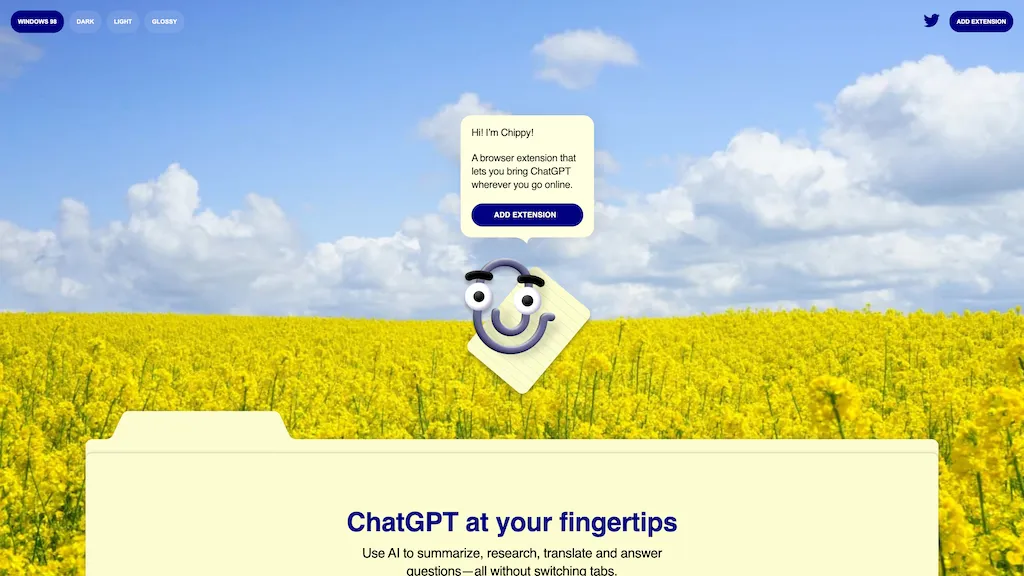
100% positive · 1 user review FreeChippy is a Chrome extension that embeds ChatGPT directly into the browser, letting users ask questions, summarize pages, research topics, translate text, and draft emails instantly while staying on the current tab.
We've ranked 29 ChippyAI alternatives, including 22 with a free plan. Rankings are based on feature coverage and user feedbacks.
Top-rated alternatives include ChatGPT for YouTube, YouTube Summary with ChatGPT, and FlashAI.
29 ChippyAI Alternatives & Competitors, Ranked by User Reviews
Click Compare on any tool to compare it side-by-side with ChippyAI.
 #1
ChatGPT for YouTube
#1
ChatGPT for YouTube
ChatGPT for YouTube is a Chrome extension that produces concise text summaries of YouTube videos, enabling quick understanding of key points. It operates without requiring a ChatGPT or OpenAI account and integrates directly into the YouTube interface.
 #2
YouTube Summary with ChatGPT
#2
YouTube Summary with ChatGPT
YouTube sumamry chrome extension is a YouTube video summary tool developed by Glasp Inc., currently in beta testing and requires installation on Chrome or Safari browsers along with sign-up.
 #3
FlashAI
#3
FlashAI
FlashAI is a Chrome extension that runs ChatGPT via your OpenAI API key in-browser, offering one-click webpage summarization, highlight-to-run prompts, a prompt manager, keyboard shortcuts and context-menu access for faster research, drafting and content extraction.

ChatGPT is an AI chatbot based on large language models family created by OpenAI for general purpose chat that allows users to ask any question or prompt to AI, making it a useful tool for many writing processes.
 #5
GPT-Prompter
#5
GPT-Prompter
GPT‑Prompter is a Chrome extension that brings GPT‑3/4 and ChatGPT API directly into any webpage. It highlights selected text for instant explanations, supports pre‑made and custom prompts, and streamlines drafting for researchers, writers, and developers.
 #6
Checkget
#6
Checkget
Checkget is a browser extension that adds ChatGPT to any webpage via a single shortcut. It auto‑detects contexts, enabling summarization, translation, grammar correction, tone adjustment, and can run locally encrypted. Supports GPT‑3.5/4 for fast, on‑page AI help.
- Catch deals before they expire
- Unlock tools matched to you
- Show off your AI stacks
Already a member? Sign in
 #7
ChatGPT Everywhere
#7
ChatGPT Everywhere
The ChatGPT Everywhere Chrome Extension integrates ChatGPT's language model into browsing, offering instant answers and knowledge without leaving the current webpage. Enhance productivity, save time, and access comprehensive information seamlessly.
 #8
AI Chat for Search
#8
AI Chat for Search
Browser extension that displays conversational AI answers and multi-model comparisons alongside search results, integrates with GPT-4/Claude and major search engines, and adds YouTube summaries, PDF/image/OCR processing and content-generation tools for research and creation.
 #9
GPTGO
#9
GPTGO
GPTGO blends Google search with ChatGPT, presenting results and AI‑generated summaries in 100+ languages. Users get concise answers beside each result, can copy or download, and access the tool on desktop, mobile, or tablet without registering.
 #10
Walles.ai
#10
Walles.ai
Walles.AI is a Chrome extension that brings a ChatGPT‑powered assistant to any web page, PDF, or YouTube video, enabling quick summarization, translation, paraphrasing, text extraction, and image‑based math solving, with export to Notion and keyboard shortcuts.
 #11
Chatgot
#11
Chatgot
ChatGOT offers real‑time chat, drafting, coding, summarization, PDF analysis, and text‑to‑image generation using models like GPT‑4o mini. It handles essays, emails, debugging, translations, and lets users create custom assistant roles—all web‑based without sign‑up.
 #12
editGPT
#12
editGPT
editGPT is a Chrome extension that turns ChatGPT into a writing assistant. It provides real‑time grammar, style, and rewriting support in 80+ languages, preserves formatting, tracks changes, and manages revisions.
 #13
Share by ChatGPT
#13
Share by ChatGPT
Share ChatGPT Menu is a browser extension that simplifies summarizing and sharing web content. It extracts key information, allows easy sharing on social media, and integrates with ChatGPT for tailored, contextually relevant summaries, enhancing productivity for users.
 #14
PopboxGPT
#14
PopboxGPT
PopboxGPT is a Chrome extension that embeds GPT‑3.5‑turbo into the browser, offering Alt+J quick launch, fullscreen mode, persistent session history, and a lightweight modal for drafting, research, or brainstorming across sites for all users.
 #15
DeepTab
#15
DeepTab
DeepTab embeds GPT‑3.5 help into Chrome’s tab and sidebar, offering on‑page assistance, a quick AI search panel, daily wallpaper refreshes, and a curated AI‑website directory—all designed to streamline browsing and AI resource access.
 #16
GPTPLUS
#16
GPTPLUS
GPTPlus is a browser extension featuring GPT-4 and GPT-3.5 technologies. It provides an integrated ChatGPT assistant within a sidebar for writing, translation, code analysis, prompts, templates, and custom queries, boosting productivity in content generation and SEO optimization tasks.
 #17
QuickyAI
#17
QuickyAI
Quicky AI is a browser extension that embeds ChatGPT (GPT‑4o and models) into any webpage. It lets users ask contextual questions, summarize content, capture screenshots, and use preset prompts for tasks like marketing, coding, or data analysis. Credentials remain local.
 #18
AI Toolbar
#18
AI Toolbar
AI Toolbar is a Chrome extension that adds an AI assistant to every webpage. It generates text, summarizes, translates, and paraphrases content, supports voice commands, offers a chatbot, exports replies to Word/PDF, integrates with ChatGPT, and allows custom prompts.
 #19
Ask AI
#19
Ask AI
Chat & Ask AI combines web search, image generation, link analysis, document chat, and YouTube summarization in one interface. It offers up‑to‑date answers, multilingual support, file uploads, and a prompt library, powered by GPT‑5.2, Gemini, Claude, and Stable Diffusion XL.
 #20
Monica
#20
Monica
Monica integrates GPT‑5.2, Claude 4.5, Gemini 3 Pro, Sora 2, and Nano Banana into a single extension for Chrome, Edge, Windows, macOS, Android, and iOS. It supports chat, web search, translation, summarization, image/video creation, code assistance, OCR, PDF conversion, and resume review.
 #21
ChatGPT on Google: Search with Chat GPT
#21
ChatGPT on Google: Search with Chat GPT
Get the ChatGPT on Google Extension now and discover a world of knowledge and fun with ChatGPT by your side. Start exploring.
 #22
Torq AI
#22
Torq AI
Torq AI is a Chrome extension that lets users draft and reply to emails with one click, analyze selected text, translate it, access ChatGPT and Google search, and extract data insights—all from a lightweight toolbar for individuals and teams.
 #23
Dashai
#23
Dashai
The dashai AI tool is a Chrome extension that provides instant chatGPT access to every webpage and includes a huge prompt library, command execution, text highlighting, AI text expander, and one-time payment for unlimited use.
 #24
PowerBrain
#24
PowerBrain
ChatGPT is an AI-powered chat app that uses advanced NLP technology to provide fast answers and automate tasks.
 #25
Glarity
#25
Glarity
Glarity is a browser extension that employs ChatGPT to summarize and translate web pages, PDFs, and YouTube videos. It offers real‑time translations, timestamped video highlights, side‑by‑side language support, and AI‑powered content extraction.
 #26
MaxAI.me
#26
MaxAI.me
MaxAI is a Chrome/Edge extension and web app that adds an AI sidebar for instant on‑page queries, delivering responses with cited sources. It supports writing assistance, translation, and summarization of PDFs, videos, and images for research, coding, and marketing.
 #27
GPT Reader & Transcriber
#27
GPT Reader & Transcriber
gpt-reader.com is a community-driven AI development platform that enables open-source teams to manage projects through proposal voting, AI-assisted code reviews, and integrated CI/CD workflows.
 #28
ChatGPT Add-in for Outlook
#28
ChatGPT Add-in for Outlook
ChatGPT for Outlook embeds OpenAI’s ChatGPT into Microsoft Outlook, enabling custom prompts on emails to generate summaries, highlights or revisions, and allowing users to replace content or flag messages. Administrators can deploy it across Office 365 with tailored prompts for teams.
 #29
AIPal
#29
AIPal
Chat, write, reply, translate, and more on any webpage, powered by cutting-edge AI models such as GPT-4, Claude 3, and Gemini. Coming soon: image, video, PPT, and PDF processing.
Frequently Asked Questions
Why look for ChippyAI alternatives?
Common reasons users switch from ChippyAI:
- Feature gaps: teams needing specific capabilities like analyze text may find a more focused alternative better suited to their workflow.
- Flexibility: exploring alternatives helps find tools that better match your team size, integrations, and budget.
What is the best alternative to ChippyAI?
ChatGPT for YouTube ranks as the top ChippyAI alternative. ChatGPT for YouTube is a Chrome extension that produces concise text summaries of YouTube videos, enabling quick understanding of key points. It opera It is available on a Free plan.
How do the top ChippyAI alternatives compare?
| Tool | Pricing | Starting Price | User Rating |
|---|---|---|---|
| ChippyAI this tool | Free | — | 100% (1) |
| ChatGPT for YouTube | Free | — | — |
| YouTube Summary with ChatGPT | — | — | 60% (25) |
| FlashAI | Free | — | — |
| ChatGPT | Freemium | $20/mo | 85.7% (35) |
| GPT-Prompter | Free | — | 100% (1) |
Are there free ChippyAI alternatives?
Yes, 22 free alternatives found in our list: ChatGPT for YouTube, FlashAI, ChatGPT. and 19 more — use the pricing filter above to see them all.
What should I look for in a ChippyAI alternative?
- Core capabilities: confirm the tool supports analyze text, summarize text, translate texts.
- Pricing transparency: look for clear free plan, trial period, or tiered pricing — avoid tools that hide costs.
- User reviews: check both the satisfaction percentage and the number of reviews; a high score from few users is less reliable.
- Integrations: verify it connects with your existing stack before committing.
- Support and updates: active development and responsive support are strong signals of a maintained product.
Which ChippyAI alternative has the highest user rating?
GPT-Prompter has the highest satisfaction score among ChippyAI alternatives, with 100% positive from 1 user review. It is available on a Free plan.
What are ChippyAI alternatives used for?
- analyze text
- summarize text
- translate texts
- Generate Emails