
Top 29 Dashai Alternatives in 2026
No user reviews yet PaidThe dashai AI tool is a Chrome extension that provides instant chatGPT access to every webpage and includes a huge prompt library, command execution, text highlighting, AI text expander, and one-time payment for unlimited use.
We've ranked 29 Dashai alternatives, including 23 with a free plan. Rankings are based on feature coverage and user feedbacks.
Top-rated alternatives include FlashAI, ChippyAI, and ChatGPT.
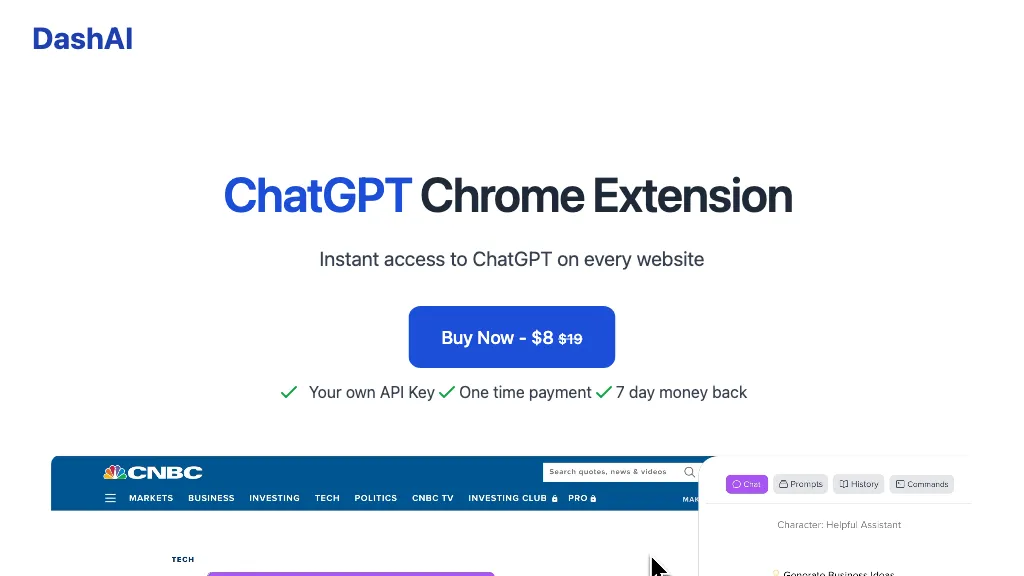
29 Dashai Alternatives & Competitors, Ranked by User Reviews
Click Compare on any tool to compare it side-by-side with Dashai.
 #1
FlashAI
#1
FlashAI
FlashAI is a Chrome extension that runs ChatGPT via your OpenAI API key in-browser, offering one-click webpage summarization, highlight-to-run prompts, a prompt manager, keyboard shortcuts and context-menu access for faster research, drafting and content extraction.
 #2
ChippyAI
#2
ChippyAI
Chippy is a Chrome extension that embeds ChatGPT directly into the browser, letting users ask questions, summarize pages, research topics, translate text, and draft emails instantly while staying on the current tab.

ChatGPT is an AI chatbot based on large language models family created by OpenAI for general purpose chat that allows users to ask any question or prompt to AI, making it a useful tool for many writing processes.
 #4
AI Chat for Search
#4
AI Chat for Search
Browser extension that displays conversational AI answers and multi-model comparisons alongside search results, integrates with GPT-4/Claude and major search engines, and adds YouTube summaries, PDF/image/OCR processing and content-generation tools for research and creation.
 #5
GPTGO
#5
GPTGO
GPTGO blends Google search with ChatGPT, presenting results and AI‑generated summaries in 100+ languages. Users get concise answers beside each result, can copy or download, and access the tool on desktop, mobile, or tablet without registering.
 #6
AI Toolbar
#6
AI Toolbar
AI Toolbar is a Chrome extension that adds an AI assistant to every webpage. It generates text, summarizes, translates, and paraphrases content, supports voice commands, offers a chatbot, exports replies to Word/PDF, integrates with ChatGPT, and allows custom prompts.
- Catch deals before they expire
- Unlock tools matched to you
- Show off your AI stacks
Already a member? Sign in
 #7
MaxAI.me
#7
MaxAI.me
MaxAI is a Chrome/Edge extension and web app that adds an AI sidebar for instant on‑page queries, delivering responses with cited sources. It supports writing assistance, translation, and summarization of PDFs, videos, and images for research, coding, and marketing.
 #8
Ask AI
#8
Ask AI
Chat & Ask AI combines web search, image generation, link analysis, document chat, and YouTube summarization in one interface. It offers up‑to‑date answers, multilingual support, file uploads, and a prompt library, powered by GPT‑5.2, Gemini, Claude, and Stable Diffusion XL.
 #9
GPT-Prompter
#9
GPT-Prompter
GPT‑Prompter is a Chrome extension that brings GPT‑3/4 and ChatGPT API directly into any webpage. It highlights selected text for instant explanations, supports pre‑made and custom prompts, and streamlines drafting for researchers, writers, and developers.
 #10
Walles.ai
#10
Walles.ai
Walles.AI is a Chrome extension that brings a ChatGPT‑powered assistant to any web page, PDF, or YouTube video, enabling quick summarization, translation, paraphrasing, text extraction, and image‑based math solving, with export to Notion and keyboard shortcuts.
 #11
YouTube Summary with ChatGPT
#11
YouTube Summary with ChatGPT
YouTube sumamry chrome extension is a YouTube video summary tool developed by Glasp Inc., currently in beta testing and requires installation on Chrome or Safari browsers along with sign-up.
 #12
ChatGPT for YouTube
#12
ChatGPT for YouTube
ChatGPT for YouTube is a Chrome extension that produces concise text summaries of YouTube videos, enabling quick understanding of key points. It operates without requiring a ChatGPT or OpenAI account and integrates directly into the YouTube interface.
 #13
DeepTab
#13
DeepTab
DeepTab embeds GPT‑3.5 help into Chrome’s tab and sidebar, offering on‑page assistance, a quick AI search panel, daily wallpaper refreshes, and a curated AI‑website directory—all designed to streamline browsing and AI resource access.
 #14
Chatgot
#14
Chatgot
ChatGOT offers real‑time chat, drafting, coding, summarization, PDF analysis, and text‑to‑image generation using models like GPT‑4o mini. It handles essays, emails, debugging, translations, and lets users create custom assistant roles—all web‑based without sign‑up.
 #15
Genspark.ai
#15
Genspark.ai
Genspark unifies inbox, workflows, and collaboration into one AI workspace, offering a 1‑million‑token context window, voice‑to‑text, auto‑meeting notes, and Chrome extensions for instant summarization and task automation across WhatsApp, Slack, and Teams.
 #16
Checkget
#16
Checkget
Checkget is a browser extension that adds ChatGPT to any webpage via a single shortcut. It auto‑detects contexts, enabling summarization, translation, grammar correction, tone adjustment, and can run locally encrypted. Supports GPT‑3.5/4 for fast, on‑page AI help.
 #17
AIChatOne
#17
AIChatOne
AIChatOne is a browser extension and web app that lets users chat with 30+ AI models (GPT‑5, Claude, Gemini, etc.), with real‑time browsing, document upload, voice interaction, encrypted local keys, and searchable chat history.
 #18
AIPal
#18
AIPal
Chat, write, reply, translate, and more on any webpage, powered by cutting-edge AI models such as GPT-4, Claude 3, and Gemini. Coming soon: image, video, PPT, and PDF processing.
 #19
PowerBrain
#19
PowerBrain
ChatGPT is an AI-powered chat app that uses advanced NLP technology to provide fast answers and automate tasks.
 #20
ChatGPT Prompt Generator
#20
ChatGPT Prompt Generator
The ChatGPT Prompt Generator from webutility.io is an online tool that streamlines prompt creation for engaging and insightful conversations with ChatGPT, allowing users to define their desired action, focus, subject, and context.
 #21
AIPex
#21
AIPex
AIPex is an open-source, lightweight browser extension that embeds an AI assistant into existing browsers for inline search, content drafting, code help and workflow automation, offering toggle modes, language switching, tab/session integration and developer-friendly setup.
 #22
Innerai.com
#22
Innerai.com
All‑in‑one platform integrating GPT‑4o, Claude, Gemini, and others for unified text, image, video, and document AI. Offers summarizing, translation, prompt templates, workflow tools, quiz creation, SCORM export, web search, subtitles, dubbing. SOC II‑compliant with field‑level encryption and data isolation.
 #23
Voilà
#23
Voilà
Voilà AI Assistant is a cross‑platform browser extension, desktop, and mobile app that uses GPT‑5 to summarize, rewrite, translate, and auto‑reply to emails, chats, PDFs, spreadsheets, and YouTube transcripts, while correcting spelling, grammar, tone and generating images from text.
 #24
GlobalGPT
#24
GlobalGPT
GlobalGPT is a comprehensive AI service hub providing over 100 specialized agents for tasks like content creation, social media management, academic assistance, and software development, including advanced features like text-to-video conversion and personalized planning tools.
 #25
Quickchat AI
#25
Quickchat AI
Quickchat AI is a tool that enables businesses to build chatbots for various purposes using GPT-3 and without coding knowledge. It integrates with messaging apps and live chat software.
 #26
AIDev.Codes
#26
AIDev.Codes
The AI tool allows users to create custom interactive web pages and chatbots using OpenAI's chat GPT text generation model. It also offers image generation, voice interface, and realistic text-to-speech capabilities.
 #27
ChatGPT Everywhere
#27
ChatGPT Everywhere
The ChatGPT Everywhere Chrome Extension integrates ChatGPT's language model into browsing, offering instant answers and knowledge without leaving the current webpage. Enhance productivity, save time, and access comprehensive information seamlessly.
 #28
ChatGPT Images
#28
ChatGPT Images
OpenAI’s ChatGPT Images, powered by GPT Image 1.5, elevates creative workflows by offering rapid, precise image generation and editing directly within ChatGPT. It’s a versatile tool for visual content creation and design.
 #29
SiteGPT
#29
SiteGPT
SiteGPT builds a custom AI customer support agent from a company’s website and documents. It can be embedded across pages, syncs updates, supports 95+ languages, integrates with Intercom and Zendesk, and delivers analytics and lead capture.
Frequently Asked Questions
Why look for Dashai alternatives?
Common reasons users switch from Dashai:
- Cost: Dashai is a Paid tool — users often look for more affordable or free options.
- Feature gaps: teams needing specific capabilities like Generate text may find a more focused alternative better suited to their workflow.
- Flexibility: exploring alternatives helps find tools that better match your team size, integrations, and budget.
What is the best alternative to Dashai?
FlashAI ranks as the top Dashai alternative. FlashAI is a Chrome extension that runs ChatGPT via your OpenAI API key in-browser, offering one-click webpage summarization, highlight-to-run prompts It is available on a Free plan.
How do the top Dashai alternatives compare?
| Tool | Pricing | Starting Price | User Rating |
|---|---|---|---|
| Dashai this tool | Paid | — | — |
| FlashAI | Free | — | — |
| ChippyAI | Free | — | 100% (1) |
| ChatGPT | Freemium | $20/mo | 85.7% (35) |
| AI Chat for Search | Free | — | — |
| GPTGO | Free | — | 66.7% (15) |
Are there free Dashai alternatives?
Yes, 23 free alternatives found in our list: FlashAI, ChippyAI, ChatGPT. and 20 more — use the pricing filter above to see them all.
What should I look for in a Dashai alternative?
- Core capabilities: confirm the tool supports Generate text, Summarize text, Translate text.
- Pricing transparency: look for clear free plan, trial period, or tiered pricing — avoid tools that hide costs.
- User reviews: check both the satisfaction percentage and the number of reviews; a high score from few users is less reliable.
- Integrations: verify it connects with your existing stack before committing.
- Support and updates: active development and responsive support are strong signals of a maintained product.
Which Dashai alternative has the highest user rating?
ChippyAI has the highest satisfaction score among Dashai alternatives, with 100% positive from 1 user review. It is available on a Free plan.
What are Dashai alternatives used for?
- Generate text
- Summarize text
- Translate text
- Execute commands
- Highlight text