
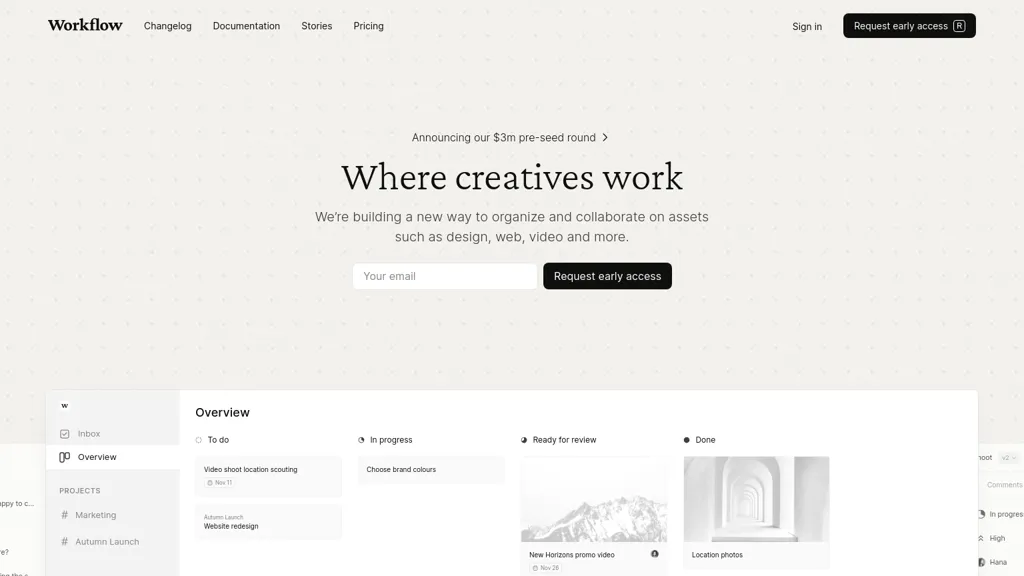
What is Workflow.Design?
workflow is a project management tool designed to streamline creative collaboration. It enables users to organize and manage assets across various media types, including design, web, and video. Key features include a centralized inbox for task tracking, project timelines, and version control, allowing teams to collaborate effectively without losing track of edits or feedback.
Users can leave comments on shared files, ensuring clear communication and progress tracking. With a focus on reducing feedback loops, workflow helps teams accelerate their creative processes while improving the overall quality of project outcomes.
Workflow.Design details
- Jurisdiction
- United Kingdom
- Built for
- Individuals
- Data residency
- EU
- Stated compliance
- GDPR, PCI DSS
Compliance as stated in Workflow.Design's own published documentation.
Workflow.Design tech specs
- Integrations
- Slack WordPress Figma Webflow WhatsApp
Workflow.Design pricing
SubscriptionVerify on the official pricing page.
View plansWorkflow.Design's key features
-
Centralized inbox for task tracking
-
Project timelines
-
Version control
-
Commenting on shared files
-
Intuitive interface for task navigation
Workflow.Design use cases
-
Streamline the creative review process by utilizing ##workflow's centralized inbox to track tasks and feedback seamlessly, ensuring that all team members stay updated on project progress without losing context.
-
Manage assets effectively across various media types by organizing design, web, and video files in ##workflow, allowing teams to access and collaborate on the right materials effortlessly.
-
Enhance productivity by using ##workflow's version control feature to keep track of all edits and comments on shared files, reducing confusion and allowing for clear communication throughout the project's lifecycle.
Workflow.Design user reviews
Would you recommend Workflow.Design?
Who is Workflow.Design for?
-
Creative teams
-
Project managers
-
Product designers
-
Software developers
-
Marketing specialists
Workflow.Design FAQ
How much does Workflow.Design cost?
Workflow.Design is a paid product with no free plan. Plans include Premium (yearly) at $16 per user/mo and Premium (monthly) at $20 per user/mo.
Is Workflow.Design safe to use?
Workflow.Design states GDPR and PCI DSS compliance in its own published documentation. It has a substantial audience that is independently measured month to month.
What does Workflow.Design do with my data?
Its privacy policy states that personal data is not sold or shared for marketing purposes. Data may be shared with third-party service providers that help run the product. Customer data is held in EU.
What does Workflow.Design integrate with?
Workflow.Design connects with Slack, WordPress, Figma, Webflow and WhatsApp.
Compliance, privacy and billing terms are as stated in each product's own published documentation and have not been independently verified by TopAI.tools.