
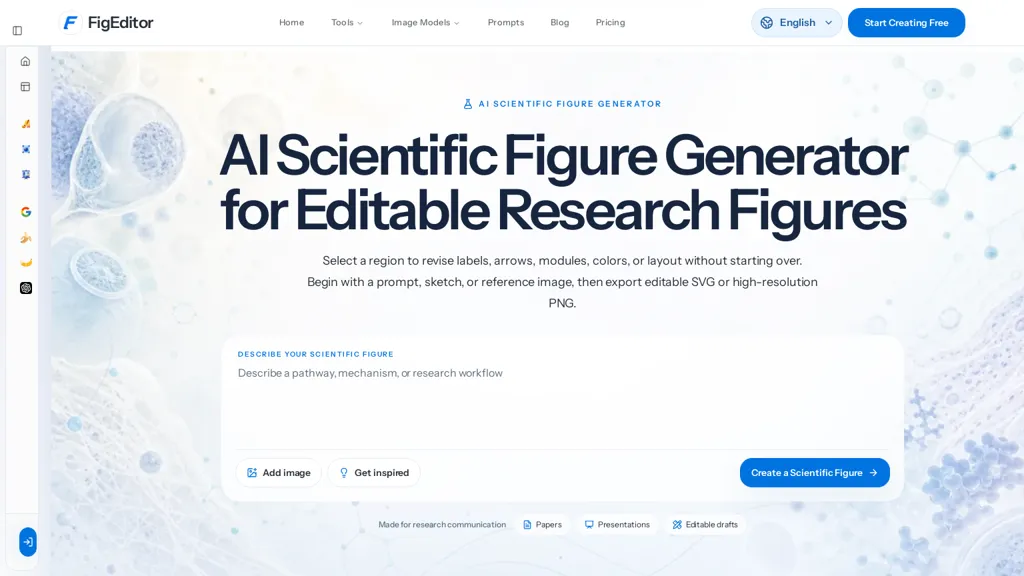
What is FigEditor AI?
FigEditor is an AI scientific figure generator for creating editable research figures from text prompts, sketches, or reference images.It exports editable SVG and high-resolution PNG and can vectorize existing raster figures (PNG, JPG) for direct label, color, and layout updates.
Built-in tools include label and arrow editing, module and layout control, a flowchart generator, and a scientific poster maker.Multiple image models (Nano Banana, Nano Banana 2, Nano Banana Pro, GPT Image 2) support different visual styles and resolution needs.
The workflow centers on three stages—define the scientific story, generate a structured draft with clear hierarchy, then review, refine, and export for papers, posters, or presentations.Intended users include researchers, academics, and teams across life sciences, engineering, materials science, and environmental research who need reproducible, editable figures and graphical abstracts.
FigEditor AI details
- Built for
- Individuals
FigEditor AI tech specs
- Works with
- Google / Nano Banana
FigEditor AI pricing
FreemiumVerify on the official pricing page.
View plansFigEditor AI's key features
-
Create editable research figures from text prompts, sketches, or reference images
-
Export editable SVG and high-resolution PNG
-
Vectorize raster figures (PNG, JPG) for editable labels, colors, and layout
-
Built-in tools: label and arrow editing, module and layout control, flowchart generator, scientific poster maker
-
Multiple image models (Nano Banana, Nano Banana 2, Nano Banana Pro, GPT Image 2) supporting different visual styles and resolutions
FigEditor AI use cases
-
Create publication-ready figures for research manuscripts using FigEditor, generating editable vector graphics and high-resolution PNGs from text prompts, sketches, or reference images, then fine-tune labels, arrows and layout to meet journal DPI and formatting requirements
-
Convert legacy raster images or hand-drawn sketches into fully editable vector diagrams with FigEditor’s vectorization, adjust modules and relabel arrows, and regenerate flowcharts or schematic panels for reuse across slides, supplements, and lab protocols
-
Assemble graphical abstracts and conference posters quickly with FigEditor’s text-to-figure and poster export features, combining automated flowchart generation, module control and layout tools to produce cohesive, print-ready posters and high-resolution figure panels
FigEditor AI user reviews
Would you recommend FigEditor AI?
Who is FigEditor AI for?
-
Scientific illustrators
-
Academic authors
-
Data visualizers
-
Research managers
-
Graduate students
FigEditor AI FAQ
Is FigEditor AI free?
Partly. FigEditor AI has a free plan with usage limits, and paid plans unlock the full feature set. Plans include Basic at $19/mo ($114/year), Popular plus at $39/mo ($234/year) and Enterprise at $69/mo ($414/year).
What are the best alternatives to FigEditor AI?
The closest alternatives to FigEditor AI are Canva AI, VDraw AI, SVG AI, VectorArt.ai and SVGMaker. You can compare them side by side in the alternatives section further down this page.
What does FigEditor AI do with my data?
Its privacy policy states that personal data is not sold or shared for marketing purposes. Data may be shared with third-party service providers that help run the product.
Which AI models does FigEditor AI use?
FigEditor AI is built on Google / Nano Banana. Which models you can reach may depend on your plan.
Compliance, privacy and billing terms are as stated in each product's own published documentation and have not been independently verified by TopAI.tools.


