
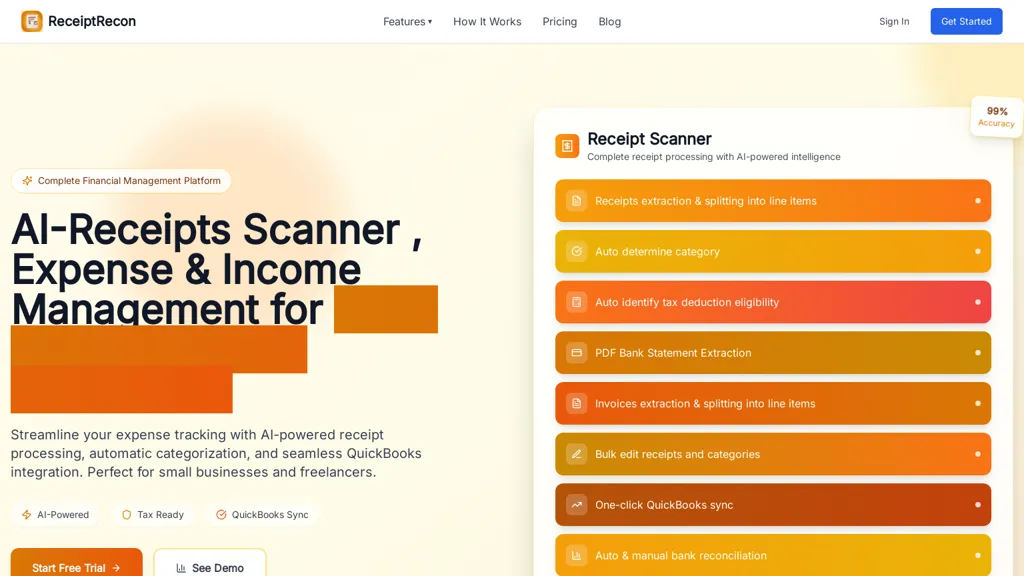
What is ReceiptRecon?
Receiptrecon is a receipt scanner and organizer app with AI-powered receipt scanning, automatic receipt capture, expense tracking, and seamless QuickBooks integration.Scan receipts, track expenses, and manage receipts effortlessly with the receipt tracker app for business.
It integrates with QuickBooks to sync receipts and expense data directly.Offers automatic receipt capture and categorization assigns expenses to the correct QuickBooks accounts.Optional manual entry lets users review or correct receipts before posting.
Secure connection with bank-grade encryption protects QuickBooks data during transfer.Designed for small businesses and accounting teams to streamline expense tracking and reconciliation.Integrations and automatic categorization improve bookkeeping accuracy and speed month-end close.
ReceiptRecon pricing Free trial
ReceiptRecon offers a free trial before requiring payment.
Verify on the official pricing page.
Start free trialReceiptRecon user reviews
Based on 5 reviews, 80.0% of users recommend ReceiptRecon, rated highly for quality results.
Liked for
Disliked for
Would you recommend ReceiptRecon?
ReceiptRecon's key features
-
Integration with QuickBooks for direct syncing of receipts and expense data
-
Automatic receipt capture
-
Automatic receipt categorization that assigns expenses to the correct QuickBooks accounts
-
Optional manual entry and review/edit workflow before posting
-
Secure data transfer using bank-grade encryption
ReceiptRecon use cases
-
Automatically capture and sync receipts to QuickBooks without manual data entry, using automatic categorization and bank-grade encryption to streamline small-business expense tracking and speed month-end reconciliation
-
Route exceptions to optional manual review while enforcing expense policies and keeping synchronized records in QuickBooks, reducing bookkeeping errors and simplifying audit preparation for accountants
-
Allow employees to upload receipt images from mobile devices for instant OCR capture, automatic categorization and reconciliation in QuickBooks so managers gain real-time spending insights with secure, encrypted storage
Who is it for?
-
Small business owners
-
Finance managers
-
Accounting teams
-
Accounting bookkeepers
-
Office managers


