
What is Audioconverter?
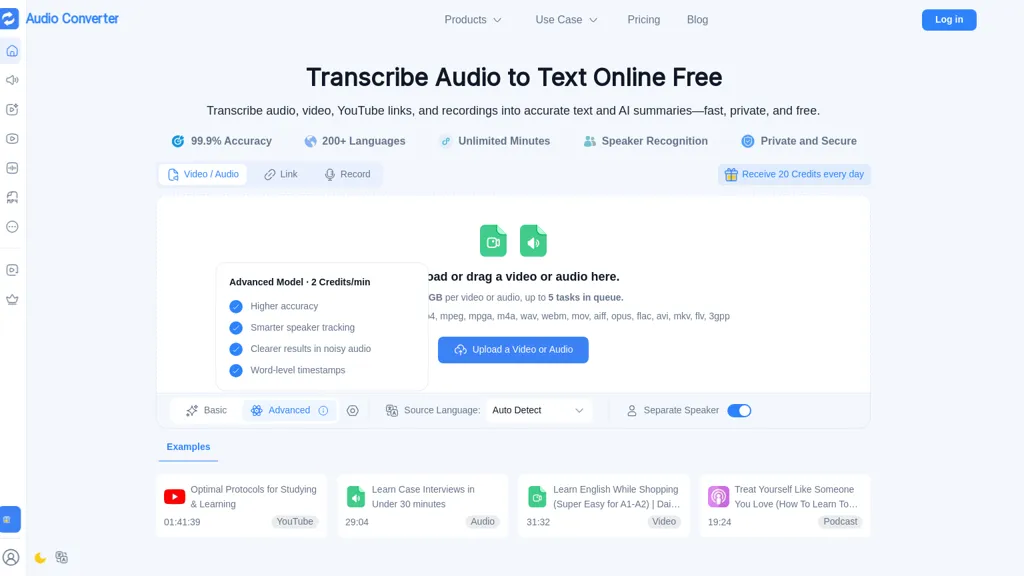
Transcribes audio and video into editable text with speaker recognition, timestamps, and automated summaries.
It supports transcription and translation across multiple languages and detects separate speakers for clearer dialogue separation.
The browser-based workflow converts between common audio and video formats for fast repurposing and editing.
A text-to-speech engine produces natural-sounding voiceovers from text with a broad voice library and multilingual playback controls.
Transcripts can be exported or shared and used to create subtitles, searchable notes, and reusable content assets.
Processing runs in isolated, encrypted environments with user-controlled access and automatic cleanup options to protect uploaded files.
Files can be uploaded, linked, or recorded directly in the app for end-to-end audio-to-text and audio production workflows.
Audioconverter details
- Jurisdiction
- United States
- Built for
- Individuals
- Data residency
- United States, European Union, and other territories
- Stated compliance
- GDPR, CCPA
Compliance as stated in Audioconverter's own published documentation.
Audioconverter pricing
Free trial- Refund window
- 1 days
- Auto-renewal
- Yes
Verify on the official pricing page.
Start free trialAudioconverter's key features
-
Transcribes audio and video into editable text with speaker recognition, timestamps, and automated summaries
-
Transcription and translation across multiple languages
-
Browser-based conversion between common audio and video formats for editing and repurposing
-
Text-to-speech engine generating voiceovers with broad voice library and multilingual playback controls
-
Secure isolated encrypted processing with user-controlled access and automatic cleanup
Audioconverter use cases
-
Create accurate, time-coded transcripts and searchable archives of remote meetings by uploading or recording calls in the browser—use speaker recognition, timestamps and automated summaries to generate action items, export subtitles, and keep data secure with user-controlled encrypted processing
-
Produce multilingual subtitles and localized voiceovers for marketing videos or online courses by translating transcriptions, exporting subtitle files, and using multilingual text-to-speech to generate localized audio tracks—all in-browser with editable transcripts and secure file handling
-
Turn interviews, podcasts or research recordings into polished, accessible content: transcribe with speaker labels, edit text inline, auto-summarize key points, generate downloadable transcripts and TTS audio in multiple languages, and share via links while maintaining encryption and user-controlled privacy
Audioconverter user reviews
Based on 11 reviews, 91% of users recommend Audioconverter, rated highly for quality results.
Liked for
Disliked for
Would you recommend Audioconverter?
Who is Audioconverter for?
-
Podcasters
-
Journalists and reporters
-
Youtubers and video creators
-
Content marketers and social media managers
-
Video editors and post-production teams
-
Translators and localization teams
-
Educators and e-learning creators
-
Researchers and academics
-
Accessibility and captioning specialists
-
Product teams and ux researchers
-
Corporate communications and hr teams
-
Legal professionals (depositions, interviews)
Audioconverter FAQ
Is Audioconverter free?
Not permanently. Audioconverter gives you a free trial, after which a paid plan is required. Plans include Starter at $4.49/mo, Growth at $9.99/mo and Professional at $22.49/mo.
Is Audioconverter safe to use?
Audioconverter states GDPR and CCPA compliance in its own published documentation. It has a substantial audience that is independently measured month to month.
Is Audioconverter good?
Audioconverter has a 91% recommendation rate from 11 reviewers on TopAI.tools. Reviewers rate it highest on quality of results and ease of use.
What are the best alternatives to Audioconverter?
The closest alternatives to Audioconverter are TurboScribe, AudioConvert, TranscribetoText.AI, AudioTranscriber.io and TranscribeAudio. You can compare them side by side in the alternatives section further down this page.
What does Audioconverter do with my data?
Its privacy policy states that personal data is not sold or shared for marketing purposes. Data may be shared with third-party service providers that help run the product. Customer data is held in United States, European Union, and other territories.
Does Audioconverter auto-renew or offer refunds?
Audioconverter subscriptions renew automatically until you cancel. It states a 1-day refund window.
Compliance, privacy and billing terms are as stated in each product's own published documentation and have not been independently verified by TopAI.tools.


