
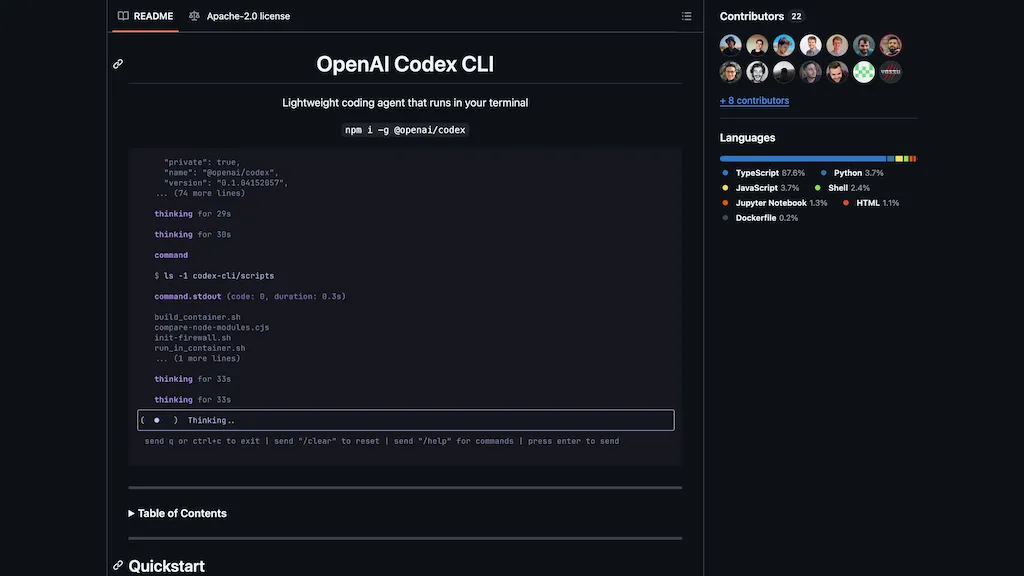
What is OpenAI Codex CLI?
OpenAI Codex CLI is a lightweight, open-source coding agent that runs directly in your terminal, bringing ChatGPT-level intelligence to software development workflows.Designed for developers who prefer working in the command line, it enables natural language-driven coding tasks such as scaffolding applications, refactoring code, generating tests, explaining complex logic, and even creating SQL migrations.
Codex can run in both interactive and fully automated modes, with configurable approval settings that maintain safety by sandboxing all actions—using Apple’s `sandbox-exec` on macOS or Docker on Linux.
It supports multimodal inputs like screenshots and diagrams, integrates with Git to track changes, and can be used headlessly in CI/CD pipelines.With support for multiple models (like `gpt-4o`), custom configuration files, and project-specific memory, Codex helps developers iterate quickly, understand their codebase, and execute meaningful changes—all directly from the terminal.
OpenAI Codex CLI pricing
FreeThis tool is free to use, with no credit card required.
Verify on the official pricing page.
Get started freeOpenAI Codex CLI's key features
-
Runs entirely in the terminal with a CLI interface
-
Supports natural language prompts for coding tasks
-
Scaffolds apps, refactors code, and writes unit tests
-
Explains code and complex logic in plain English
-
Generates SQL migrations and automates shell commands
-
Operates in interactive or fully automated approval modes
-
Sandboxed execution for secure code changes (macOS and Linux)
-
Integrates with Git for safe version control
-
Multimodal input support (e.g., screenshots, diagrams)
-
Customizable with configuration and instruction files
-
Supports CI/CD use in non-interactive mode
-
Compatible with multiple OpenAI models (e.g., gpt-4o)
OpenAI Codex CLI use cases
-
Quickly scaffold applications or components by describing them in plain English.
-
Refactor legacy code and generate unit tests to improve software quality.
-
Automate routine DevOps or CI/CD tasks in a safe, sandboxed environment.
OpenAI Codex CLI user reviews
Based on 20 reviews, 80% of users recommend OpenAI Codex CLI, rated highly for value for money.
Liked for
Disliked for
Would you recommend OpenAI Codex CLI?
Main competitors of OpenAI Codex CLI
Here are some of the major competitors comparisons vs. OpenAI Codex CLI.


More from this provider


Who is OpenAI Codex CLI for?
-
Coders
-
Developers
-
Engineers
-
Researchers
-
Scientists
OpenAI Codex CLI FAQ
Is OpenAI Codex CLI free?
Yes. OpenAI Codex CLI is free to use and does not require a credit card.
Is OpenAI Codex CLI safe to use?
OpenAI Codex CLI carries the TopAI.tools verified mark, which we award after a manual review of pricing transparency, published terms, public following and working functionality. OpenAI Codex CLI is also one of the most visited AI tools in the TopAI.tools index.
Is OpenAI Codex CLI good?
OpenAI Codex CLI has an 80% recommendation rate from 20 reviewers on TopAI.tools. Reviewers rate it highest on value for money and quality of results.
What are the best alternatives to OpenAI Codex CLI?
The closest alternatives to OpenAI Codex CLI are Claude Code, OpenCode.ai, Github Copilot, Bolt.new and Claude AI. You can compare them side by side in the alternatives section further down this page.


I'm curious about the 'secure sandboxed execution' part. How does it really isolate the code, especially when you have Git integration? Will it accidentally push changes or run tests against your actual codebase?