Bolt.new vs OpenAI Codex CLI Comparison
What is the difference between Bolt.new and OpenAI Codex CLI? Compare Bolt.new and OpenAI Codex CLI in details side by side to make a choice.


Differences between Bolt.new and OpenAI Codex CLI
Bolt.new Description
Bolt.new is an AI-powered development agent that allows users to build, edit, run, and deploy full-stack applications directly from their browser without local setup. It provides complete control over the development environment, making web development seamless and AI-driven.
Bolt.new Features
- AI-powered full-stack development in the browser
- In-browser environment with WebContainers
- NPM tool and library integration (e.g., Vite, Next.js)
- Node.js server management
- Third-party API interaction
- Direct deployment to production
- Full environment control for AI agents (filesystem, terminal, package manager)
- Real-time sharing via URL
OpenAI Codex CLI Description
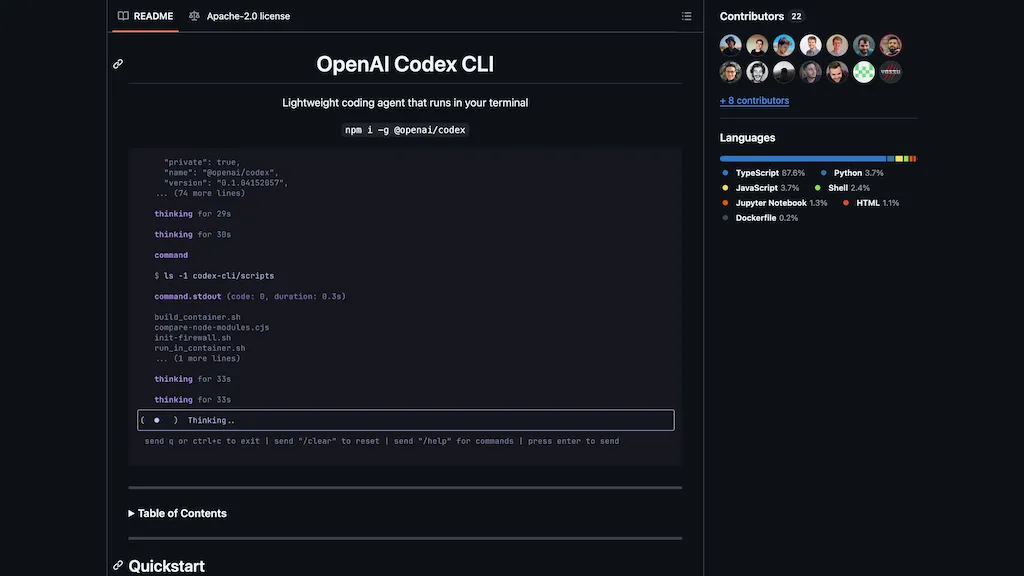
OpenAI Codex CLI is a terminal-based, open-source coding agent that uses natural language to automate development tasks like code generation, testing, refactoring, and codebase understanding, with secure sandboxed execution and Git integration.
OpenAI Codex CLI Features
- Runs entirely in the terminal with a CLI interface
- Supports natural language prompts for coding tasks
- Scaffolds apps, refactors code, and writes unit tests
- Explains code and complex logic in plain English
- Generates SQL migrations and automates shell commands
- Operates in interactive or fully automated approval modes
- Sandboxed execution for secure code changes (macOS and Linux)
- Integrates with Git for safe version control
User Satisfaction & Ratings
Bolt.new Feedback
OpenAI Codex CLI Feedback
Pricing Breakdown
Bolt.new Pricing
Pricing model: Freemium
Starting at: Contact for pricing
OpenAI Codex CLI Pricing
Pricing model: Free
Starting at: Contact for pricing
Platform Availability & Capabilities
Bolt.new Capabilities
Best for
write:text>code generate:text>code edit:code>code rewrite:code>code summarize:code>text convert:code>textOpenAI Codex CLI Capabilities
Best for:
generate:text>code rewrite:code>code optimize:code>code summarize:code>text rewrite:text>textWho Should Use Each?
Bolt.new Users
OpenAI Codex CLI Users
Screenshots & Media
Bolt.new

OpenAI Codex CLI