
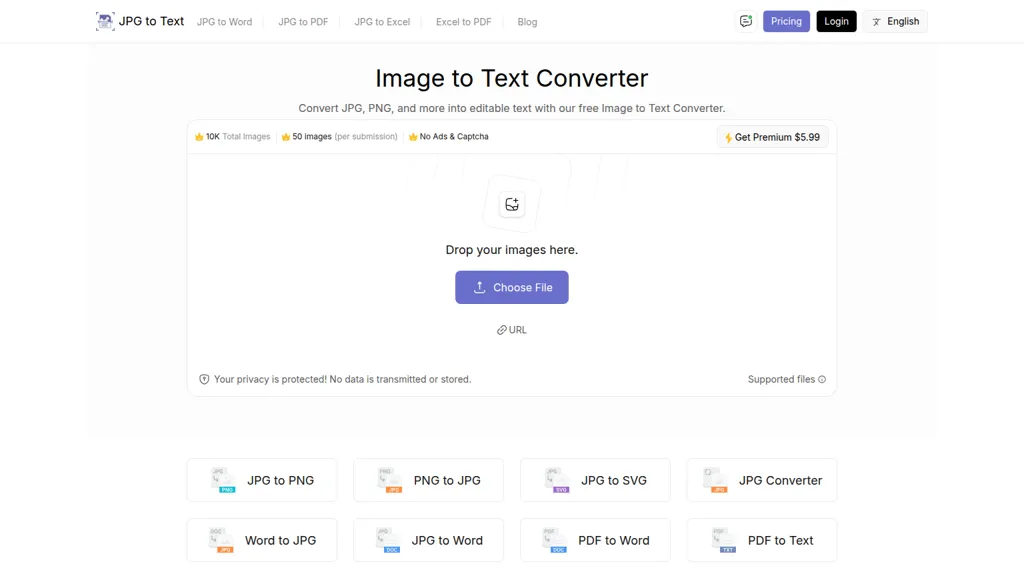
What is JPG to Text?
Image Text Converter is an online optical character recognition (OCR) tool designed to extract text from various image formats including JPG, PNG, and SVG. Users can easily convert images into editable text files by uploading images directly to the platform.
The process is streamlined; simply drag and drop the image, click the extract button, and download the resulting text in .txt format. This tool proves beneficial to multiple user groups such as businesses, educators, and health professionals by enhancing document automation, facilitating data entry, and streamlining the conversion of printed materials into digital formats.
Additionally, it supports multiple languages and can identify complex mathematical equations, making it suitable for students and researchers. With no required software installation, the tool can be accessed from any device with internet capabilities, promoting effortless information sharing and efficient workflow management.
JPG to Text details
- Built for
- Individuals
JPG to Text tech specs
- Integrations
JPG to Text pricing
FreemiumVerify on the official pricing page.
View plansJPG to Text's key features
-
Optical character recognition (OCR)
-
Supports various image formats (JPG, PNG, SVG)
-
Drag and drop functionality
-
Multi-language support
-
Identifies complex mathematical equations
JPG to Text use cases
-
Easily convert scanned documents and images into editable text files with the Image Text Converter, streamlining data entry for businesses and enhancing overall productivity without the need for manual typing.
-
Educators can utilize the Image Text Converter to transform educational materials and printed worksheets into digital formats, making it simple to share with students or integrate into virtual learning environments.
-
Researchers and students can leverage the tool to extract mathematical equations and complex text from images, allowing for seamless integration of data into reports and promoting efficient study practices.
JPG to Text user reviews
Based on 15 reviews, 73% of users recommend JPG to Text, rated highly for ease of use.
Liked for
Disliked for
Would you recommend JPG to Text?
Who is JPG to Text for?
-
Data analysts
-
Software developers
-
Content creators
-
Automation engineers
-
Researchers
JPG to Text FAQ
Is JPG to Text free?
Partly. JPG to Text has a free plan with usage limits, and paid plans unlock the full feature set. Plans include Jpg to text weekly premium at $3.5/week, Jpg to excel weekly at $4.7/week, Jpg to excel yearly premium at $49/year and Jpg to excel lifetime plan at $65/lifetime.
Is JPG to Text safe to use?
JPG to Text carries the TopAI.tools verified mark, which we award after a manual review of pricing transparency, published terms, public following and working functionality. It has a substantial audience that is independently measured month to month.
Is JPG to Text good?
JPG to Text has a 73% recommendation rate from 15 reviewers on TopAI.tools. Reviewers rate it highest on ease of use and value for money.
What are the best alternatives to JPG to Text?
The closest alternatives to JPG to Text are Picture To Text, imgtotext.ai, ScantextAI, ImageTextEditor and Image Translator.com. You can compare them side by side in the alternatives section further down this page.
What does JPG to Text do with my data?
JPG to Text states that customer content is not used to train its models. Its privacy policy states that personal data is not sold or shared for marketing purposes. Data may be shared with third-party service providers that help run the product.
What does JPG to Text integrate with?
JPG to Text connects with WhatsApp.
Compliance, privacy and billing terms are as stated in each product's own published documentation and have not been independently verified by TopAI.tools.


