
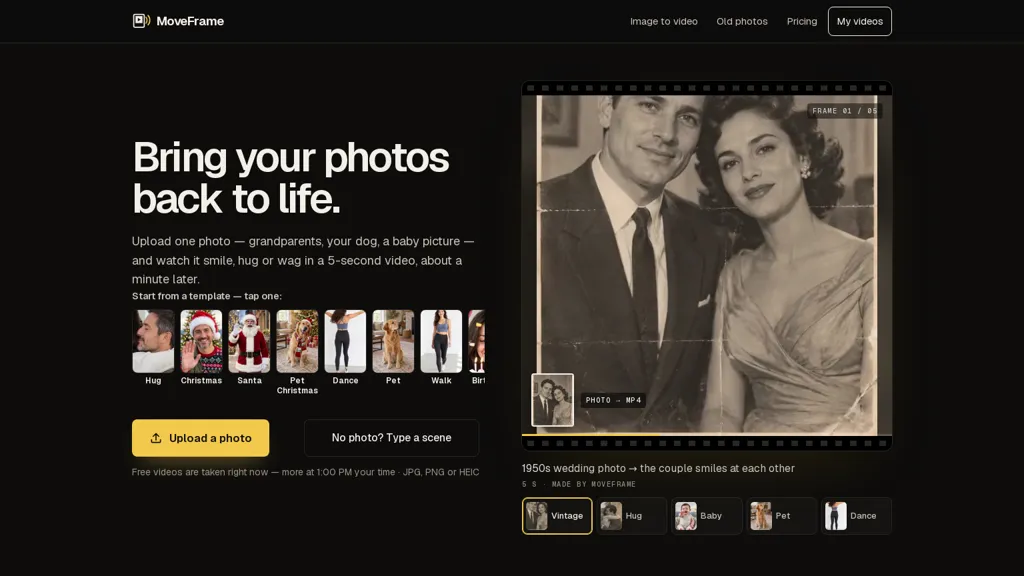
What is MoveFrame?
MoveFrame converts a single photo into a short AI-generated video using ready-made motions (Animate, Old photo, Dance, Hug, Pet) or a text-directed action.
Upload without an account for a daily free clip with no watermark; most clips are returned in about a minute.
Choose vertical, landscape or square output and adjust camera moves, motion strength or add a brief prompt for specific motion.
Supports additional tools such as text-to-video, logo animation and a video upscaler for sharper clips.
Automatic safety checks block explicit content, minors, celebrities and face swaps; failed or rejected jobs are refunded.
Uploaded photos are used only to create the video, deleted after 24 hours, and generated videos are retained temporarily and labeled as AI.
MoveFrame pricing
FreemiumVerify on the official pricing page.
View plansMoveFrame's key features
-
Convert a single photo into a short AI-generated video using ready-made motion presets or text-directed actions
-
Upload without an account (guest upload) with fast processing (most clips returned in about a minute)
-
Choose output aspect ratio (vertical, landscape, square) and adjust camera moves, motion strength, or add a brief prompt for specific motion
-
Includes additional tools: text-to-video, logo animation, and a video upscaler
-
Automatic safety checks blocking explicit content, minors, celebrities, and face swaps; uploaded photos deleted after 24 hours and generated videos labeled as AI
MoveFrame use cases
-
Turn static product shots into eye-catching short social videos using MoveFrame's animated photo presets and adjustable camera moves, add logo animation and AI upscaling to produce high-resolution, watermark-free clips ready for ads, stories, or reels
-
Create personalized greeting or tribute clips from a single portrait by using MoveFrame's text-directed photo animation and orientation controls to craft natural motion, include titles or logo overlays and rely on built-in safety checks and 24-hour auto-deletion for privacy-sensitive content
-
Convert concept art or character portraits into short motion snippets for pitches, storyboards, or indie game promos by applying custom camera moves, preset motions or text-directed actions, then upscale the output for polished, shareable assets without extra editing tools
MoveFrame user reviews
Would you recommend MoveFrame?
Who is MoveFrame for?
-
Social media creators
-
Influencers
-
Small business owners and marketers
-
Photographers and portrait studios
-
Graphic designers and content creators
-
E-commerce sellers
-
Families and individuals preserving memories
-
Pet owners
-
Short-form video editors
-
Advertisers and brand managers
MoveFrame FAQ
Is MoveFrame free?
Partly. MoveFrame has a free plan with usage limits, and paid plans unlock the full feature set. Plans include Credit pack €3.99 at €3.99, Pro monthly at €9.99/mo, Credit pack €9.99 at €9.99 and Credit pack €19.99 at €19.99.
What are the best alternatives to MoveFrame?
The closest alternatives to MoveFrame are freeimagetovideo.ai, ImageToVideo AI, AI Image To Video Generator, Clipfly AI Video Generator and VideoAI. You can compare them side by side in the alternatives section further down this page.


