
What is Liznr?
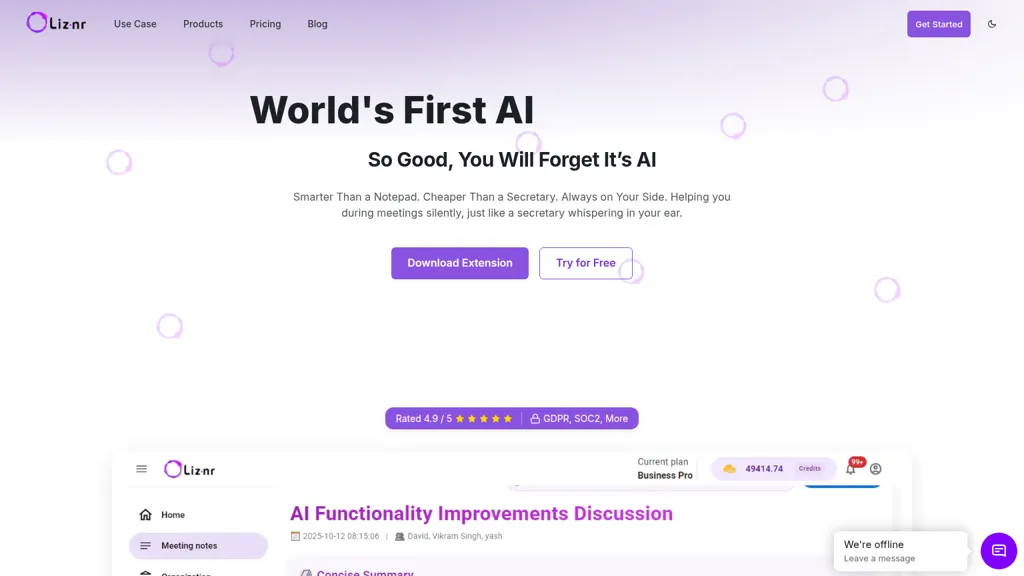
Liznr, an AI meeting assistant that records meetings and produces real-time, timestamped transcripts, searchable meeting notes, and concise summaries.
Automates note-taking, extracts action items, creates tasks, and auto-fills CRM and project management fields.
Integrates with Google Meet, Zoom, Outlook, Gmail, Slack, Jira, and major CRMs via Chrome extension and native apps.
Provides conversation intelligence with meeting analytics, sentiment analysis, and AI-powered search across past calls.
Generates transcripts and closed captions for podcasts, videos, and interviews to improve accessibility and SEO.
Liznr details
- Jurisdiction
- India
- Data residency
- India
Liznr pricing
Free trial- Auto-renewal
- Yes
Verify on the official pricing page.
Start free trialLiznr's key features
-
Automatic real-time recording and transcription of meetings (Chrome/Edge extension, auto-join calendar meetings)
-
AI-generated concise summaries, key discussion points, and action items with expandable detail
-
Integrations and automation (CRM auto-fill, project-management task creation, email/Slack delivery)
-
Searchable, timestamped conversation memory with AI Q&A (Ask Lizy) and conversation intelligence analytics (filters, sentiment analysis)
-
Enterprise-grade security and compliance: end-to-end encryption (256-bit AES, SSL/TLS), GDPR, SOC2, HIPAA, and private storage
Liznr use cases
-
Automatically capture and transcribe sales and discovery calls with Liznr in real time, extract action items and contact data to auto-fill CRM fields, generate concise role-specific summaries for reps and managers, and surface call sentiment to prioritize follow-ups
-
Run product planning, sprint reviews and standups with Liznr to produce timestamped, searchable transcripts and concise summaries, automatically create Jira issues from extracted action items, and push project updates to Slack/Outlook for seamless team coordination
-
Use Liznr for customer support and compliance by transcribing support calls, extracting action items and sentiment for QA, auto-populating ticketing systems, generating captions and analytics for training, and maintaining enterprise-grade security and audit-ready records
Liznr user reviews
Would you recommend Liznr?
Who is Liznr for?
-
Business analysts
-
Project managers
-
Sales teams
-
It administrators
-
Executive leadership
Liznr FAQ
Is Liznr free?
Not permanently. Liznr gives you a free trial, after which a paid plan is required. Plans include Pro at $9 25% off per user/mobilled annually and Business pro at $12 25% off per user/mobilled annually.
What are the best alternatives to Liznr?
The closest alternatives to Liznr are Read AI, tl;dv, Otter AI, Happy Scribe and ScreenApp. You can compare them side by side in the alternatives section further down this page.
What does Liznr do with my data?
Liznr states that customer content may be used to train its models. Its privacy policy states that personal data is not sold or shared for marketing purposes. Data may be shared with third-party service providers that help run the product. Customer data is held in India.
Does Liznr auto-renew or offer refunds?
Liznr subscriptions renew automatically until you cancel.
Compliance, privacy and billing terms are as stated in each product's own published documentation and have not been independently verified by TopAI.tools.


