
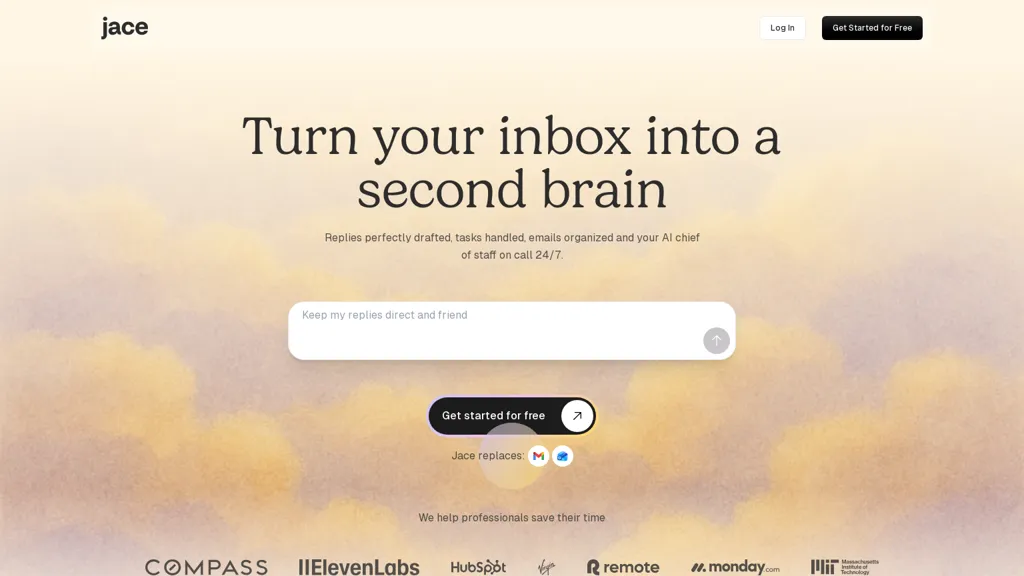
What is Jace.ai?
Jace AI is a 24/7 email assistant that drafts messages, organizes inboxes, and automates email workflows. It generates context-aware drafts by analyzing attachments, calendar events, and workspace conversations. Custom rules and templates automate CCs, calendar invites, and action triggers. Integrations with ticketing, Slack, and cloud storage create tickets, send notifications, and save documents without leaving email. Automatic labeling and priority sorting reduce manual triage for high-volume inboxes. An AI chat assistant fetches business data, creates documents, and executes tasks across connected tools. Built for professionals and teams, it streamlines email handling, customer responses, and task management. Enterprise-grade security includes encryption in transit and at rest, a SOC 2 Type 1 assessment, and a policy of not training models on customer data.
Jace.ai details
- Company
- Zeta AI, Inc.
- Jurisdiction
- State of Delaware, USA
- Built for
- Individuals
- Stated compliance
- SOC 2, GDPR, CCPA
Compliance as stated in Jace.ai's own published documentation.
Jace.ai tech specs
- Integrations
- Slack
Jace.ai pricing
Free trial- Free trial
- 7 days
- Auto-renewal
- Yes
Verify on the official pricing page.
Start free trialJace.ai's key features
-
24/7 email assistant that drafts messages, organizes inboxes, and automates email workflows
-
Context-aware draft generation by analyzing attachments, calendar events, and workspace conversations
-
Custom rules and templates to automate CCs, calendar invites, and action triggers
-
Integrations with ticketing systems, Slack, and cloud storage to create tickets, send notifications, and save documents from email
-
Enterprise-grade security with encryption in transit and at rest, SOC 2 Type 1 assessment, and policy of not training models on customer data
Jace.ai use cases
-
Draft context-aware, professional email responses and automated customer replies using Jace AI's templates and ticketing integration, attach relevant files from cloud storage, and notify teams via Slack for fast resolution
-
Automate inbox triage and prioritization with custom rules and AI sorting, convert critical messages into support tickets or scheduled follow-ups, and enforce enterprise email security and compliance
-
Use the AI chat to fetch CRM or order data and generate status reports, meeting summaries, or next-step action emails, then archive correspondence to cloud storage and trigger Slack workflows for seamless team collaboration
Jace.ai user reviews
Would you recommend Jace.ai?
Who is Jace.ai for?
-
Business executives
-
Sales representatives
-
Administrative assistants
-
E-commerce sellers
-
It teams
Jace.ai FAQ
Is Jace.ai free?
Not permanently. Jace.ai gives you a free trial of 7 days, after which a paid plan is required. Plans include Plus plan at $20/mo and Pro plan at $40/mo.
Is Jace.ai safe to use?
Jace.ai states SOC 2, GDPR and CCPA compliance in its own published documentation. Jace.ai is operated by Zeta AI, Inc., registered in State of Delaware, USA.
What are the best alternatives to Jace.ai?
The closest alternatives to Jace.ai are Upstream, Superhuman, AI Mail Assistant, Inbox AI and MailMaestro. You can compare them side by side in the alternatives section further down this page.
What does Jace.ai do with my data?
Jace.ai states that customer content is not used to train its models. Its privacy policy states that personal data is not sold or shared for marketing purposes. Data may be shared with third-party service providers that help run the product.
Does Jace.ai auto-renew or offer refunds?
Jace.ai subscriptions renew automatically until you cancel.
Who made Jace.ai?
Jace.ai is built and operated by Zeta AI, Inc., a company registered in State of Delaware, USA.
What does Jace.ai integrate with?
Jace.ai connects with Slack.
Compliance, privacy and billing terms are as stated in each product's own published documentation and have not been independently verified by TopAI.tools.


