
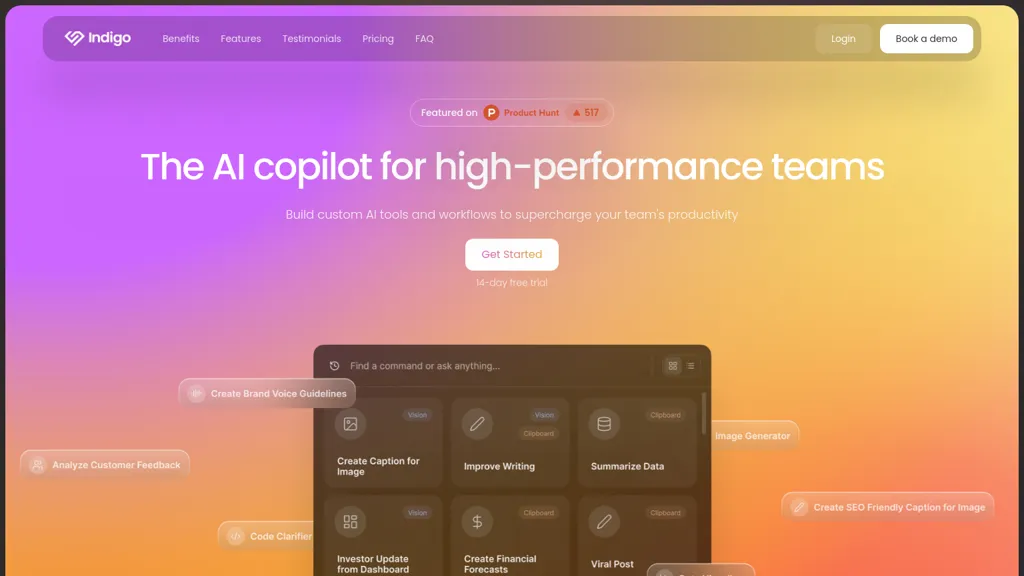
What is Indigo?
Indigo is an AI operating system that consolidates meetings, Slack, email, tasks, and knowledge bases to distinguish real‑time decision streams from institutional memory.
It offers real‑time transcription with speaker attribution, timestamps, and detection of decisions and actions during meetings.
A memory‑grounded assistant pulls information from meeting history, documents, and external sources to answer questions and draft actions.
Custom commands automate frequent tasks, can be voice‑activated, and are shareable within teams.
Decision and action insights are recorded in a ledger that tracks owners, timestamps, and source citations across channels.
Desktop applications for macOS and Windows integrate with Google Workspace via OAuth, provide calendar awareness, and auto‑update.
Role‑based access controls and data‑level permissions manage privacy and compliance, with SSO, audit logs, and BYOK options.
Teams use the platform to convert unstructured communication into structured, shareable intelligence, accelerating decision making and execution alignment.
Indigo supports multiple AI models, delivering quick responses for routine tasks and in‑depth research for complex inquiries.
Indigo details
- Built for
- Businesses and teams
- Data residency
- United States
Indigo tech specs
- Works with
- OpenAI / GPT Anthropic / Claude
- Integrations
- Slack
Indigo pricing
SubscriptionVerify on the official pricing page.
View plansIndigo's key features
-
Desktop app for macOS and Windows
-
Meeting transcription with decision detection
-
Memory-grounded AI assistant
-
Multi-model support
-
Custom command editor
-
Cross-channel insight ledger
-
Enterprise data control with RBAC
Indigo use cases
-
Capture and publish real‑time, speaker‑attributed meeting transcripts that automatically log decisions and assign follow‑up tasks into the company knowledge base, eliminating manual minutes and ensuring every action is tracked.
-
Use role‑based controls to monitor compliance during cross‑platform collaboration—executives, HR, and developers can see policy‑critical statements flagged in Slack, email, and meetings, with a decision ledger accessible for auditors.
-
Convert brainstorming sessions into actionable sprint backlogs: a memory‑grounded assistant pulls relevant past docs, auto‑creates tasks, and syncs them to task managers while voice‑command automation posts status updates across email and Slack.
Indigo user reviews
Would you recommend Indigo?
Who is Indigo for?
-
Product designers
-
Content creators
-
Project managers
-
E-commerce sellers
-
Data analysts
Indigo FAQ
How much does Indigo cost?
Indigo is a paid product with no free plan. Plans include One pro plan, everything included at $40/mo and Professional at $40/user/mo.
What are the best alternatives to Indigo?
The closest alternatives to Indigo are Read AI, tl;dv, Otter AI, Tactiq and Happy Scribe. You can compare them side by side in the alternatives section further down this page.
What does Indigo do with my data?
Indigo states that customer content is not used to train its models. Its privacy policy states that personal data is not sold or shared for marketing purposes. Data may be shared with third-party service providers that help run the product. Customer data is held in United States.
Which AI models does Indigo use?
Indigo is built on OpenAI / GPT and Anthropic / Claude. Which models you can reach may depend on your plan.
What does Indigo integrate with?
Indigo connects with Slack.
Compliance, privacy and billing terms are as stated in each product's own published documentation and have not been independently verified by TopAI.tools.


