
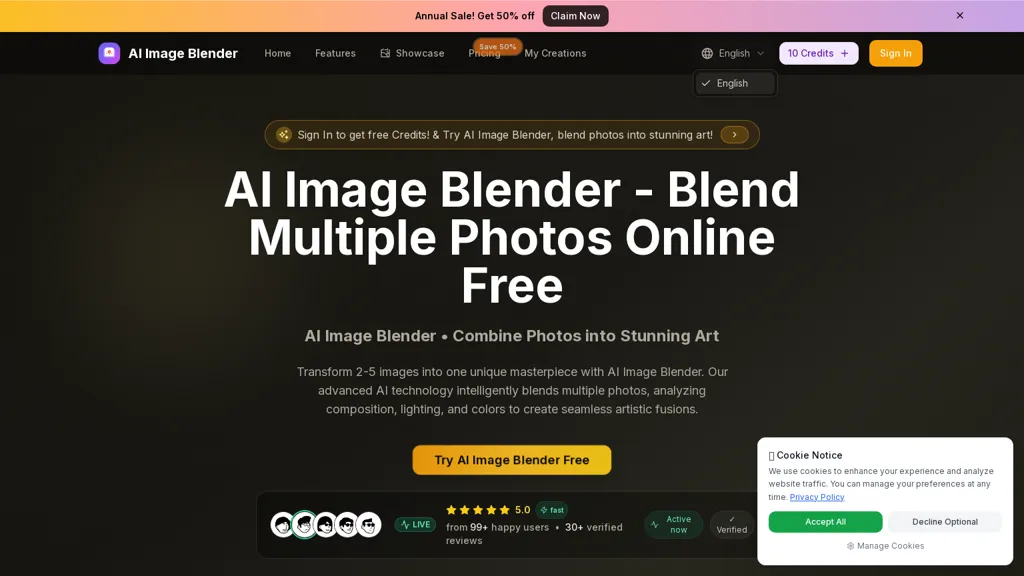
What is ImageBlender.app?
AI Image Blender is an AI tool that combines 2–5 photos into a single blended image, supporting JPG, PNG and WEBP uploads and common aspect ratios.It analyzes composition, lighting and color to generate seamless multi-image blends and high-resolution outputs suitable for publishing.
Users upload images, provide a short text prompt describing the desired style (for example surrealist, collage, abstract), and start the blend via an intuitive workflow.Output images are downloadable and ready for editing, social sharing or design use.
Common use cases include social media content, e-commerce product compositions, family portrait merges, photo mashups and real-to-anime transformations.Multiple blending styles and prompt-driven controls let creators and designers adjust color harmony, transitions and artistic coherence without manual compositing.
Rapid processing and high-quality results streamline multi-image fusion for content creators, marketers and designers.
ImageBlender.app details
- Built for
- Individuals
ImageBlender.app pricing
Free trial- Auto-renewal
- Yes
Verify on the official pricing page.
Start free trialImageBlender.app's key features
-
Combines 2–5 photos into a single blended image
-
Supports JPG, PNG and WEBP uploads and common aspect ratios (9:16, 16:9, 1:1, 3:4, 4:3)
-
Analyzes composition, lighting and color to generate seamless multi-image blends and high-resolution outputs
-
Prompt-driven controls and multiple blending styles to adjust color harmony, transitions and artistic coherence without manual compositing
-
Produces downloadable high-resolution output images ready for editing
ImageBlender.app use cases
-
Create polished e‑commerce product images by blending studio shots, lifestyle photos and texture swatches into a single high-resolution composite with consistent lighting, background and prompt-driven style using AI Image Blender
-
Design thumb-stopping social media visuals by combining 2–5 photos with a short prompt to control mood and aesthetic (realistic, anime, or stylized) for campaign-ready posts without manual masking or retouching
-
Generate creative concept art and mood boards by fusing multiple photos into seamless high-resolution mashups or converting real photos into anime-style composites for presentations and design iterations
ImageBlender.app user reviews
Based on 2 reviews, 100% of users recommend ImageBlender.app, rated highly for quality results.
Liked for
Would you recommend ImageBlender.app?
Who is ImageBlender.app for?
-
Content creators
-
Graphic designers
-
Photographers
-
Photo editors
-
Anime illustrators
ImageBlender.app FAQ
Is ImageBlender.app free?
Not permanently. ImageBlender.app gives you a free trial, after which a paid plan is required. Plans include Basic at $9.9/mo or $19.9/year, Professional at $23.9/mo or $47.9/year and Enterprise at $63.9/mo or $127.9/year.
What are the best alternatives to ImageBlender.app?
The closest alternatives to ImageBlender.app are BeautyPlus, MatchPhotos, Picsart, ImageFusionAI and Smart Upscaler. You can compare them side by side in the alternatives section further down this page.
What does ImageBlender.app do with my data?
ImageBlender.app states that customer content may be used to train its models. Its privacy policy states that personal data is not sold or shared for marketing purposes. Data may be shared with third-party service providers that help run the product.
Does ImageBlender.app auto-renew or offer refunds?
ImageBlender.app subscriptions renew automatically until you cancel.
Compliance, privacy and billing terms are as stated in each product's own published documentation and have not been independently verified by TopAI.tools.


