
What is Image25?
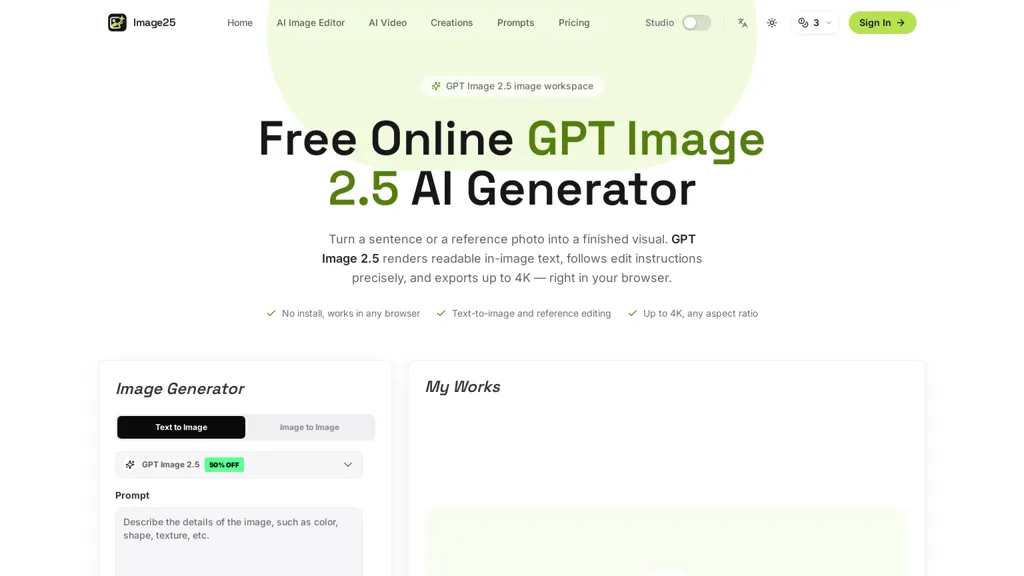
GPT Image 2.5 is a browser-based AI image generation and editing tool that creates visuals from text prompts or uploaded reference images. Users can describe subjects, styles, moods, compositions, edits, and text to appear within an image.
It supports text-to-image and image-to-image workflows, allowing users to change backgrounds, restyle products, modify outfits, or correct visual details using natural-language instructions.
The tool generates readable text for posters, thumbnails, labels, covers, and captions, with support for wide, square, and vertical formats at resolutions up to 4K. Users can adjust quality settings, create multiple variations, compare results, and refine prompts through an iterative workflow.
Generated images and their associated settings are saved in creation history. Common use cases include school projects, diagrams, YouTube thumbnails, memes, anime panels, game art, avatars, posters, album covers, product photography, and other design concepts.
It works directly in a browser without requiring software installation or specialized hardware.
Image25 details
- Built for
- Individuals
Image25 tech specs
- Works with
- OpenAI / GPT Google / Nano Banana
Image25 pricing
Free trialVerify on the official pricing page.
Start free trialImage25's key features
-
Generates images from plain-language prompts or reference photos
-
Supports iterative edits within the same workspace
-
Renders legible in-image text
-
Applies precise retouching, background changes, and style adjustments
-
Browser-based workflow with creation history and side-by-side comparison
Image25 use cases
-
Create high-resolution e-commerce product images using GPT Image 2.5 without a studio—iteratively retouch photos, precisely replace backgrounds, add legible in-image labels or pricing, and export optimized formats for web or print
-
Design and A/B test marketing creatives and social ads using GPT Image 2.5 by generating multiple style and background variants from a single reference photo, comparing versions side-by-side in the browser, and exporting campaign-ready high-quality assets
-
Restore and enhance professional photos using GPT Image 2.5 with iterative edits and stored history—perform detailed retouching, change artistic styles or backgrounds, render readable in-image text like watermarks or captions, and output high-resolution files for portfolios or prints
Image25 user reviews
Would you recommend Image25?
Who is Image25 for?
-
Graphic designers
-
Photographers
-
Digital artists
-
Illustrators
-
Marketing and social media managers
-
Creative agencies and advertisers
-
E-commerce sellers and product marketers
-
Web and ui/ux designers
-
Freelance designers and creatives
-
Content creators and influencers
-
Design educators and students
-
Game and concept artists
Image25 FAQ
Is Image25 free?
Not permanently. Image25 gives you a free trial, after which a paid plan is required. Plans include Starter at $12.9, Standard at $39.9 and Premium at $99.9.
What are the best alternatives to Image25?
The closest alternatives to Image25 are ChatGPT Images, Gptimage2.5, GPTtimage-2-5-com, GPTImage25.io and GPT Image 2.ai. You can compare them side by side in the alternatives section further down this page.
What does Image25 do with my data?
Its privacy policy states that personal data is not sold or shared for marketing purposes. Data may be shared with third-party service providers that help run the product.
Which AI models does Image25 use?
Image25 is built on OpenAI / GPT and Google / Nano Banana. Which models you can reach may depend on your plan.
Compliance, privacy and billing terms are as stated in each product's own published documentation and have not been independently verified by TopAI.tools.


