
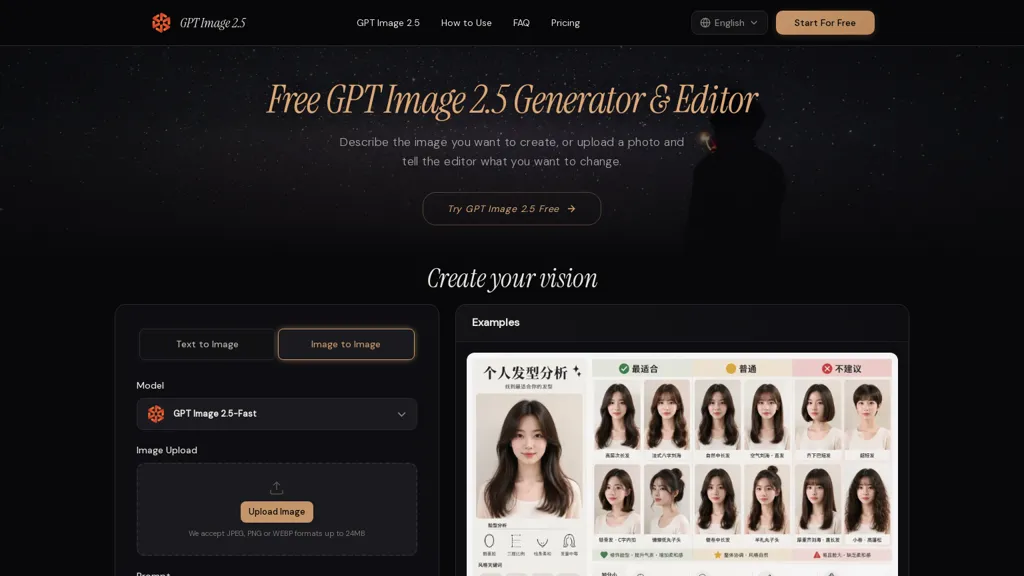
What is Gptimage2.5?
GPT Image 2.5 is an AI image generator and photo editor that creates images from text prompts and edits existing photos through written instructions.
It supports text-to-image generation, image-to-image editing, background replacement, and iterative refinements while retaining identifiable subject features across edits. The tool lets you adjust lighting, color, and visual style and add or revise short text elements with explicit placement and sizing.
Upload a reference photo or start from a description, generate multiple variants, and use a chosen version as the basis for further edits. Reference fidelity and subject retention help maintain consistent appearance across a series of images.
Prompt-driven controls let you specify what to change and what to preserve to guide focused, repeatable edits.
Gptimage2.5 details
- Built for
- Individuals
Gptimage2.5 tech specs
- Works with
- OpenAI / GPT
Gptimage2.5 pricing
FreemiumGptimage2.5 offers a free plan with paid upgrades available. Plans start from $7.49/mo.
- Auto-renewal
- Yes
Verify on the official pricing page.
View plansGptimage2.5's key features
-
Text-to-image generation from prompts
-
Image-to-image editing of uploaded photos via written instructions
-
Background replacement
-
Iterative refinements with reference fidelity and subject retention across edits
-
Adjust lighting, color, and visual style; add or revise short text elements with explicit placement and sizing
Gptimage2.5 use cases
-
Create consistent, on-brand marketing and ad creatives from simple prompts—generate text-to-image hero shots, replace backgrounds, refine lighting, color and typography iteratively to deliver campaign-ready assets without complex design software
-
Produce high-converting e-commerce product imagery by preserving subject fidelity across edits—swap backgrounds, generate multiple lifestyle and studio variants from one photo with image-to-image workflows, and fine-tune lighting/color for catalogs and social ads
-
Edit and retouch photos like a pro using prompt-driven, reference-based edits—adjust color grading, composition and style, add or move text overlays, and iterate rapidly while keeping the original subject intact for portfolios, client deliverables or prints
Gptimage2.5 user reviews
Based on 1 review, 100% of users recommend Gptimage2.5, rated highly for ease of use.
Liked for
Would you recommend Gptimage2.5?
Who is Gptimage2.5 for?
-
Professional photographers
-
Amateur photographers and photo editors
-
Graphic designers
-
Digital artists and illustrators
-
Marketing teams and social media managers
-
Advertisers and creative agencies
-
E-commerce sellers and product photographers
-
Content creators and influencers
-
Game developers and concept artists
-
Ux/ui designers and web designers
-
Small business owners creating visual assets
-
Students and educators in visual arts
Gptimage2.5 FAQ
Is Gptimage2.5 free?
Partly. Gptimage2.5 has a free plan with usage limits, and paid plans unlock the full feature set. Paid plans start at $7.49/mo.
What are the best alternatives to Gptimage2.5?
The closest alternatives to Gptimage2.5 are ImagetoImage AI, Imagetoprompt, Meta Image Generator, Image25 and Canva AI. You can compare them side by side in the alternatives section further down this page.
What does Gptimage2.5 do with my data?
Gptimage2.5 states that customer content is not used to train its models. Its privacy policy states that personal data is not sold or shared for marketing purposes. Data may be shared with third-party service providers that help run the product.
Does Gptimage2.5 auto-renew or offer refunds?
Gptimage2.5 subscriptions renew automatically until you cancel.
Which AI models does Gptimage2.5 use?
Gptimage2.5 is built on OpenAI / GPT. Which models you can reach may depend on your plan.
Compliance, privacy and billing terms are as stated in each product's own published documentation and have not been independently verified by TopAI.tools.


