
What is Hyperframes?
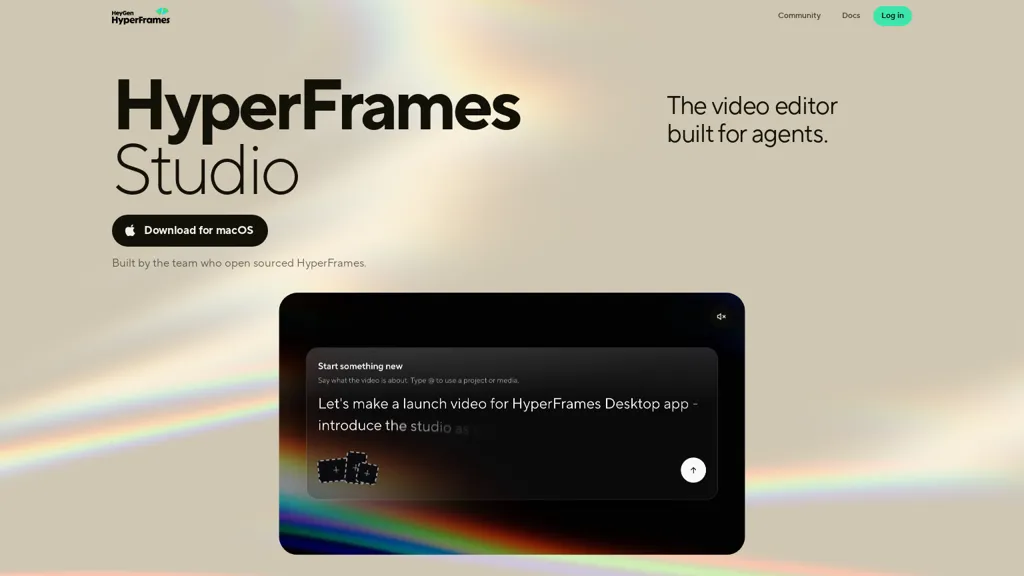
HyperFrames Studio — an open-source desktop video editor available for macOS and Linux, with Windows support planned.
Provides timeline-based editing, multi-track composition, and clip management for assembling video projects.
Integrates with local files and external applications to streamline import, editing, and export workflows.
Includes command-line utilities and documentation to support automation and scripted workflows.
Released under the Apache-2.0 license and hosted on GitHub for code access and community contributions.
Extensible through plugins and repository-based workflows to enable collaboration and project sharing.
Unifies editing tasks in a single desktop interface that connects to existing tools and files.
Hyperframes pricing
FreemiumHyperframes offers a free plan with paid upgrades available.
Verify on the official pricing page.
View plansHyperframes's key features
-
Desktop video editor for macOS and Linux (Windows support planned)
-
Timeline-based, multi-track editing with clip management
-
Integration with local files and external applications for import, editing, and export workflows
-
Command-line utilities and scripting support for automation and scripted workflows
-
Extensible plugin system and repository-based workflows for collaboration and project sharing
Hyperframes use cases
-
Produce polished tutorial and course videos on macOS or Linux using HyperFrames Studio's timeline-based multi-track editor, manage clips and audio seamlessly, apply plugins for motion graphics and color grading, then use CLI automation to batch render consistent lesson outputs
-
Automate daily social or news video compilations by scripting clip selection, trims, and transitions with HyperFrames Studio's command-line workflows and external-app integration, enabling scheduled creation, encoding, and git-tracked versioning for reproducible pipelines
-
Collaborate on corporate or open-source video projects with teams using HyperFrames Studio's git-based repository workflows to branch, review, and merge edits, while leveraging plugin extensibility and file integration with DAWs and subtitle tools for a professional post-production workflow
Hyperframes user reviews
Would you recommend Hyperframes?
Who is Hyperframes for?
-
Independent filmmakers
-
Video editors and post-production professionals
-
Content creators and youtubers
-
Motion graphics and compositing artists
-
Small studios and collaborative teams
-
Open-source contributors and plugin developers
-
Technical users, pipeline integrators, and automation engineers
-
Educators and media students
-
Hobbyist and amateur editors
-
Linux and macos power users who prefer open-source tools
Hyperframes FAQ
Is Hyperframes free?
Partly. Hyperframes has a free plan with usage limits, and paid plans unlock the full feature set.
What are the best alternatives to Hyperframes?
The closest alternatives to Hyperframes are FlexClip, ChatCut, CodeVideo, OpenMontage and LTX Desktop. You can compare them side by side in the alternatives section further down this page.


