
What is EZTrimmer?
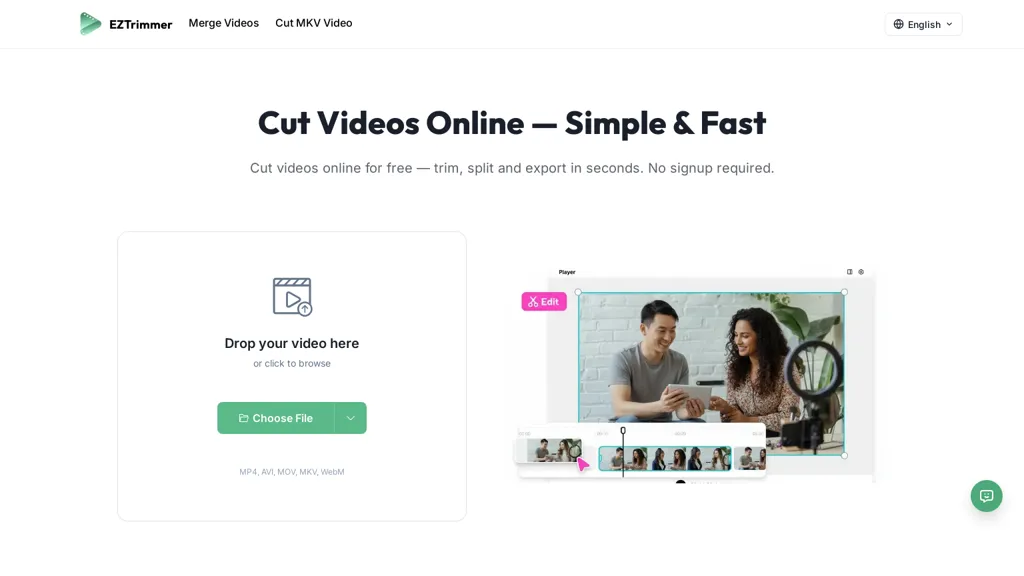
ezTrimmer is a browser-based online video cutter and trimmer for creators, social media managers, and professionals.It supports MP4, AVI, MOV, MKV and WEBM and lets users trim, split, and merge clips with a timeline interface and drag-and-drop upload.
Frame-accurate trimming with draggable handles enables precise range selection for cutting MKV and other formats.Processed clips can be downloaded or shared and exported in common formats suitable for TikTok, YouTube Shorts, and Instagram Reels while preserving original resolution when possible.
Workflow features include account-based access, uploads up to 500 MB or 30 minutes, and a simple upload–trim–download process.ezTrimmer is intended for quick clip preparation and short-form content assembly without desktop software.
EZTrimmer details
- Company
- EZTrimmer
- Jurisdiction
- United States
EZTrimmer pricing
FreeThis tool is free to use, with no credit card required.
- Refund window
- 1 days
- Auto-renewal
- Yes
Verify on the official pricing page.
Get started freeEZTrimmer's key features
-
Browser-based online video cutter and trimmer
-
Supports MP4, AVI, MOV, MKV, and WEBM
-
Trim, split, and merge clips via timeline interface with drag-and-drop upload
-
Frame-accurate trimming with draggable handles for precise range selection
-
Download/share/export processed clips in common social-video formats while preserving original resolution when possible
EZTrimmer use cases
-
Create short, platform-ready clips for TikTok, YouTube Shorts and Instagram Reels using ezTrimmer's browser-based, frame-accurate cutter—trim and export preserving resolution and correct aspect ratios without installing software or additional tools
-
Quickly assemble highlight reels or episode recaps by dragging, splitting and merging MP4/AVI/MOV/MKV/WEBM clips in ezTrimmer's timeline, using frame-accurate handles to nail precise cuts and produce high-resolution downloads ready for publishing
-
Prepare promotional snippets and social media teasers by trimming out unwanted segments, merging shots, and exporting platform-optimized formats with ezTrimmer's drag-and-drop interface, ensuring consistent quality across devices while working entirely online
EZTrimmer user reviews
Based on 8 reviews, 62% of users recommend EZTrimmer, rated highly for quality results.
Liked for
Disliked for
Would you recommend EZTrimmer?
Who is EZTrimmer for?
-
Content creators
-
Video editors
-
Marketing strategists
-
Social media managers
-
Teaching educators
EZTrimmer FAQ
Is EZTrimmer free?
Yes. EZTrimmer is free to use and does not require a credit card.
Is EZTrimmer safe to use?
EZTrimmer is operated by EZTrimmer, registered in United States.
What are the best alternatives to EZTrimmer?
The closest alternatives to EZTrimmer are FlexClip, SLICETUBE, CapCut, Klap.app and ChatCut. You can compare them side by side in the alternatives section further down this page.
What does EZTrimmer do with my data?
Its privacy policy states that personal data is not sold or shared for marketing purposes. Data may be shared with third-party service providers that help run the product.
Does EZTrimmer auto-renew or offer refunds?
EZTrimmer subscriptions renew automatically until you cancel. It states a 1-day refund window.
Who made EZTrimmer?
EZTrimmer is built and operated by EZTrimmer, a company registered in United States.
Compliance, privacy and billing terms are as stated in each product's own published documentation and have not been independently verified by TopAI.tools.


