
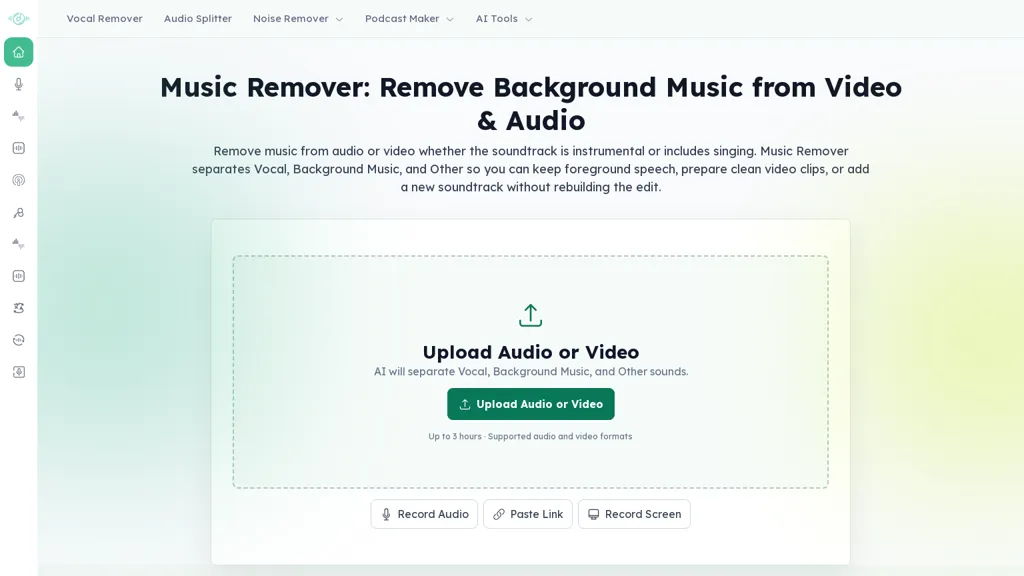
What is MusicRemover AI?
MusicRemover AI separates vocals and instrumentals to create karaoke-ready tracks and lyric videos, serving use cases like mp3 karaoke, cover production, rehearsal, and event playback.It includes vocal remover and music remover tools, an audio splitter, and audio cleaning/noise removal for clearer backing tracks.
The editable lyric editor supports word-level timing, split/merge lines, subtitle placement and styling (colors, outlines, font, shadows).Video layout controls let users set aspect ratio, background image/video/color, and export finished karaoke videos as MP4.Supported audio formats include mp3, wav, m4a, aac, opus, ogg, flac, aif, aiff (up to 50 MB); supported video formats include mp4, mov, m4v, avi, 3gp (up to 500 MB).
The browser-based workflow follows three steps—upload, AI separation, edit/export—streamlining karaoke video creation for singers, music teachers, cover makers, event hosts, and video editors.
MusicRemover AI details
- Stated compliance
- GDPR
Compliance as stated in MusicRemover AI's own published documentation.
MusicRemover AI pricing
FreeThis tool is free to use, with no credit card required.
Verify on the official pricing page.
Get started freeMusicRemover AI's key features
-
AI vocal and instrumental separation (vocal remover and music remover)
-
Audio splitter and audio cleaning/noise removal for clearer backing tracks
-
Editable lyric editor with word-level timing, split/merge lines, and subtitle styling (colors, outlines, font, shadows)
-
Video layout controls with aspect ratios (16:9, 4:3, 9:16), background image/video/color, and MP4 export
-
Supports audio formats mp3, wav, m4a, aac, opus, ogg, flac, aif, aiff (≤50 MB) and video formats mp4, mov, m4v, avi, 3gp (≤500 MB)
MusicRemover AI use cases
-
Prepare professional-quality karaoke backing tracks and MP4 lyric videos from existing songs by separating vocals and instrumentals, cleaning audio, generating word-level timed lyrics and editable subtitles, and exporting MP3/MP4s with chosen aspect ratio and background — all in-browser with no extra software.
-
Create customizable practice materials for music teachers and vocal coaches by extracting instrumental tracks and removing lead vocals, cleaning audio for clarity, adding word-level lyric timing and editable subtitles, then exporting student-ready MP3s and timed lyric videos optimized for classroom displays or mobile devices.
-
Produce ready-to-play assets for hosts and cover-makers by converting songs into karaoke backing tracks, fine-tuning word-level subtitle timing and visuals, and exporting MP3s and MP4 lyric videos with aspect-ratio and background controls for use on venue screens, livestreams, and social channels.
MusicRemover AI user reviews
Based on 1 review, 0% of users recommend MusicRemover AI.
Disliked for
Would you recommend MusicRemover AI?
Who is MusicRemover AI for?
-
Music singers
-
Music teachers
-
Cover makers
-
Event hosts
-
Video editors
MusicRemover AI FAQ
Is MusicRemover AI free?
Yes. MusicRemover AI is free to use and does not require a credit card.
Is MusicRemover AI safe to use?
MusicRemover AI states GDPR compliance in its own published documentation. It has a substantial audience that is independently measured month to month.
What are the best alternatives to MusicRemover AI?
The closest alternatives to MusicRemover AI are Vocalremover, Somio.ai, AI Song Maker, Youka and iMyFone MusicAI. You can compare them side by side in the alternatives section further down this page.
What does MusicRemover AI do with my data?
Its privacy policy states that personal data is not sold or shared for marketing purposes.
Compliance, privacy and billing terms are as stated in each product's own published documentation and have not been independently verified by TopAI.tools.


it wat the best tool i ever used, but its been two days since "musicremover . ai" stopped working and when you upload any media file from anywhere it keeps showing the error: "Processing stopped, We could not prepare your Music Remover result, Request Failure." is there any solution or comunity forum exist related to this tool please guide...