Best Page Assist for Ollama Alternatives in 2026
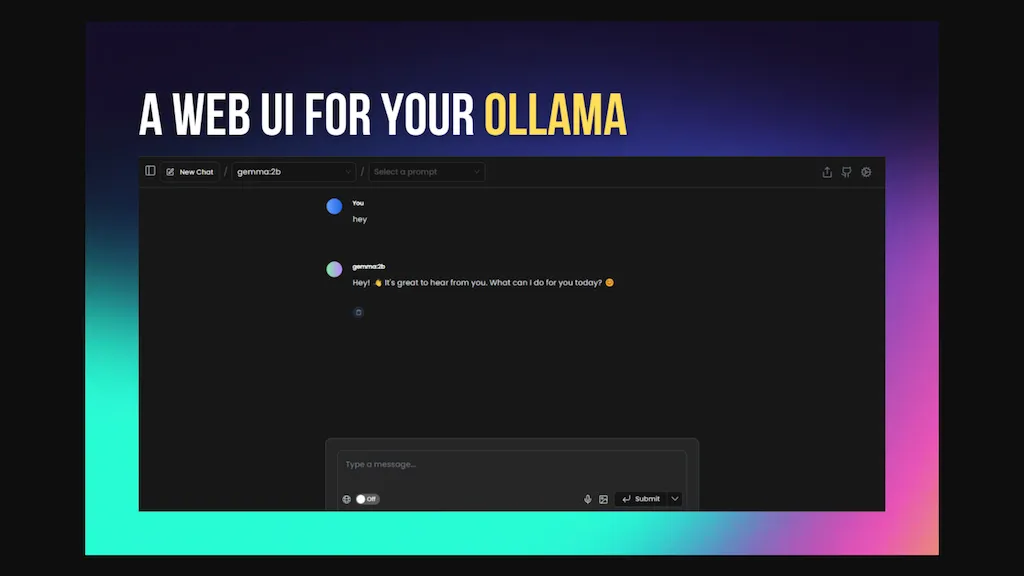
100% positive · 1 user review FreemiumPage Assist is a Chrome extension that connects to locally running AI models via a sidebar, enabling vision, document chat, and internet search. It supports PDFs, CSVs, markdown, Word, memory context, 14 languages, and keeps all data local.
We've ranked 29 Page Assist for Ollama alternatives, including 23 with a free plan. Rankings are based on feature coverage and user feedbacks.
Top-rated alternatives include Walles.ai, AI Toolbar, and WebPilot.ai.
29 Page Assist for Ollama Alternatives & Competitors, Ranked by User Reviews
Click Compare on any tool to compare it side-by-side with Page Assist for Ollama.
#1
Walles.ai
Walles.AI is a Chrome extension that brings a ChatGPT‑powered assistant to any web page, PDF, or YouTube video, enabling quick summarization, translation, paraphrasing, text extraction, and image‑based math solving, with export to Notion and keyboard shortcuts.
#2
AI Toolbar
AI Toolbar is a Chrome extension that adds an AI assistant to every webpage. It generates text, summarizes, translates, and paraphrases content, supports voice commands, offers a chatbot, exports replies to Word/PDF, integrates with ChatGPT, and allows custom prompts.
#3
WebPilot.ai
WebPilot is a GPT‑integrated browser extension that enables live web search and QA, delivering up‑to‑date answers from current pages. It supports 10,000‑word report generation, offers an embedding API, and is open source with community support.
#4
GPTPLUS
GPTPlus is a browser extension featuring GPT-4 and GPT-3.5 technologies. It provides an integrated ChatGPT assistant within a sidebar for writing, translation, code analysis, prompts, templates, and custom queries, boosting productivity in content generation and SEO optimization tasks.
#5
Ask AI
Chat & Ask AI combines web search, image generation, link analysis, document chat, and YouTube summarization in one interface. It offers up‑to‑date answers, multilingual support, file uploads, and a prompt library, powered by GPT‑5.2, Gemini, Claude, and Stable Diffusion XL.
#6
Voilà
Voilà AI Assistant is a cross‑platform browser extension, desktop, and mobile app that uses GPT‑5 to summarize, rewrite, translate, and auto‑reply to emails, chats, PDFs, spreadsheets, and YouTube transcripts, while correcting spelling, grammar, tone and generating images from text.
- Personalized recommendations
- Custom collections
- Save favorites
Already a member? Sign in
#7
LightPDF
LightPDF lets users chat with PDFs, Word, Excel, PowerPoint, EPUB, performing OCR on scanned documents and handling multiple files per session. It returns plain text, lists, tables or markdown with citations, supporting over 100 languages in a cross‑platform interface.
#8
Monica
Monica integrates GPT‑5.2, Claude 4.5, Gemini 3 Pro, Sora 2, and Nano Banana into a single extension for Chrome, Edge, Windows, macOS, Android, and iOS. It supports chat, web search, translation, summarization, image/video creation, code assistance, OCR, PDF conversion, and resume review.
#9
Ask Your PDF
AskYourPDF lets users upload PDF or text files to ask questions and retrieve instant answers. It instantly summarizes long documents, supports keyword search across multiple files, and offers a shared library with mobile, Chrome, and plugin access, all GDPR‑compliant.
#10
FlashAI
FlashAI is a Chrome extension that runs ChatGPT via your OpenAI API key in-browser, offering one-click webpage summarization, highlight-to-run prompts, a prompt manager, keyboard shortcuts and context-menu access for faster research, drafting and content extraction.
#11
Content Assistant
Content Assistant is a browser extension that extracts page context to power AI‑driven content creation. It enables iterative conversations, custom prompts, tone or length adjustments, email drafting, summarization, and speech‑to‑text input for writers, editors, marketers, and support agents.
Sider AI is a browser extension that consolidates instant summarization, translation, and research tools in a side panel. Users compare AI model responses, receive on‑the‑fly explanations for highlighted text, extract OCR, and store snippets in a searchable knowledge base.
#13
ChatGPT2Help Chrome Extension
ChatGPT2Help is a Chrome extension embedding ChatGPT for instant AI assistance: rapid content drafting, copy editing, multi‑language translation, page summarization, and specialized tasks like real‑estate listings, legal risk flagging, customer‑service FAQ responses, personalized education plans, and preliminary medical suggestions.
#14
College Tools - Homework Solver
AI Homework Helper is a Chrome extension that highlights questions or images to instantly provide detailed, step‑by‑step answers across subjects. It supports PDFs, lecture notes, a sidepanel chat, a mobile app, and works on multiple browsers while safeguarding privacy.
#15
CloudPDF - Chat with your PDFs
Chat with Your PDF lets users ask natural‑language questions to PDFs and receive instant, vector‑search‑driven answers that display source excerpts. It speeds up research, study, and professional document review.
#16
ParagraphAI
ParagraphAI offers real‑time grammar correction, one‑tap email drafting, and instant summarization of web pages and PDFs. It provides multilingual translation, customizable tone filters, a template library, and an instruction engine for repetitive tasks across mobile, desktop, and Chrome.
#17
ChippyAI
Chippy is a Chrome extension that embeds ChatGPT directly into the browser, letting users ask questions, summarize pages, research topics, translate text, and draft emails instantly while staying on the current tab.
#18
DeepTab
DeepTab embeds GPT‑3.5 help into Chrome’s tab and sidebar, offering on‑page assistance, a quick AI search panel, daily wallpaper refreshes, and a curated AI‑website directory—all designed to streamline browsing and AI resource access.
#19
ChatPdf.so
Chatpdf.so is an AI tool for efficiently extracting information from PDF documents. It uses GPT-4 for questions, summaries, and interactive learning. With multi-language support and robust data security features, it helps users generate reports and essays effortlessly.
#20
AIPal
Chat, write, reply, translate, and more on any webpage, powered by cutting-edge AI models such as GPT-4, Claude 3, and Gemini. Coming soon: image, video, PPT, and PDF processing.
#21
QuickyAI
Quicky AI is a browser extension that embeds ChatGPT (GPT‑4o and models) into any webpage. It lets users ask contextual questions, summarize content, capture screenshots, and use preset prompts for tasks like marketing, coding, or data analysis. Credentials remain local.
#22
AiAssistWorks
Access 50+ AI models in Google Sheets™ without writing functions or copy-pasting. Save and reuse prompts easily. Models from GPT, Claude, Google Gemini™, Openrouter, and Groq are available.
#23
iAsk.ai
iAsk.Ai delivers instant, factual answers to natural‑language questions from authoritative web sources, and offers essay drafting, advanced grammar checks, academic summarization, PDF analysis, image generation, URL bullet‑point briefs, and one‑click grammar correction. Accessible via browser extension or mobile app.
#24
WebCopilot
WebCopilot is a Chrome extension that lets users upload PDFs, text files, URLs, and Notion pages to build a semantic, searchable knowledge base. It chunks, embeds, and indexes content so queries return meaning‑based answers with source references.
#25
AI Chat for Search
Browser extension that displays conversational AI answers and multi-model comparisons alongside search results, integrates with GPT-4/Claude and major search engines, and adds YouTube summaries, PDF/image/OCR processing and content-generation tools for research and creation.
#26
ChatGPT Everywhere
The ChatGPT Everywhere Chrome Extension integrates ChatGPT's language model into browsing, offering instant answers and knowledge without leaving the current webpage. Enhance productivity, save time, and access comprehensive information seamlessly.
#27
Cousology
AI Homework Helper lets students upload documents, notes, and webpages to chat with the AI, generate quizzes, flashcards, and concise notes, convert lectures into podcasts, transcribe sessions, and solve problems via a Chrome extension across many subjects.
#28
Side Reader
Side Reader is a Chrome extension that enhances PDF reading by enabling AI interaction for summarization, translation, and explanation. It features file storage, zoom, navigation, custom buttons, and a split-screen view for improved productivity.
#29
Glimpse
Glimpse is an AI-powered chat assistant and browser extension that offers conversational, writing, and editing assistance while also functioning as an adblock to keep browsing experience clean and secure.
Frequently Asked Questions
Why look for Page Assist for Ollama alternatives?
Common reasons users switch from Page Assist for Ollama:
- Feature gaps: teams needing specific capabilities like generate text may find a more focused alternative better suited to their workflow.
- Flexibility: exploring alternatives helps find tools that better match your team size, integrations, and budget.
What is the best alternative to Page Assist for Ollama?
Walles.ai ranks as the top Page Assist for Ollama alternative. Walles.AI is a Chrome extension that brings a ChatGPT‑powered assistant to any web page, PDF, or YouTube video, enabling quick summarization, translat It is available on a Freemium plan.
How do the top Page Assist for Ollama alternatives compare?
| Tool | Pricing | Starting Price | User Rating |
|---|---|---|---|
| Page Assist for Ollama this tool | Freemium | — | 100% (1) |
| Walles.ai | Freemium | — | — |
| AI Toolbar | Freemium | — | — |
| WebPilot.ai | Freemium | — | — |
| GPTPLUS | Freemium | — | 50% (1) |
| Ask AI | Free | — | 57.9% (19) |
Are there free Page Assist for Ollama alternatives?
Yes, 23 free alternatives found in our list: Walles.ai, AI Toolbar, WebPilot.ai. and 20 more — use the pricing filter above to see them all.
What should I look for in a Page Assist for Ollama alternative?
- Core capabilities: confirm the tool supports generate text, Edit Documents, translate texts.
- Pricing transparency: look for clear free plan, trial period, or tiered pricing — avoid tools that hide costs.
- User reviews: check both the satisfaction percentage and the number of reviews; a high score from few users is less reliable.
- Integrations: verify it connects with your existing stack before committing.
- Support and updates: active development and responsive support are strong signals of a maintained product.
Which Page Assist for Ollama alternative has the highest user rating?
Ask Your PDF has the highest satisfaction score among Page Assist for Ollama alternatives, with 100% positive from 4 user reviews. It is available on a Free plan.
What are Page Assist for Ollama alternatives used for?
- generate text
- Edit Documents
- translate texts
- Analyze Webpages
- Generate Images