
Top 29 Messy Desk Alternatives in 2026
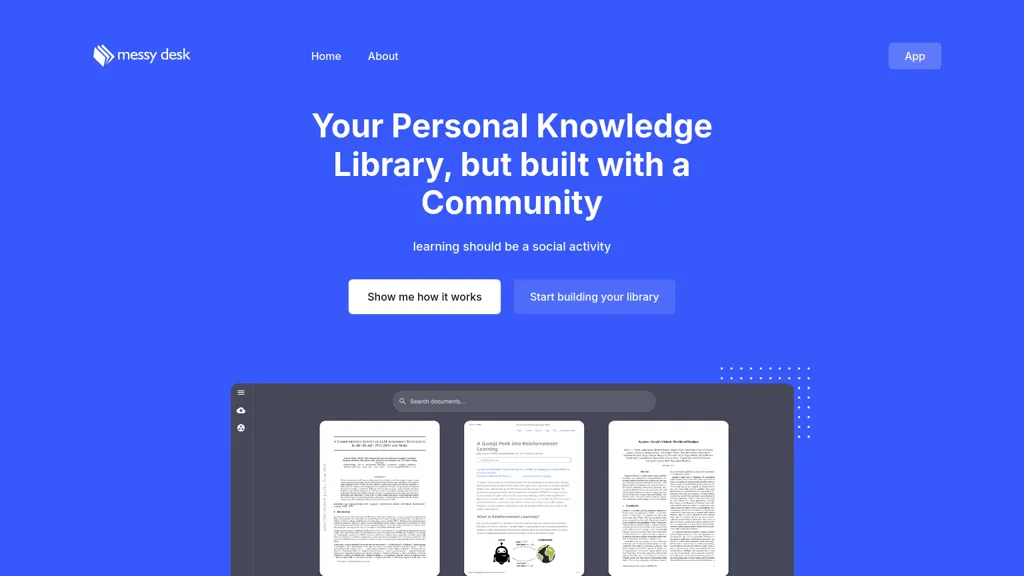
No user reviews yet FreemiumMessy Desk is a personal knowledge library tool that organizes information, supports advanced semantic search, and features AI-driven document summaries. It enables community discussions, bulk PDF uploads, and video tagging for efficient knowledge management.
We've ranked 29 Messy Desk alternatives, including 25 with a free plan. Rankings are based on feature coverage and user feedbacks.
Top-rated alternatives include aiPDF, Remio AI, and Semanticscholar.
29 Messy Desk Alternatives & Competitors, Ranked by User Reviews
Click Compare on any tool to compare it side-by-side with Messy Desk.
 #1
aiPDF
#1
aiPDF
aiPDF lets users upload PDFs, EPUBs, URLs or YouTube links to extract data, summarize content, and ask context‑specific questions. It returns source‑backed answers, supports any file size, auto‑deletes uploads, and offers response exports.
 #2
Remio AI
#2
Remio AI
Remio AI is a personal knowledge hub that auto-captures and organizes ideas from multiple sources, offering AI-driven recommendations and secure, device-based storage. It enhances productivity with smart search, tailored insights, and upcoming features like writing aids and advanced reasoning.
 #3
Semanticscholar
#3
Semanticscholar
Semantic Scholar indexes 230 million papers, offering AI‑powered semantic search that prioritizes relevance and citation impact. It provides contextual PDF annotations, a developer API, and export options for literature reviews, grant research, and teaching.
 #4
iWeaver AI
#4
iWeaver AI
iWeaver lets users upload documents, videos, audio, and images to extract key concepts, generate summaries, and build mind maps. It supports structured Q&A, data extraction, and visual mapping for research, analysis, and legal review. Modular agents enable API integrations for workflows.
 #5
PDF2Anki
#5
PDF2Anki
Memo AI is a workspace that ingests PDFs, videos, websites, and text, extracting structured content into semantic chunks with vector embeddings for hybrid keyword‑semantic retrieval. It generates flashcards, tests, summaries, mind maps, and supports active‑recall, spaced repetition, multilingual AI models.
 #6
Knowledge AI
#6
Knowledge AI
Knowledge AI is an AI-powered learning tool that delivers concise summaries of complex content, such as lectures and videos. It highlights key themes, generates common questions, and facilitates real-time interactions for improved comprehension and retention.
- Catch deals before they expire
- Unlock tools matched to you
- Show off your AI stacks
Already a member? Sign in
 #7
MyMemo
#7
MyMemo
MyMemo is an AI-powered knowledge management tool that simplifies organizing and accessing personal data. It provides AI-driven recaps, tailored collections, and extracts essential insights for efficient information retrieval.
 #8
Papers
#8
Papers
Papers manages research libraries by importing and auto‑matching bibliographic data, letting users tag, rate, and organize sources. AI offers article recommendations and chat queries, while inline annotations sync across Mac, Windows, and mobile. SmartCite supports 10,000+ styles and integrates impact metrics.
 #9
Ask Your PDF
#9
Ask Your PDF
AskYourPDF lets users upload PDF or text files to ask questions and retrieve instant answers. It instantly summarizes long documents, supports keyword search across multiple files, and offers a shared library with mobile, Chrome, and plugin access, all GDPR‑compliant.
 #10
Knowbase
#10
Knowbase
Knowbase.ai turns PDFs, Word, PowerPoint, text, audio, video, and YouTube links into a searchable knowledge base, delivering AI‑generated answers with source citations. It supports chat with individual documents or all files, transcription with speaker ID, multilingual use, and private data handling.
 #11
OmniBox
#11
OmniBox
OmniBox is an AI knowledge companion that streamlines content collection by saving web pages and documents with a single click. It transforms saved content into a searchable, question-answer format with source-traceable answers for efficient knowledge management.
 #12
Pocket LLM
#12
Pocket LLM
Pocketllm is an AI-powered personal document search engine that allows you to easily search and retrieve information from thousands of pages of PDFs and documents. It offers semantic search capability, fine-tuning search results and summarizing results.
 #13
knowt.com
#13
knowt.com
Knowt turns uploaded PDFs, slides, videos, or audio into interactive study aids. AI generates summaries, flashcards, quizzes, and spaced‑repetition decks, supporting STEM, humanities, languages, and exam prep. Teachers can import Quizlet sets and track class progress.
 #14
PIA
#14
PIA
Pia Personal Intelligence Assistant enhances productivity with chat functions, image/video search, and file upload support. It facilitates collaboration, provides access to various AI tools, and offers updates on the latest advancements for individual and team workflows.
 #15
Synaptic AI
#15
Synaptic AI
Synaptic AI is a browser-integrated knowledge base and AI agent that captures and summarizes web pages and videos into searchable notes, supports rich-text editing, tagging, chat-based retrieval, and generates kanban tasks from notes for research and project workflows.
 #16
Active Recall
#16
Active Recall
Recall is an AI-driven knowledge management tool that organizes and retrieves information efficiently. It summarizes content, uses an interactive knowledge graph, supports spaced repetition, and ensures cross-platform accessibility while prioritizing user data privacy.
 #17
MyMind
#17
MyMind
Cross‑platform personal knowledge manager consolidating notes, bookmarks, articles, images, and quotes into one private space. Auto‑classifies content, generates AI summaries, and enables search by color, keyword, brand, or date. Real‑time sync across iOS, Android, macOS, Chrome, Edge, and Safari.
 #18
Youlearn
#18
Youlearn
AI tutor that transforms PDFs, videos, slides, and recordings into study notes, quizzes, podcasts, and personalized exams, providing key takeaways, answer breakdowns, progress tracking, and interactive chat support for learners and educators.
 #19
Mem.ai
#19
Mem.ai
Mem.ai is an AI-powered workspace that simplifies information management and collaboration, automates tasks, and facilitates knowledge sharing.
 #20
MindMap AI
#20
MindMap AI
MindMapAI.app is an AI-powered tool for creating dynamic mind maps from text, PDFs, images, audio, and video inputs. It offers AI copilot chat for brainstorming, seamless editing, and multi-format exports to streamline idea tracking and refinement.
 #21
Linnk.AI
#21
Linnk.AI
Instant Insight Page by Linnk AI simplifies webpage summaries, eliminates clickbait, and delivers direct answers for efficient content consumption. Bridge language barriers, get concise information, and bid farewell to misleading headlines.
 #22
mindlib
#22
mindlib
Mindlib is a mobile-friendly personal knowledge management tool that uses mind mapping and AI to organize insights, offers content suggestions, enables real-time synchronization, and allows intuitive exploration and connection of ideas across devices.
 #23
Ask AI
#23
Ask AI
Chat & Ask AI combines web search, image generation, link analysis, document chat, and YouTube summarization in one interface. It offers up‑to‑date answers, multilingual support, file uploads, and a prompt library, powered by GPT‑5.2, Gemini, Claude, and Stable Diffusion XL.
 #24
iAsk.ai
#24
iAsk.ai
iAsk.Ai delivers instant, factual answers to natural‑language questions from authoritative web sources, and offers essay drafting, advanced grammar checks, academic summarization, PDF analysis, image generation, URL bullet‑point briefs, and one‑click grammar correction. Accessible via browser extension or mobile app.
 #25
SearchPlus
#25
SearchPlus
Search+ AI enables users to interact with PDF documents through conversational queries, providing immediate answers and insights. It supports collaborative dialogue, ensures document privacy with encryption, and streamlines workflows for enhanced decision-making across multiple languages.
 #26
Innerai.com
#26
Innerai.com
All‑in‑one platform integrating GPT‑4o, Claude, Gemini, and others for unified text, image, video, and document AI. Offers summarizing, translation, prompt templates, workflow tools, quiz creation, SCORM export, web search, subtitles, dubbing. SOC II‑compliant with field‑level encryption and data isolation.
 #27
PortableDocs
#27
PortableDocs
PortableDocs is an AI tool that allows users to engage with PDF documents through conversation, enabling quick extraction of insights and summarization. Its intuitive interface and advanced algorithms enhance productivity, particularly for technical, legal, and academic documents.
 #28
Helper Systems: kOS
#28
Helper Systems: kOS
kOS lets users import PDFs and annotate them in one interface. An AI layer answers questions about any part of the document, distinguishes user vs. web content, auto‑generates slide decks and citation exports—all locally for privacy.
 #29
Wikiwand
#29
Wikiwand
Wikiwand enhances Wikipedia browsing with AI-driven contextual tools, including intelligent search, enriched summaries, and timelines. It supports multiple languages, offers customizable layouts, and integrates resources for a comprehensive learning experience.
Frequently Asked Questions
Why look for Messy Desk alternatives?
Common reasons users switch from Messy Desk:
- Feature gaps: teams needing specific capabilities like Organize information may find a more focused alternative better suited to their workflow.
- Flexibility: exploring alternatives helps find tools that better match your team size, integrations, and budget.
What is the best alternative to Messy Desk?
aiPDF ranks as the top Messy Desk alternative. aiPDF lets users upload PDFs, EPUBs, URLs or YouTube links to extract data, summarize content, and ask context‑specific questions. It returns source‑b It is available on a Subscription plan starting from $9/mo.
How do the top Messy Desk alternatives compare?
| Tool | Pricing | Starting Price | User Rating |
|---|---|---|---|
| Messy Desk this tool | Freemium | — | — |
| aiPDF | Subscription | $9/mo | — |
| Remio AI | Waitlist | — | 77.8% (9) |
| Semanticscholar | Free | — | 72.7% (11) |
| iWeaver AI | Freemium | $9.9/mo | 65.2% (23) |
| PDF2Anki | Free | — | — |
Are there free Messy Desk alternatives?
Yes, 25 free alternatives found in our list: Semanticscholar, iWeaver AI, PDF2Anki. and 22 more — use the pricing filter above to see them all.
What should I look for in a Messy Desk alternative?
- Core capabilities: confirm the tool supports Organize information, Analyze documents, Generate summaries.
- Pricing transparency: look for clear free plan, trial period, or tiered pricing — avoid tools that hide costs.
- User reviews: check both the satisfaction percentage and the number of reviews; a high score from few users is less reliable.
- Integrations: verify it connects with your existing stack before committing.
- Support and updates: active development and responsive support are strong signals of a maintained product.
Which Messy Desk alternative has the highest user rating?
Ask Your PDF has the highest satisfaction score among Messy Desk alternatives, with 100% positive from 4 user reviews. It is available on a Free plan.
What are Messy Desk alternatives used for?
- Organize information
- Analyze documents
- Generate summaries
- Automate search
- Extract key points