
Top 29 illustroke Alternatives in 2026
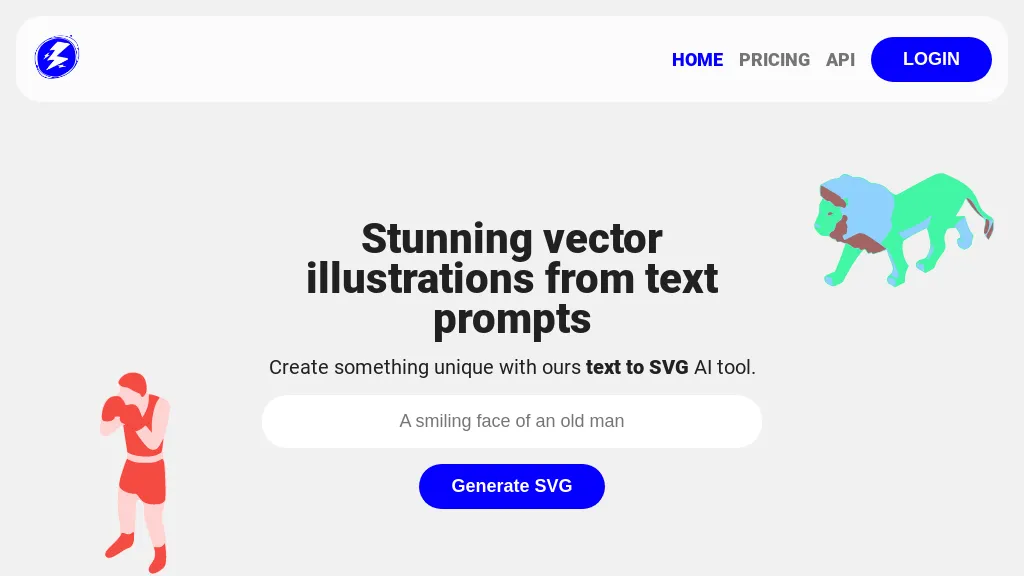
No user reviews yet PaidIllustroke turns text prompts into instantly generated SVG vector illustrations across 40+ styles, offering scalable, editable assets suitable for logos, icons, and UI graphics. Built‑in editor lets users tweak shapes and colors, then save or load projects from the cloud.
We've ranked 29 illustroke alternatives, including 20 with a free plan. Rankings are based on feature coverage and user feedbacks.
Top-rated alternatives include AI Logo Generator, Ai illustration generator, and SVG AI.
29 illustroke Alternatives & Competitors, Ranked by User Reviews
Click Compare on any tool to compare it side-by-side with illustroke.
 #1
AI Logo Generator
#1
AI Logo Generator
AI Logo Generator crafts vector logos from brief text prompts, offering instant SVG, PNG, JPG, and PDF options. Users can edit colors, fonts, layouts, and icons, with industry‑specific styles and high‑resolution files ready for web, print, or merchandise.
 #2
Ai illustration generator
#2
Ai illustration generator
Ilus AI is an illustration generator that enables users to create consistent images using prompt-based techniques. It supports fine-tuning with example images and exporting in SVG and PNG formats, ideal for maintaining brand identity across various projects.
 #3
SVG AI
#3
SVG AI
SVG AI is a browser-based platform that converts PNG, JPG, and WebP files into scalable vector graphics. It utilizes AI for custom designs while ensuring file encryption and immediate deletion after processing for user privacy.
 #4
VectorUbi
#4
VectorUbi
VectorUbi generates high‑quality SVG illustrations in under five seconds from text prompts, supporting consistent styles for designers, developers, and marketers. Batch creation, unlimited downloads, and easy editing in Illustrator or Figma streamline rapid prototyping and branding tasks.
 #5
Canva AI
#5
Canva AI
Canva's AI Image Generators turns text into visuals with customizable art styles and features like Magic Media, Create an Image, and automated reviews.
 #6
Sketch Logo AI
#6
Sketch Logo AI
Sketch Logo AI transforms sketches or text prompts into 3‑D logo designs. It offers 4,000+ fonts, 30,000 icons, PNG and SVG outputs, and lets beginners and professionals iterate quickly for branding, marketing, and illustration needs.
- Catch deals before they expire
- Unlock tools matched to you
- Show off your AI stacks
Already a member? Sign in
 #7
Tattoos AI
#7
Tattoos AI
TattoosAI turns text prompts into tattoo designs across 18 styles—geometric, watercolor, Japanese, etc. Users customize colors, download concepts, and preview placements. A surprise button selects random styles for quick inspiration.
 #8
SVG Bloom
#8
SVG Bloom
AI SVG Generator creates crisp black‑and‑white SVGs from text prompts in seconds. Users specify text, subject, and complexity, receiving up to four design variations. Outputs are optimized for cutting, laser engraving, and web use, and are easily edited.
 #9
Make Illustrations
#9
Make Illustrations
Brushless AI generates editable SVG illustrations directly inside Figma, letting designers create brand‑aligned vectors with prompt‑based controls, preset styles, and custom palettes. It offers instant previews and iterative editing for rapid UI, marketing, and content workflows.
 #10
AIImageGenerator
#10
AIImageGenerator
Free AI Image Generator converts text prompts into diverse visuals, including landscapes and logos. With customizable styles, prompt guidance, and an intuitive interface, it serves marketers and creators by facilitating quick, high-quality image generation for various projects.
 #11
IconWizardAI
#11
IconWizardAI
IconWizardAI generates custom icons from text, color, and style prompts, letting users produce batches of high‑resolution icons in a single workflow. Results are automatically stored in a cloud library for easy access and quick design iteration.
 #12
Redesign With AI
#12
Redesign With AI
Redesign With AI generates icons, logos, stickers, posters, mockups, and illustrations from text prompts using the Flux AI model. It delivers high‑quality images quickly, logs revisions, offers a simple interface, and supports export for web, social media, and print.
 #13
PNGMaker
#13
PNGMaker
PNGmaker.ai generates transparent PNGs from text prompts in about ten seconds, letting designers, developers, marketers, and creators quickly produce logos, icons, and graphics in multiple sizes for seamless project integration.
 #14
neoSVG
#14
neoSVG
neoSVG turns text prompts into high‑quality SVGs using AI‑driven Bézier curves, supporting monochrome or color outputs. It offers fast or high‑quality rendering, real‑time preview, and an API for integration into responsive web, mobile, print, AR/VR, UI/UX, and logo workflows.
 #15
AI Illustration Generator by Icons8
#15
AI Illustration Generator by Icons8
Icons8 Illustration Generator is a versatile AI tool that enables users to create professional-grade illustrations in diverse styles through text-to-image and image-to-image transformations. It offers a user-friendly interface, style consistency, customizable outputs, and a vast library of over 100,000 illustrations for reliable commercial use.

Image Prompt converts uploaded photos into detailed, AI‑optimized text prompts, supports non‑English input, offers object‑recognition analysis, and can generate high‑resolution images directly. Its batch processing, video prompt, and format‑translation features streamline design workflows.
 #17
LogoAI.ai
#17
LogoAI.ai
LogoAI.ai quickly generates customizable logos from text, symbols, and industry tags, offering full control over colors, fonts, layout, and icons. It delivers high‑resolution vector and raster files ready for web, print, and social media use, with unrestricted commercial rights.
 #18
SVGverseAI
#18
SVGverseAI
SVGVerseAI is a web-based tool that converts images to scalable vector graphics (SVG) using AI-driven styles. It facilitates logo and icon creation while supporting project management and community sharing for designers and content creators.
 #19
SVGMaker
#19
SVGMaker
SVGMaker is an AI-powered tool for generating, editing, and converting SVG graphics from text prompts or raster images. It enables customizable vector designs with effects, style presets, and seamless integration for web graphics, logos, and illustrations.
 #20
IllostrationAI
#20
IllostrationAI
Illustration AI creates images from text, letting users pick styles, upload CSVs for bulk production, edit backgrounds, and export high‑res PNGs or SVGs. Figma integration and AI upscaling streamline design workflows.
 #21
AppIcons AI
#21
AppIcons AI
Appicons.ai generates professional app icons for iOS, Android, and desktop using AI. Users describe their app and style, receive multiple customizable options, GPT‑enhanced prompts, Photopea editing, and instant preview with downloadable PNGs up to 2048 × 2048.
 #22
AI Generate SVG by SVG.la
#22
AI Generate SVG by SVG.la
AI Generate SVG is a web tool that creates high-quality, scalable SVG files by combining text prompts with reference images. It's user-friendly, suitable for various design needs, and offers unlimited design creation across multiple platforms.
 #23
SVG.io
#23
SVG.io
PicTrix.ai is an AI studio that generates pixel, grayscale, and color SVG images in a single workflow. It offers prompt‑driven control, clean outputs, a history view, reusable settings, and API access for production use.
 #24
AI Icon Generator
#24
AI Icon Generator
AI Icon Generator lets developers, designers, and content managers create custom SVG/PNG icons from a brief description, style, and palette with a single click. It supports WordPress, Shopify, and other CMSs, and offers full commercial rights.
 #25
AI Image Generator/Search
#25
AI Image Generator/Search
Generates millions of AI‑generated images from prompts, offering stylized, realistic, vintage, cartoon, and sci‑fi options. Users can fine‑tune style, color, and composition for concept art, storyboarding, teaching, or marketing, with workflow integration and export tools.
 #26
There is a logo for that
#26
There is a logo for that
Stockimg AI produces logos, illustrations, photos, and social‑media assets from text prompts and builds short video clips with audio and subtitles. Users edit, schedule, and publish across multiple platforms, streamlining content creation for agencies, marketers, and creators.
 #27
Kittl
#27
Kittl
Kittl is an AI‑driven design platform that lets creators and designers generate images, vectors, and videos from prompts. It offers vectorization, background removal, upscaling, an infinite collaborative canvas, and a library of templates, fonts, and icons.
 #28
ImagesArt AI
#28
ImagesArt AI
ImagesArt.ai is an AI image generator that transforms text prompts into high-quality artwork. It features automatic prompt enhancement, supports multiple languages, and allows users to convert existing images into detailed prompts, catering to both casual creators and professionals.
 #29
Idyllic
#29
Idyllic
Idyllic converts text prompts into high‑quality images, offering editing, blending, and refinement through conversational prompts. It supports multilingual edits, remembers prior work, and provides instant aesthetic adjustments for designers, marketers, and businesses.
Frequently Asked Questions
Why look for illustroke alternatives?
Common reasons users switch from illustroke:
- Cost: illustroke is a Paid tool — users often look for more affordable or free options.
- Feature gaps: teams needing specific capabilities like Generate Images may find a more focused alternative better suited to their workflow.
- Flexibility: exploring alternatives helps find tools that better match your team size, integrations, and budget.
What is the best alternative to illustroke?
Based on 1 user review, AI Logo Generator (100% positive) ranks as the top illustroke alternative. AI Logo Generator crafts vector logos from brief text prompts, offering instant SVG, PNG, JPG, and PDF options. Users can edit colors, fonts, layouts, It is available on a Free plan.
How do the top illustroke alternatives compare?
| Tool | Pricing | Starting Price | User Rating |
|---|---|---|---|
| illustroke this tool | Paid | — | — |
| AI Logo Generator | Free | — | 100% (1) |
| Ai illustration generator | Free trial | — | — |
| SVG AI | Freemium | — | 50% (4) |
| VectorUbi | Paid | — | — |
| Canva AI | Freemium | — | 78.6% (14) |
Are there free illustroke alternatives?
Yes, 20 free alternatives found in our list: AI Logo Generator, Ai illustration generator, SVG AI. and 17 more — use the pricing filter above to see them all.
What should I look for in a illustroke alternative?
- Core capabilities: confirm the tool supports Generate Images, Edit Images, Generate Logos.
- Pricing transparency: look for clear free plan, trial period, or tiered pricing — avoid tools that hide costs.
- User reviews: check both the satisfaction percentage and the number of reviews; a high score from few users is less reliable.
- Integrations: verify it connects with your existing stack before committing.
- Support and updates: active development and responsive support are strong signals of a maintained product.
Which illustroke alternative has the highest user rating?
AI Logo Generator has the highest satisfaction score among illustroke alternatives, with 100% positive from 1 user review. It is available on a Free plan.
What are illustroke alternatives used for?
- Generate Images
- Edit Images
- Generate Logos
- Generate Icons