
Top 12 CMD-C.app Alternatives in 2026
No user reviews yet Free trialCmd-C.app is a macOS tool that offers real-time grammar, punctuation, and style corrections via a keyboard shortcut. It integrates with various platforms and provides detailed reviews and explanations for improved writing accuracy and productivity.
We've ranked 12 CMD-C.app alternatives, including 11 with a free plan. Rankings are based on feature coverage and user feedbacks.
Top-rated alternatives include Corrector App, Scraib.app, and Punctuation Check.
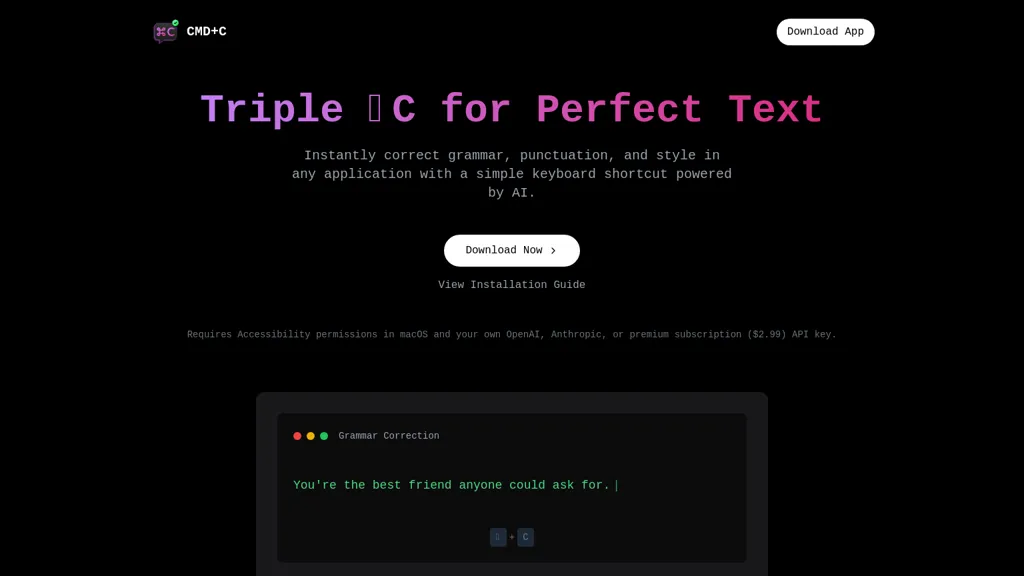
12 CMD-C.app Alternatives & Competitors, Ranked by User Reviews
Click Compare on any tool to compare it side-by-side with CMD-C.app.
 #1
Corrector App
#1
Corrector App
Web‑based grammar checker supporting 27 languages—including Tagalog and English variants—highlights spelling, grammar, punctuation errors and offers corrections. It accepts rich text up to 15,000 characters, detects GPT‑style typos, and includes an AI content detector, usable from any browser.
 #2
Scraib.app
#2
Scraib.app
Scraib.app corrects grammar, tone, and style in any macOS app, rewriting selected text with a keyboard shortcut. Set global or per-app style rules and use preferred AI providers or a local runtime for consistent, in-context edits.
 #3
Punctuation Check
#3
Punctuation Check
PunctuationCheck is an AI tool that instantly corrects punctuation, grammar, and spelling, offering manual or batch edits. It supports regional English variants, basic formatting, PDF export, and processes text locally for privacy.
 #4
Grammar Checker
#4
Grammar Checker
Grammar Checker is a free AI tool that corrects grammar, spelling, and punctuation errors. It also provides suggestions to improve your writing style and polish your text.
 #5
Correctenglish.com
#5
Correctenglish.com
CorrectEnglish is an AI writing assistant delivering spelling, grammar, and style corrections on Android, iOS, and browsers. It offers contextual word suggestions, error detection, a plagiarism checker, formatting guides, readability scores, and integrates with extensions and research tools.
 #6
Kerlig™
#6
Kerlig™
Kerlig is a macOS‑native AI assistant that edits, proofreads, summarizes, and generates content across apps via a hotkey. It supports 350+ cloud and local models, custom presets, and works with PDFs, Word, and web pages.
- Catch deals before they expire
- Unlock tools matched to you
- Show off your AI stacks
Already a member? Sign in
 #7
Cheeta
#7
Cheeta
Cheeta is a Mac‑only AI writing assistant that launches as a lightweight widget via a keyboard shortcut. It provides a single workspace for drafting and refining text across apps, with over 50 scenario presets and automatic model selection.
 #8
Fixkey
#8
Fixkey
Fixkey is a native macOS app offering real‑time voice‑to‑text transcription and AI‑powered editing across all apps. Supporting 180+ languages, it delivers low‑latency, context‑aware text refinement and customizable shortcuts for seamless workflow integration.
 #9
AIGrammarChecker
#9
AIGrammarChecker
AIGrammarChecker is a free AI-powered tool that instantly corrects grammar, spelling, and punctuation errors. It analyzes text structure and context to improve writing clarity and supports multiple languages via text input or file uploads.
 #10
SuggestCat
#10
SuggestCat
Suggestcat is a web-based AI tool that detects grammatical and stylistic errors in real-time, offering corrections and suggestions. It supports popular text editors and includes an admin dashboard, enhancing editing efficiency for developers and content creators.
 #11
Heynds
#11
Heynds
ChatGPT Mac is a macOS-native AI writing assistant that enhances productivity with voice-to-text capabilities, quick text editing, support for over 100 languages, and customizable commands, all while ensuring user privacy and easy accessibility through keyboard shortcuts.
 #12
GrammarChecker.AI
#12
GrammarChecker.AI
GrammarChecker.AI is an online grammar and writing tool that detects grammar, spelling, punctuation, and style issues, offering sentence-level suggestions and AI-based analysis to improve text quality. It also provides formatting helpers, readability scoring, and social-post length recommendations without requiring installation or account setup.
Frequently Asked Questions
Why look for CMD-C.app alternatives?
Common reasons users switch from CMD-C.app:
- Cost: CMD-C.app is a Free trial tool — users often look for more affordable or free options.
- Feature gaps: teams needing specific capabilities like Edit Text may find a more focused alternative better suited to their workflow.
- Flexibility: exploring alternatives helps find tools that better match your team size, integrations, and budget.
What is the best alternative to CMD-C.app?
Based on 31 user reviews, Corrector App (58.1% positive) ranks as the top CMD-C.app alternative. Web‑based grammar checker supporting 27 languages—including Tagalog and English variants—highlights spelling, grammar, punctuation errors and offers c It is available on a Free plan.
How do the top CMD-C.app alternatives compare?
| Tool | Pricing | Starting Price | User Rating |
|---|---|---|---|
| CMD-C.app this tool | Free trial | — | — |
| Corrector App | Free | — | 58.1% (31) |
| Scraib.app | Free trial | — | — |
| Punctuation Check | Free | — | 25% (4) |
| Grammar Checker | Free | — | 100% (5) |
| Correctenglish.com | Freemium | $24/mo | 100% (1) |
Are there free CMD-C.app alternatives?
Yes, 11 free alternatives found in our list: Corrector App, Scraib.app, Punctuation Check. and 8 more — use the pricing filter above to see them all.
What should I look for in a CMD-C.app alternative?
- Core capabilities: confirm the tool supports Edit Text, Optimize Grammar, Analyze Punctuation.
- Pricing transparency: look for clear free plan, trial period, or tiered pricing — avoid tools that hide costs.
- User reviews: check both the satisfaction percentage and the number of reviews; a high score from few users is less reliable.
- Integrations: verify it connects with your existing stack before committing.
- Support and updates: active development and responsive support are strong signals of a maintained product.
Which CMD-C.app alternative has the highest user rating?
Grammar Checker has the highest satisfaction score among CMD-C.app alternatives, with 100% positive from 5 user reviews. It is available on a Free plan.
What are CMD-C.app alternatives used for?
- Edit Text
- Optimize Grammar
- Analyze Punctuation
- Translate Style
- Enhance Corrections