Best AI Alternatives in 2026
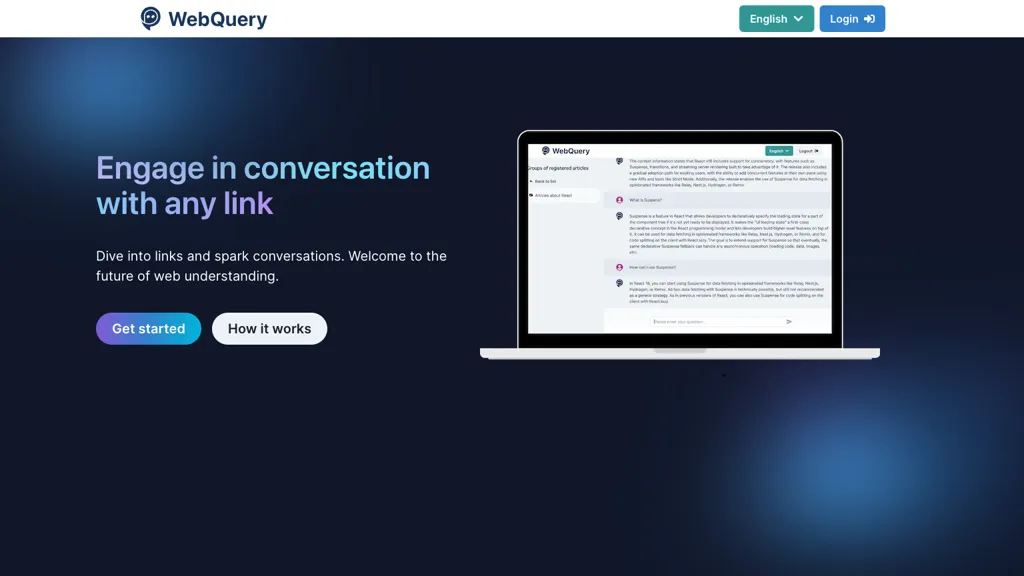
No user reviews yet FreemiumWebQuery lets users load URLs to build an indexed knowledge base that can be queried in natural language. Answers are drawn exclusively from uploaded content, enabling precise fact retrieval without reading full text.
We've ranked 29 AI alternatives, including 18 with a free plan. Rankings are based on feature coverage and user feedbacks.
Top-rated alternatives include iWeaver AI, Ask AI, and Knowbase.
29 AI Alternatives & Competitors, Ranked by User Reviews
Click Compare on any tool to compare it side-by-side with AI.
#1
iWeaver AI
iWeaver lets users upload documents, videos, audio, and images to extract key concepts, generate summaries, and build mind maps. It supports structured Q&A, data extraction, and visual mapping for research, analysis, and legal review. Modular agents enable API integrations for workflows.
#2
Ask AI
Chat & Ask AI combines web search, image generation, link analysis, document chat, and YouTube summarization in one interface. It offers up‑to‑date answers, multilingual support, file uploads, and a prompt library, powered by GPT‑5.2, Gemini, Claude, and Stable Diffusion XL.
#3
Knowbase
Knowbase.ai turns PDFs, Word, PowerPoint, text, audio, video, and YouTube links into a searchable knowledge base, delivering AI‑generated answers with source citations. It supports chat with individual documents or all files, transcription with speaker ID, multilingual use, and private data handling.
#4
Ask an AI
Summarize long description.
#5
Linnk.AI
Instant Insight Page by Linnk AI simplifies webpage summaries, eliminates clickbait, and delivers direct answers for efficient content consumption. Bridge language barriers, get concise information, and bid farewell to misleading headlines.
#6
GrokiPedia
Grokipedia is an AI-driven knowledge base featuring over 885,279 articles and a user-friendly search function. It offers multiple themes and an intuitive interface to facilitate efficient research across a wide range of topics.
- Personalized recommendations
- Custom collections
- Save favorites
Already a member? Sign in
#7
Question Base
Question Base is an AI agent for Slack that instantly answers queries by retrieving information from Google Drive, Confluence, Notion, Salesforce, and similar sources. It records conversations, auto‑updates the knowledge base, and lets managers set tone and instructions.
#8
Knowbo
Knowbo auto‑creates chatbots from a website’s sitemap, updates automatically on content changes, deploys via a single code snippet, supports custom branding and multiple languages, logs interactions, and reduces support workload by answering questions from the site.
#9
GoSearch AI Enterprise Search
GoSearch consolidates indexed and non‑indexed data from 100+ apps, letting teams query across email, chat, documents, and private files with AI assistants. It automates routine tasks through custom agents, enforces granular security, and supports multiple LLMs for unified enterprise knowledge.
#10
DocUp
DocUp trains a chatbot on company documents, answering customer queries instantly. It ingests URLs, sitemaps, plain text, and FAQs, offering a web widget or API integration. Each reply includes source links for quick content verification.
#11
OpenRead
OpenRead centralizes research by letting users upload documents, search 20,000+ journals, compare papers, generate Q&A, graphs, notes, and chat with AI models. It also offers diagram creation, image editing, and homework help, with frequent model updates.
#12
QueryHub
QueryHub is an AI-powered collaborative learning platform with an interactive forum, 24/7 chatbot assistance, smart search, resource sharing, and document collaboration for academics, enhancing efficiency, accelerating learning, and promoting team problem-solving.
#13
Curiosity
Curiosity unifies enterprise data into a knowledge graph, enabling AI‑powered search and assistants across legacy and modern systems. It deploys on‑premises for GDPR compliance, offers fast hybrid search, and reduces response times and error rates.
#14
Q Slack Chatbot
Q is a Slack‑integrated GPT assistant invoked with @Q that reads URLs and files, follows custom instructions, and offers unlimited chat history, advanced search, and 24/7 access for summarization, brainstorming, code review, translation, and content creation.
#15
QuickyAI
Quicky AI is a browser extension that embeds ChatGPT (GPT‑4o and models) into any webpage. It lets users ask contextual questions, summarize content, capture screenshots, and use preset prompts for tasks like marketing, coding, or data analysis. Credentials remain local.
#16
aiPDF
aiPDF lets users upload PDFs, EPUBs, URLs or YouTube links to extract data, summarize content, and ask context‑specific questions. It returns source‑backed answers, supports any file size, auto‑deletes uploads, and offers response exports.
#17
AI Summarizer best
AI Summarizer efficiently extracts key information from long texts and URLs in multiple languages. Users can customize summary lengths while ensuring accuracy and confidentiality, making it suitable for students, researchers, and professionals needing quick content insights.
#18
CrawlQ.ai
CrawlQ AI consolidates documents, media, and metadata into a single auditable source, enabling two‑way retrieval‑augmented generation across multiple LLMs. It delivers real‑time ROCC dashboards, automates approvals, enforces brand guardrails, and cuts content cycles by up to 75 %.
#19
AgentQL
AgentQL is a query language and SDK suite that lets AI agents extract structured data from web pages using AI‑powered selectors. It integrates with Playwright, offers Python/JavaScript SDKs, headless debugging, PDF parsing, and reusable queries for automation pipelines.
#20
Ask AI Questions Online
Ask AI Questions Online is an AI-powered tool that provides instant, multilingual answers to user queries via natural language processing. Accessible on any device without tracking or accounts, it delivers quick, clear responses to questions.
#21
Raw Query
Raw Query lets users interact with PostgreSQL, MySQL, and MariaDB using natural language. It executes SELECT, INSERT, and UPDATE (PostgreSQL only), supports CSV exports, and offers mobile‑desktop access with conversational context refinement.
#22
AskDocs
AskDocs allows efficient document processing, enabling rapid research and summarization. It accepts various file types, ensuring data security. Users benefit from accurate answers with cited sources.
#23
AIChatOnline.org
AIChatOnline.org is a browser‑based AI assistant that processes text, images, and documents, aiding writers, researchers, and developers to draft content, refine tone, summarize reports, debug code, and browse over 50k integrated AI tools—all without installation and with session‑only privacy.
#24
CrawlChat
CrawlChat converts product and technical documentation into an AI chatbot and searchable knowledge base for websites, Discord, and Slack, importing from Docusaurus, Notion, Confluence, GitHub, files, and YouTube, with source citations, ticket escalation, analytics, and customization.
#25
AskMyDocs
AskMyDocs.ai lets teams query documents across Slack, Zendesk, Gitbook, websites, and PDFs from one AI interface. It extracts, indexes, and references sources, reducing support tickets, improving response times, and enhancing team efficiency.
#26
CrawlQ
CrawlQ is an AI tool for content research that enables users to create unique content in just 2 minutes. It requires Javascript to run and can be accessed by logging in or registering.
#27
ChatWebpage
ChatWebpage adds an AI chatbot to any website by entering the site URL. It auto‑analyzes content to answer questions on contact info, products, services, SEO, and analytics 24/7, supports multiple languages, API/webhook integration, and a central dashboard for conversation management.
#28
Ubdroid
Ubdroid AI Answer Engine utilizes open-source language models to provide accurate responses to user queries across various topics. Users can access specific models for free, switch between them, and make up to 10 requests per minute.
#29
AnswerThis
AnswerThis accelerates research with curated summaries from verified sources, providing clear answers and direct citations. Users save time with organized and easy-to-read information, perfect for academic searches and theoretical exploration.
Frequently Asked Questions
Why look for AI alternatives?
Common reasons users switch from AI:
- Feature gaps: teams needing specific capabilities like Generate Knowledge Bases may find a more focused alternative better suited to their workflow.
- Flexibility: exploring alternatives helps find tools that better match your team size, integrations, and budget.
What is the best alternative to AI?
Based on 23 user reviews, iWeaver AI (65.2% positive) ranks as the top AI alternative. iWeaver lets users upload documents, videos, audio, and images to extract key concepts, generate summaries, and build mind maps. It supports structure It is available on a Freemium plan starting from $9.9/mo.
How do the top AI alternatives compare?
| Tool | Pricing | Starting Price | User Rating |
|---|---|---|---|
| AI this tool | Freemium | $10/mo | — |
| iWeaver AI | Freemium | $9.9/mo | 65.2% (23) |
| Ask AI | Free | — | 57.9% (19) |
| Knowbase | Free trial | — | 83.3% (6) |
| Ask an AI | Free | — | — |
| Linnk.AI | Free | — | 60% (15) |
Are there free AI alternatives?
Yes, 18 free alternatives found in our list: iWeaver AI, Ask AI, Knowbase. and 15 more — use the pricing filter above to see them all.
What should I look for in a AI alternative?
- Core capabilities: confirm the tool supports Generate Knowledge Bases, Analyze Text, Organize Queries.
- Pricing transparency: look for clear free plan, trial period, or tiered pricing — avoid tools that hide costs.
- User reviews: check both the satisfaction percentage and the number of reviews; a high score from few users is less reliable.
- Integrations: verify it connects with your existing stack before committing.
- Support and updates: active development and responsive support are strong signals of a maintained product.
Which AI alternative has the highest user rating?
OpenRead has the highest satisfaction score among AI alternatives, with 100% positive from 1 user review. It is available on a Freemium plan starting from $5/mo.
What are AI alternatives used for?
- Generate Knowledge Bases
- Analyze Text
- Organize Queries
- Answer Questions