
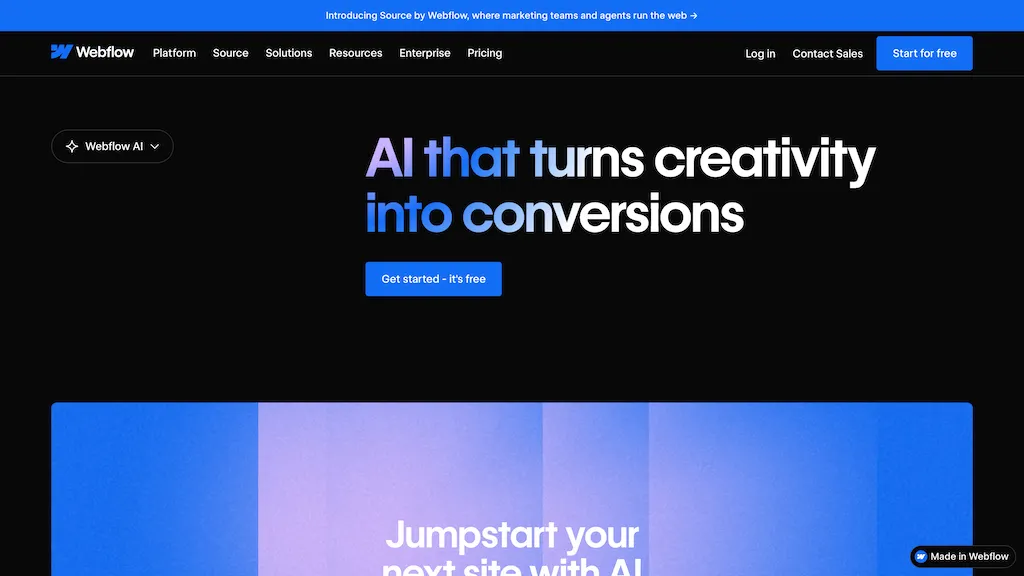
What is Webflow AI?
Webflow AI is designed to empower marketing teams, agencies, and developers to build and optimize web experiences with the help of artificial intelligence. It streamlines workflows across design, content creation, and site management.
Key features include AI-powered site building (through a builder), code generation from React components, automated copy generation, and intelligent CMS content creation. The tool helps users improve SEO and AEO through automated audits and suggestions.
Webflow AI also facilitates global localization with machine learning translation. It supports collaboration with shared libraries, design systems, and intuitive workflows.
Specifically, it allows teams to accelerate creativity, scale personalized experiences, and optimize performance – all while maintaining brand consistency and data security. Webflow AI integrates with third-party AI tools like Claude via the MCP server for advanced agentic workflows.
It’s built around a credit-based system for accessing features and supports experimentation and testing through its Optimize add-on. The tool also offers an AI site builder to quickly generate sites from prompts, and it has powerful capabilities in generating code, copy, and CMS collection items.
Webflow AI is designed to reduce friction and increase confidence within teams as they move from initial ideas to impactful results.
Webflow AI details
- Company
- Webflow, Inc.
- Jurisdiction
- California
- Built for
- Individuals
Webflow AI tech specs
- Works with
- OpenAI / GPT Anthropic / Claude
- Payment Processors
- Stripe PayPal
- Analytics
- Google Analytics Mixpanel
- Integrations
- Salesforce HubSpot Webflow Mailchimp
Webflow AI pricing
FreemiumWebflow AI offers a free plan with paid upgrades available.
Verify on the official pricing page.
View plansWebflow AI's key features
-
AI-powered site builder
-
Code generation from React components
-
Automated copy generation
-
Intelligent CMS content creation
-
SEO and AEO optimization
-
Global localization with machine learning translation
-
Collaboration with shared libraries & design systems
-
Experimentation and testing through Optimize add-on
-
Integration with third-party AI tools (e.g., Claude via MCP server)
Webflow AI use cases
-
Generate marketing websites quickly using AI-assisted site building
-
Automate SEO and AEO improvements with AI-driven recommendations
-
Personalize website content and experiences at scale through AI-generated copy and design
Webflow AI user reviews
Based on 4 reviews, 75% of users recommend Webflow AI, rated highly for quality results.
Liked for
Disliked for
Would you recommend Webflow AI?
Who is Webflow AI for?
-
Content writers
-
Seo specialists
-
Product marketers
-
Saas founders and product owners
-
Ux writers and technical writers
-
Website and e-commerce owners
Webflow AI FAQ
What is Webflow AI Builder and what does it do?
Webflow AI Builder is an AI-assisted feature in Webflow that helps generate pages, design systems, and CMS content from prompts, enabling faster creation of websites and consistent styling across pages.
How does Webflow AI Builder differ from standard Webflow?
It automates generation of pages, copy, design system components, and CMS collections from prompts, whereas standard Webflow requires manual page-by-page design and content creation.
Can Webflow AI Builder create a full multi-page site in one prompt?
Yes, it can generate multiple pages, a design system, and CMS collections in one pass based on a single prompt.
Is Webflow AI Builder suitable for all types of sites?
It works well for many sites, especially marketing and product sites, but complex apps or highly bespoke interactions may still need manual adjustments.
What plan is needed to use Webflow AI Builder?
You can start with the free Starter plan to explore, with paid Site plans unlocking publishing and additional features.
Does Webflow AI Builder include SEO considerations?
Yes, it aims to produce SEO-friendly structure and can integrate with Webflow's CMS and schema options, but you should review and add structured data where needed.
Can I customize AI-generated content after creation?
Yes, you can edit generated pages, design system components, and CMS items to fit exact branding and requirements.
How is accessibility handled with Webflow AI Builder outputs?
The AI outputs are designed to follow Webflow's accessibility features, but you should verify and adjust ARIA roles, contrast, and keyboard navigation as needed.
Can I reuse AI-generated components in future projects?
Yes, the design system and reusable components can be saved and reused across projects within Webflow.
How can I ensure the AI-generated site loads fast?
Focus on efficient assets, optimize images, leverage Webflow's performance features, and review the generated CSS for critical render path improvements.
How much does Webflow AI Builder cost?
Webflow AI features are included with Workspace plans. The free Starter Workspace includes 200 AI credits per month. Paid Workspace plans are Core at $19 per month billed yearly (300 credits) and Growth at $49 per month billed yearly (400 credits). Extra AI credits cost $20 per month for 2,000 credits on annual billing.
What are the AI credit limits on the free plan?
The free Starter Workspace includes 200 AI credits per month, which can be used for site generation, CMS collection creation, copy generation, and SEO audits.
Is there a page limit for AI-generated sites on the free plan?
Yes, without a paid Workspace or Site plan, AI-generated sites are limited to two total pages on a webflow.io subdomain.
What happens if I run out of AI credits?
You can purchase additional AI credits at $20 per month for 2,000 credits on annual billing, or wait for the next month's allocation.
Do Site plans include AI credits?
No, AI credits are tied to Workspace plans, not Site plans. You need a Workspace plan (Starter, Core, or Growth) to get monthly AI credits.
What is the cost of a paid Site plan to publish an AI-generated site?
Paid Site plans start at $15 per month billed yearly for Basic (static sites) and $25 per month billed yearly for Premium (includes CMS). These are per-site costs in addition to Workspace plan costs.
Are there limits on CMS items for AI-generated sites?
Yes, the free Starter plan limits CMS to 50 items per staged site. Premium Site plan includes up to 20,000 CMS items and 40 collections.
Can I use Webflow AI Builder on Team or Enterprise plans?
Yes, Team and Enterprise plans include AI credits as part of their annual allocation, with Team at $2,500 per month on an annual contract and Enterprise at custom pricing.
What features are restricted on the free Starter plan?
The free Starter plan limits you to two pages per staged site, 50 CMS items, 1 GB bandwidth, 200 AI credits per month, and publishing only on a webflow.io subdomain.
How do AI credit costs scale for agencies managing multiple sites?
Agencies typically need Growth Workspace plans ($49 per month) for 400 credits, plus extra credit packs at $20 per month for 2,000 credits, and pay per-site costs ($15 to $25 per month each) for publishing.


I’ve been using Webflow for a couple of years, mostly for client marketing sites, and I really wanted to love Webflow AI. In practice, I find it helpful for getting a rough layout and some initial copy into the canvas quickly, but the output still needs a lot of manual work. Mobile spacing is sometimes off, sections feel generic, and I end up rebuilding many parts of what it generates to match our design system. For simple one-pagers it can be a decent starting point, but for production client work it’s not reliable enough yet. I’ll keep using it as a “first draft” tool, but I wouldn’t recommend it to non‑technical users who expect a finished site from a prompt.