
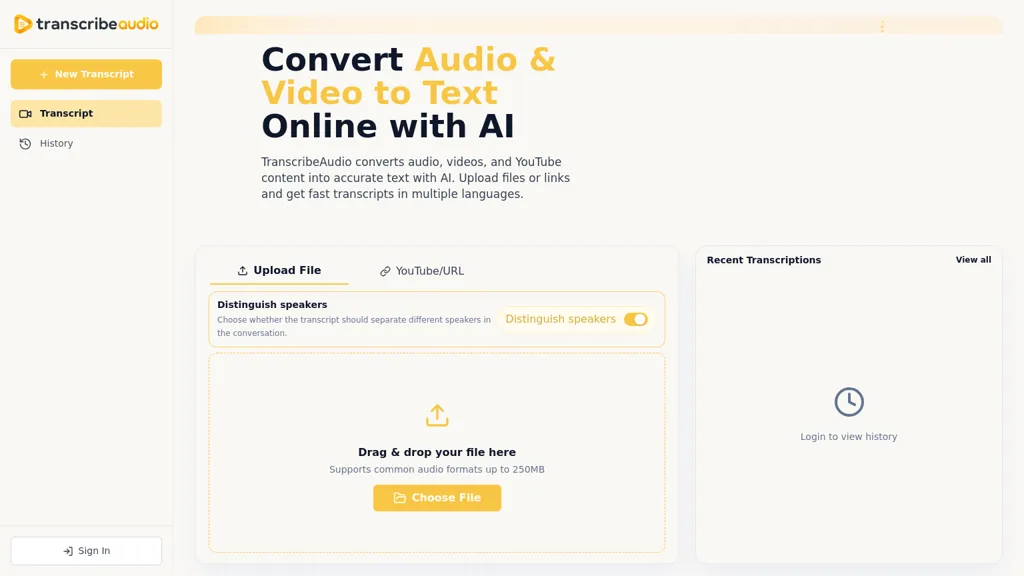
What is TranscribeAudio?
TranscribeAudio converts audio and video into searchable text using AI speech-to-text (ASR), producing timestamped transcripts with speaker labels.Upload files, paste YouTube URLs, or drag-and-drop common audio and video formats (up to 250 MB) to generate transcripts in 100+ languages.
The service includes speaker detection, separate-speaker transcripts, editable output, and subtitle exports (SRT/captions).Built-in tools summarize transcripts, create outlines or mind maps, translate text, and enable AI chat to query content.
Searchable, timeline-linked transcripts help teams, researchers, podcasters, students, and content creators locate key moments and verify decisions without replaying entire recordings.Browser-based workflows work on desktop and mobile, retain transcription history with manual deletion, and support exports to text, document, subtitle, and report formats for meeting notes, interviews, lectures, and podcast production.
TranscribeAudio pricing
FreemiumTranscribeAudio offers a free plan with paid upgrades available.
Verify on the official pricing page.
View plansTranscribeAudio's key features
-
AI speech-to-text transcription with timestamps and speaker labels
-
Multiple input methods: file upload, YouTube URL paste, and drag-and-drop of common audio/video formats
-
Multilingual transcription and text translation
-
Built-in transcript tools: summarization, outline/mind-map generation, and AI chat for querying content
-
Editable export and subtitle support: export to text, document, SRT/captions, and report formats
TranscribeAudio use cases
-
Transcribe interviews, podcasts or client calls using TranscribeAudio into timestamped, speaker-labeled transcripts from uploads or YouTube URLs, export SRT subtitles and searchable timelines to quickly pull quotes and create show notes
-
Convert recorded lectures, webinars and multilingual training sessions with TranscribeAudio into editable, timestamped transcripts and translated outlines, then use the AI chat query and concise summaries to build study guides and on-demand microlearning
-
Generate accurate YouTube transcripts and multilingual captions with TranscribeAudio, produce SEO-friendly summaries and outlines for video descriptions, and use timeline search plus subtitle exports to repurpose clips for social and accessibility
TranscribeAudio user reviews
Would you recommend TranscribeAudio?
Who is TranscribeAudio for?
-
Content creators
-
Podcast creators
-
Research analysts
-
Student learners
-
Team members
TranscribeAudio FAQ
Is TranscribeAudio free?
Partly. TranscribeAudio has a free plan with usage limits, and paid plans unlock the full feature set.
What are the best alternatives to TranscribeAudio?
The closest alternatives to TranscribeAudio are Audio Transcription, TurboScribe, VideoToTranscript, Audioconverter and VideoTranscription AI. You can compare them side by side in the alternatives section further down this page.
What does TranscribeAudio do with my data?
TranscribeAudio states that customer content is not used to train its models. Its privacy policy states that personal data is not sold or shared for marketing purposes. Data may be shared with third-party service providers that help run the product.
Compliance, privacy and billing terms are as stated in each product's own published documentation and have not been independently verified by TopAI.tools.


