
What is TinyWow?
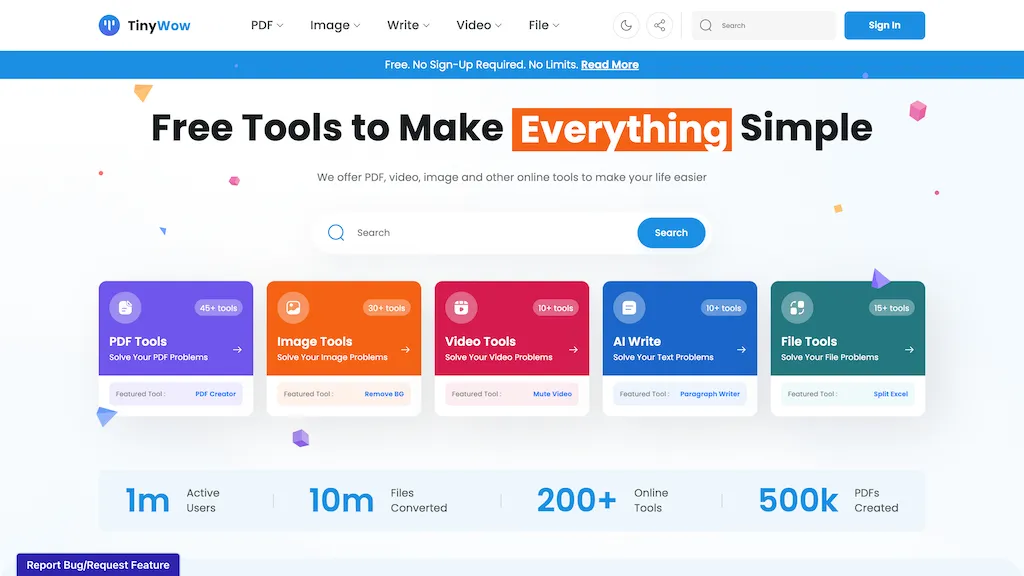
TinyWow is an online platform that offers a broad range of free tools for PDF, image, video, and file manipulation, along with AI‑powered text and image generation features. The PDF suite includes editing, merging, splitting, OCR conversion to Word, and password removal, enabling quick document preparation and data extraction.
Image tools provide background removal, photo cleanup, resizing, upscaling, watermark removal, and format conversion, supporting both standard and HEIC files. Video utilities allow compression, format conversion (MP4 to MP3, GIF, WebP), trimming, and audio extraction, while the AI section offers paragraph and essay writing, sentence rewriting, content summarization, and image generation from prompts.
✅ Responsible use of your data
✅ Free Tools to Make Business Your Life Everything Education Simple
✅ Our Most Popular Tools
✅ Free Tools You'd Usually Pay For
✅ Support TinyWow
TinyWow details
- Jurisdiction
- State of Tennessee
- Built for
- Individuals
- Data residency
- United States
TinyWow pricing
SubscriptionPricing details aren't listed here — check the official pricing page below.
- Free trial
- 7 days
- Refund window
- 30 days
Verify on the official pricing page.
View plansTinyWow's key features
-
Convert PDF to Word Document
-
Edit PDF without sign‑up
-
Merge multiple PDFs
-
Remove background from images
-
Upscale image resolution
-
Generate AI paragraphs
-
Convert video to GIF
TinyWow use cases
-
Convert a scanned PDF to editable Word using TinyWow's OCR tool and then quickly apply formatting changes in the free PDF editor
-
Remove backgrounds from product images for e‑commerce listings and upscale the images for high‑resolution marketing materials using TinyWow's image upscaling feature
-
Compress lengthy promotional videos for social media while extracting audio tracks for podcasts, all in a single click with TinyWow's video compression workflow
TinyWow user reviews
Based on 24 reviews, 79% of users recommend TinyWow, rated highly for value for money.
Liked for
Disliked for
Would you recommend TinyWow?
TinyWow playbooks
1Step-by-step guides to get the most out of TinyWow
Who is TinyWow for?
-
Content producers
-
Marketing executives
-
Information analysts
-
Academic scholars
-
Digital innovators
TinyWow FAQ
Is TinyWow free?
No. TinyWow is a paid product and requires a paid plan to use.
Is TinyWow safe to use?
TinyWow carries the TopAI.tools verified mark, which we award after a manual review of pricing transparency, published terms, public following and working functionality. It has a substantial audience that is independently measured month to month.
Is TinyWow good?
TinyWow has a 79% recommendation rate from 24 reviewers on TopAI.tools. Reviewers rate it highest on value for money and quality of results.
What are the best alternatives to TinyWow?
The closest alternatives to TinyWow are GoPDF, TopPDF, AI PDF Summarizer, PDFgear and Cover-letter generator with AI. You can compare them side by side in the alternatives section further down this page.
What does TinyWow do with my data?
Its privacy policy states that personal data is not sold or shared for marketing purposes. Data may be shared with third-party service providers that help run the product. Customer data is held in United States.
Does TinyWow auto-renew or offer refunds?
TinyWow states a 30-day refund window.
Compliance, privacy and billing terms are as stated in each product's own published documentation and have not been independently verified by TopAI.tools.


