
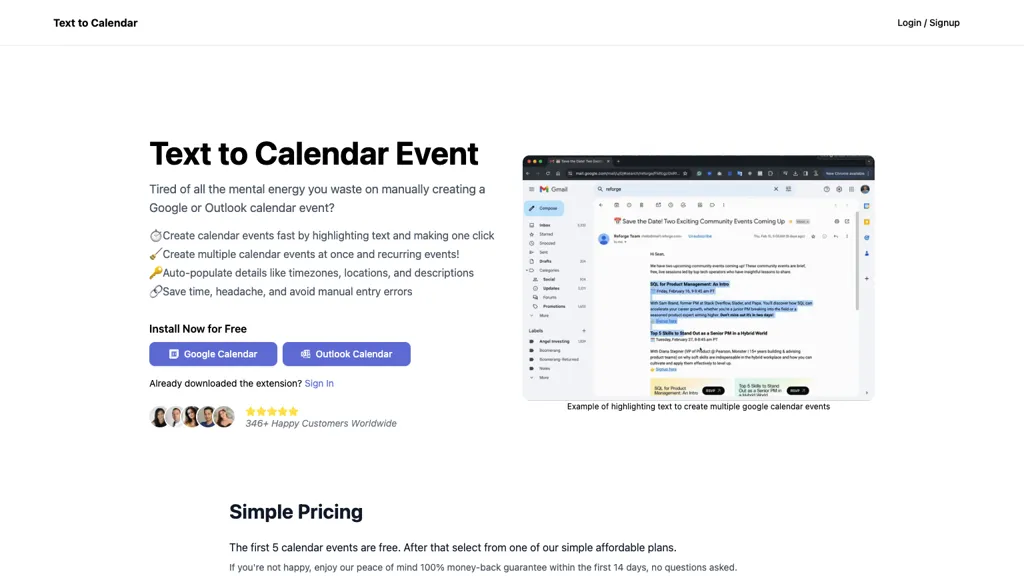
What is Text to calendar?
Text to Calendar is a browser extension that turns selected text into calendar events for Google Calendar and Outlook Calendar.
By highlighting text on any web page, users can create a single event or generate multiple events at once with a single click.
The extension supports recurring events and automatically fills in details such as time zone, location, and description.
It streamlines scheduling for professionals, students, and project managers who need quick, accurate event creation without leaving the current page.
Text to calendar details
- Built for
- Individuals
Text to calendar pricing
Paid- Refund window
- 14 days
Verify on the official pricing page.
View plansText to calendar's key features
-
Highlight text to create event
-
One-click event creation
-
Batch create multiple events
-
Auto-fill timezones, locations, descriptions
-
Supports Google Calendar and Outlook
-
Recurring event support
Text to calendar use cases
-
Quickly turn highlighted meeting times in email chains into Outlook calendar events, automatically populating the event with date, time, location and notes so you never miss a call
-
Instantly generate recurring fitness schedules by selecting phrases like 'Every Wednesday at 7 am' from a workout blog and adding them to Google Calendar with preset locations and reminders
-
Easily add conference agendas from a schedule webpage by highlighting session titles and times, creating detailed Google or Outlook events that include venue, speaker info and description, saving you the manual copy‑paste
Text to calendar user reviews
Based on 1 review, 0% of users recommend Text to calendar.
Disliked for
Would you recommend Text to calendar?
Who is Text to calendar for?
-
Content creators
-
Product designers
-
Strategic leaders
-
E-commerce sellers
-
Operational staff
Text to calendar FAQ
How much does Text to calendar cost?
Text to calendar is a paid product with no free plan. Plans include Annual subscription at $2.99/year and Lifetime access at $6.99 (one time payment).
What are the best alternatives to Text to calendar?
The closest alternatives to Text to calendar are Agenda Hero, Apple Calendar Generator and Recapext. You can compare them side by side in the alternatives section further down this page.
Does Text to calendar auto-renew or offer refunds?
Text to calendar states a 14-day refund window.
Compliance, privacy and billing terms are as stated in each product's own published documentation and have not been independently verified by TopAI.tools.


