
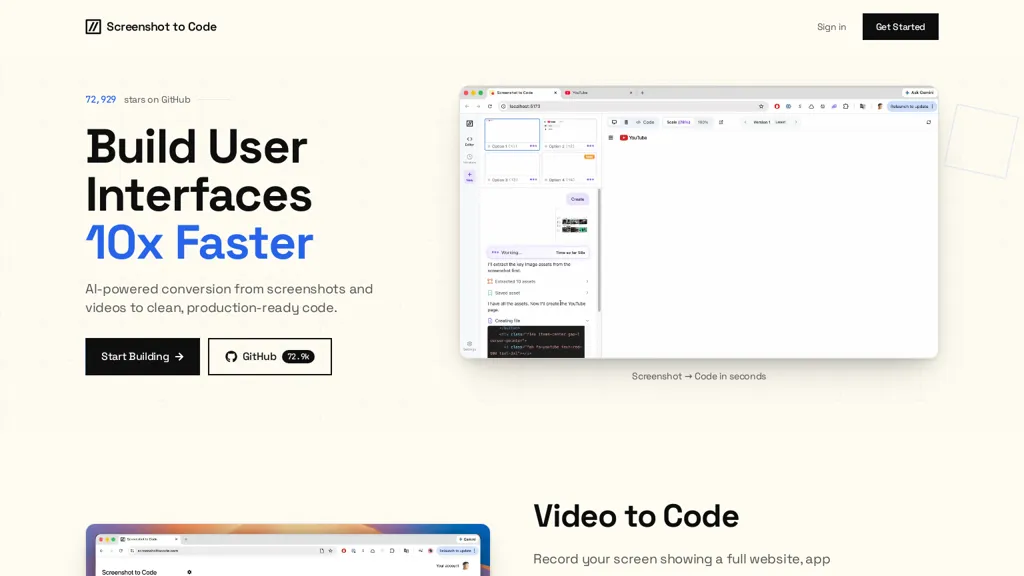
What is Screenshot-to-Code?
Screenshot-to-Code converts website and app screenshots or screen recordings into production-ready front-end code.
It generates framework-agnostic HTML/CSS and component code for React, Vue, Tailwind, Bootstrap and Ionic.
The AI extracts layout hierarchy, spacing, imagery, hover states, animations and interaction flows to produce interactive components.
Users can upload screenshots or record UI interactions and refine output via plain-English follow-up prompts for color, spacing, sticky headers, mobile menus and component behavior.
Workflow supports iterative improvement and export-ready code for editorial layouts, onboarding screens, pricing pages and mobile UI.
The project is open source on GitHub and aimed at developers and designers focused on UI implementation and rapid prototyping.
Screenshot-to-Code pricing
FreeThis tool is free to use, with no credit card required.
Verify on the official pricing page.
Get started freeScreenshot-to-Code's key features
-
Converts website and app screenshots and screen recordings into production-ready front-end code
-
Generates framework-agnostic HTML/CSS and component code for React, Vue, Tailwind, Bootstrap, and Ionic
-
Extracts layout hierarchy, spacing, imagery, hover states, animations, and interaction flows to produce interactive components
-
Supports uploading screenshots or recording UI interactions and refining output via plain-English follow-up prompts (color, spacing, sticky headers, mobile menus, component behavior)
-
Open source on GitHub
Screenshot-to-Code use cases
-
Convert website screenshots or screen recordings into production-ready React, Vue or framework-agnostic HTML/CSS components without manual coding, preserving layout, spacing, hover states, animations and interaction flows so you can deploy interactive front-ends immediately.
-
Turn design comps, Figma exports or mobile UI screenshots into editable Tailwind/Bootstrap/Ionic components and export optimized code for onboarding experiences and mobile apps, iteratively refining visuals and behavior with plain-English instructions to match product requirements.
-
Rapidly generate SEO-friendly editorial pages and landing-page front-ends by extracting layout, imagery and interactions from screenshots or recordings, producing accessible, deployable HTML/CSS or component libraries that developers can plug into existing projects or ship as static pages.
Screenshot-to-Code user reviews
Would you recommend Screenshot-to-Code?
Who is Screenshot-to-Code for?
-
Frontend developers
-
Ui designers
-
Product designers
-
Freelance designers
-
Students
Screenshot-to-Code FAQ
Is Screenshot-to-Code free?
Yes. Screenshot-to-Code is free to use and does not require a credit card.
What are the best alternatives to Screenshot-to-Code?
The closest alternatives to Screenshot-to-Code are AIUI.me, CSS Picker, Uizard, Frontender and Codia ai. You can compare them side by side in the alternatives section further down this page.


