
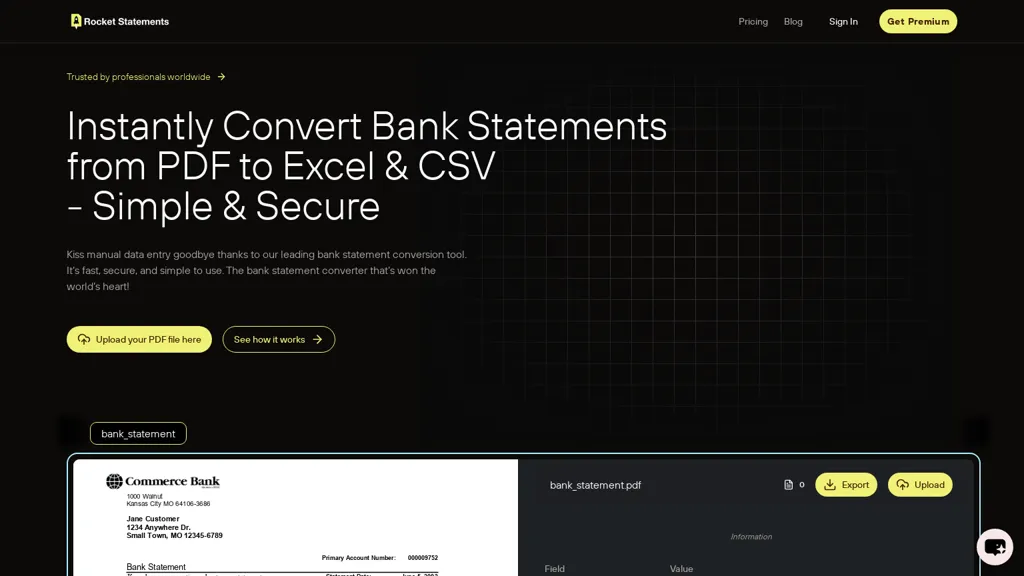
What is Rocket Statements?
Rocket Statements converts bank statements from PDF, JPG, TIFF, and PNG files into clean Excel, CSV, or JSON spreadsheets using an AI‑powered OCR pipeline that supports hundreds of global banks, including Chase, Wells Bank, HSBC, and many others.
The platform automatically removes duplicate entries, normalizes transaction dates, and categorizes spend and income according to standard accounting practices, ready for immediate import into bookkeeping or tax software.
Users can upload statements individually or in bulk, with processing speeds exceeding 1,000 pages per hour and accuracy consistently above 99 %.
Cloud document management lets firms tag, folder‑organize, and search statements by client, account, or custom metadata, while role‑based permissions enable team collaboration for CPA and accounting teams.
Direct integrations sync data to Google Sheets, Microsoft Excel, QuickBooks, and Xero, allowing real‑time updates and streamlined reporting workflows.
All data is encrypted 256‑bit in transit and at rest, and the service complies with industry security standards, ensuring protection for sensitive financial information.
Rocket Statements details
- Built for
- Businesses and teams
- Stated compliance
- PCI DSS
Compliance as stated in Rocket Statements's own published documentation.
Rocket Statements tech specs
- Integrations
- Google Workspace
Rocket Statements pricing
Subscription- Free trial
- 7 days
Verify on the official pricing page.
View plansRocket Statements's key features
-
OCR and ML transaction extraction
-
Structured transaction data output
-
256-bit encryption protection
-
End-to-end encrypted processing
-
Real-time transaction monitoring
-
Multi-layer security infrastructure
-
PCI DSS compliance
Rocket Statements use cases
-
Streamline monthly budgeting by bulk converting multiple bank statement PDFs into clean CSV files, auto‑categorizing expenses, and syncing the data to Google Sheets for real‑time analysis
-
Simplify small business bookkeeping by converting and importing bank statements directly into QuickBooks, with 99 % accurate transaction mapping, deduplication, and seamless data integration
-
Enhance personal finance tracking by extracting transactions from image screenshots, normalizing dates, and exporting the cleaned data to Excel for custom dashboard creation
Rocket Statements user reviews
Based on 7 reviews, 71% of users recommend Rocket Statements, rated highly for quality results.
Liked for
Disliked for
Would you recommend Rocket Statements?
Who is Rocket Statements for?
-
Business owners
-
Financial analysts
-
Financial accountants
-
E-commerce sellers
-
Personal finance managers
Rocket Statements FAQ
How much does Rocket Statements cost?
Rocket Statements is a paid product with no free plan. Plans include Basic at $8/mo, Essentials at $17/mo, Business at $38/mo and Advanced at $58/mo.
Is Rocket Statements safe to use?
Rocket Statements states PCI DSS compliance in its own published documentation.
What are the best alternatives to Rocket Statements?
The closest alternatives to Rocket Statements are Bank Statement Extractor, DocuClipper, BankConv, Bank statement converters and BankGPT. You can compare them side by side in the alternatives section further down this page.
What does Rocket Statements do with my data?
Its privacy policy states that personal data is not sold or shared for marketing purposes. Data may be shared with third-party service providers that help run the product.
What does Rocket Statements integrate with?
Rocket Statements connects with Google Workspace.
Compliance, privacy and billing terms are as stated in each product's own published documentation and have not been independently verified by TopAI.tools.


