
What is BankConv?
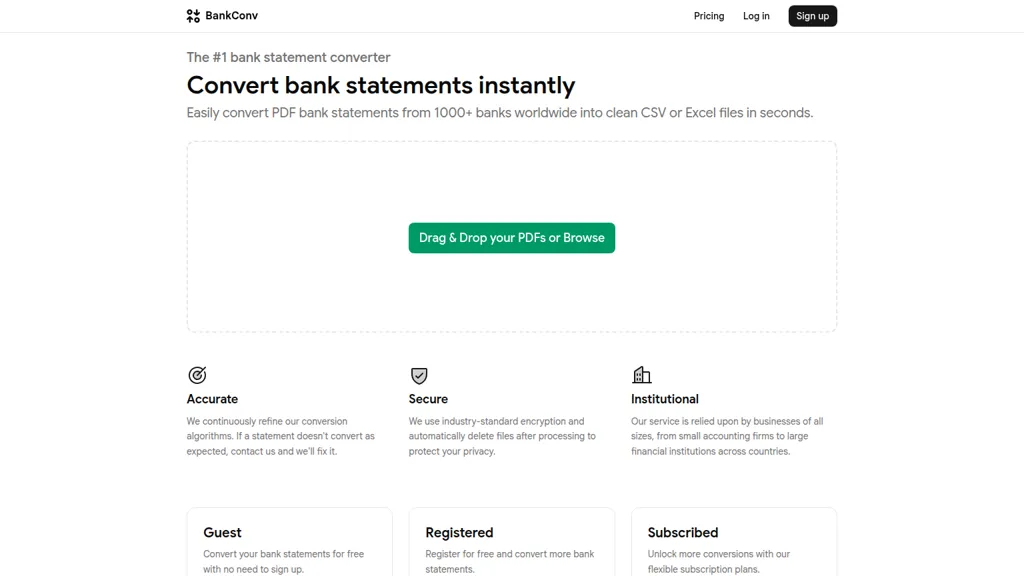
BankConv converts bank statement PDFs from 1,000+ banks into clean CSV, Excel (.xlsx), Google Sheets, OFX, or QFX files for accounting and bookkeeping workflows.The automated parser extracts dates, descriptions, amounts, and running balances to produce structured transaction data ready for import into QuickBooks, Xero, Quicken, and spreadsheets.
Supports drag-and-drop and batch uploads, handles password-protected PDFs, and processes multi-page statements in under 30 seconds without manual formatting.Export options include universal CSV for imports, formatted Excel for review, Google Sheets for collaboration, OFX/QFX for accounting software, and cleaned PDFs for archiving.
Transfers use TLS encryption and files are deleted after processing; statements are processed automatically with no human review.Typical users include bookkeepers, accountants, tax preparers, and small business owners who need reliable bank statement conversion and transaction extraction.
BankConv details
- Company
- Catnap LLC
- Jurisdiction
- Wyoming
- Built for
- Individuals
BankConv pricing
FreemiumVerify on the official pricing page.
View plansBankConv's key features
-
Converts PDF bank statements from 1,000+ banks into structured transaction data (dates, descriptions, amounts, running balances).
-
Exports to six formats: CSV, Excel (.xlsx), Google Sheets, OFX, QFX, and cleaned PDF.
-
Batch upload support and automatic multi-page statement handling.
-
Handles password-protected PDFs by decrypting on upload (password never stored).
-
Secure processing with HTTPS (TLS 1.2+), automated file deletion after 24 hours, and no human access to files.
BankConv use cases
-
Convert dozens of client bank statement PDFs into clean CSV or Excel files using BankConv—batch and password-protected uploads automatically extract dates, descriptions, amounts and running balances for fast reconciliation and import into accounting software without manual data entry
-
Automate bookkeeping by transforming bank PDFs from 1,000+ banks into OFX or QFX with preserved balances using BankConv, then upload to QuickBooks/Xero or Google Sheets for seamless transaction matching, with TLS encryption and automatic file deletion for data security
-
Aggregate and analyze cash flow across multiple accounts by converting bulk bank statements to Google Sheets via BankConv—fast processing and parsed transaction fields enable easy pivot tables, forecasting and reporting while supporting encrypted uploads and auto-removal of sensitive files
BankConv user reviews
Would you recommend BankConv?
Who is BankConv for?
-
Small business owners
-
Financial analysts
-
Accountants
-
Bookkeepers
-
Personal finance managers
BankConv FAQ
Is BankConv free?
Partly. BankConv has a free plan with usage limits, and paid plans unlock the full feature set. Plans include Starter at $29/mo, Professional at $49/mo and Business at $79/mo.
Is BankConv safe to use?
BankConv is operated by Catnap LLC, registered in Wyoming.
What are the best alternatives to BankConv?
The closest alternatives to BankConv are Bank Statement Extractor, Bank statement converters, Bank Statement Converter, Stmt: Bank Statement Converter and Rocket Statements. You can compare them side by side in the alternatives section further down this page.
What does BankConv do with my data?
BankConv states that customer content is not used to train its models. Its privacy policy states that personal data is not sold or shared for marketing purposes. Data may be shared with third-party service providers that help run the product.
Does BankConv have an API?
Yes. BankConv offers an API, so you can call it from your own applications instead of using the interface directly.
Who made BankConv?
BankConv is built and operated by Catnap LLC, a company registered in Wyoming.
Compliance, privacy and billing terms are as stated in each product's own published documentation and have not been independently verified by TopAI.tools.


