
What is RepoClip?
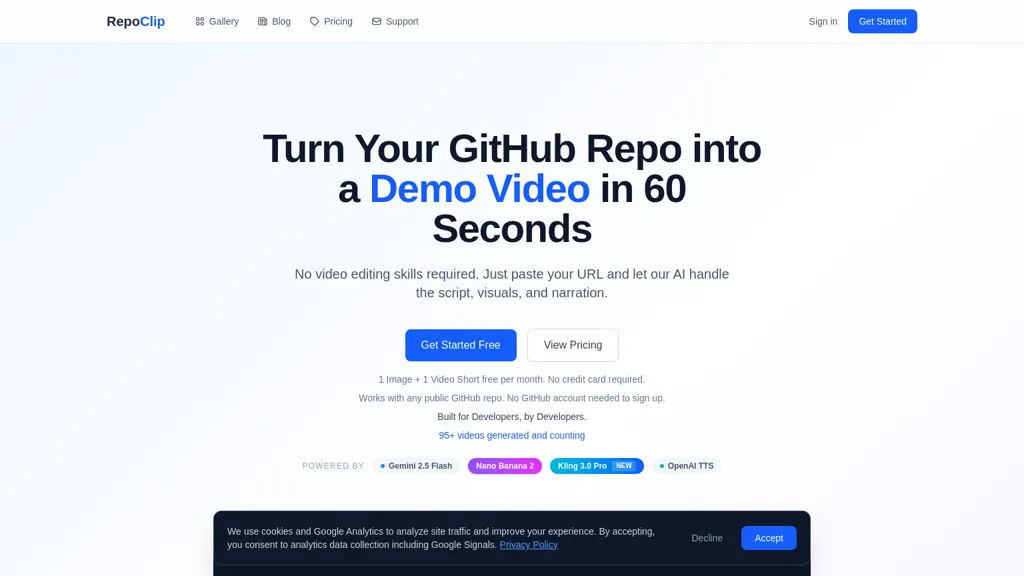
RepoClip converts code repositories into narrated tutorial and demo videos.It uses AI code analysis to identify project structure, functions, and key files for visual summaries.Automatic narration with synchronized visuals produces code walkthroughs, feature demonstrations, and presentation clips.
GitHub integration enables direct access to public repositories and optional connection to private repos after sign-in.Account creation and repository access are required to generate videos.Outputs are formatted for developer documentation, onboarding, tutorials, and product demos.
RepoClip supports code-to-video workflow, repository video generation, and automated tutorial video creation for developer teams and technical content creators.
RepoClip details
- Built for
- Individuals
RepoClip tech specs
- Works with
- OpenAI / GPT Google / Gemini Google / Nano Banana Kling
- Integrations
- GitHub
RepoClip pricing
FreemiumRepoClip offers a free plan with paid upgrades available.
Verify on the official pricing page.
View plansRepoClip's key features
-
AI code analysis powered by Gemini 2.5 Flash
-
AI-generated images with Nano Banana 2
-
AI video clips with Kling 3.0 Pro for dynamic scenes
-
Natural text-to-speech narration with multiple voice options
-
AI-generated background music
-
Custom prompts to control visual style, tone, and content focus
-
Multiple output formats: 16:9, 9:16 (vertical), and 1:1 (square)
-
Up to 4K resolution rendering
-
Shareable video pages with social sharing built in
RepoClip use cases
-
Create professional developer onboarding videos from your repository without manual recording or editing, as Repoclip analyzes project structure, extracts setup steps and common tasks, and produces narrated walkthroughs you can embed in internal docs or your LMS
-
Generate polished product demo and sales videos that showcase key features and code flows by automatically extracting important files and functions to produce synchronized screen walkthroughs and voice narration suitable for release notes, marketing pages, or investor demos
-
Convert README, examples, and code snippets into step-by-step tutorial videos and automated screencasts for community docs and learning platforms, with auto-updating narration when the repo changes and optional multi-language voiceovers for global accessibility
RepoClip user reviews
Based on 8 reviews, 62% of users recommend RepoClip, rated highly for quality results.
Liked for
Disliked for
Would you recommend RepoClip?
RepoClip playbooks
1Step-by-step guides to get the most out of RepoClip
Who is RepoClip for?
-
Software developers
-
Technical writers
-
Open-source maintainers
-
Engineering managers
-
Product managers
RepoClip FAQ
Is RepoClip free?
Partly. RepoClip has a free plan with usage limits, and paid plans unlock the full feature set.
What are the best alternatives to RepoClip?
The closest alternatives to RepoClip are Clipfly AI Video Generator, VideoAI, AIReel, Video Generator - A2E.ai and AIStoryVideo. You can compare them side by side in the alternatives section further down this page.
What does RepoClip do with my data?
Its privacy policy states that personal data is not sold or shared for marketing purposes. Data may be shared with third-party service providers that help run the product.
Which AI models does RepoClip use?
RepoClip is built on OpenAI / GPT, Google / Gemini, Google / Nano Banana and Kling. Which models you can reach may depend on your plan.
What does RepoClip integrate with?
RepoClip connects with GitHub.
Compliance, privacy and billing terms are as stated in each product's own published documentation and have not been independently verified by TopAI.tools.


 Finnbar Kili
 FunkoPop
Hey everyone! I'm the maker of RepoClip. I built this because I noticed developers spend hours creating promo videos for their projects or just skip it entirely. RepoClip analyzes your GitHub repo's actual source code with AI and generates a professional video automatically. How it works: 1. Paste a GitHub URL 2. AI analyzes the codebase and writes a script 3. Get a ready-to-share video with narration, visuals, and music It's been great for devs launching on Product Hunt, writing README demos, or sharing on social media. Would love to hear what you think and if you have a repo you'd like to try it on, the free plan includes 2 videosmonth!
Thanks for making this