
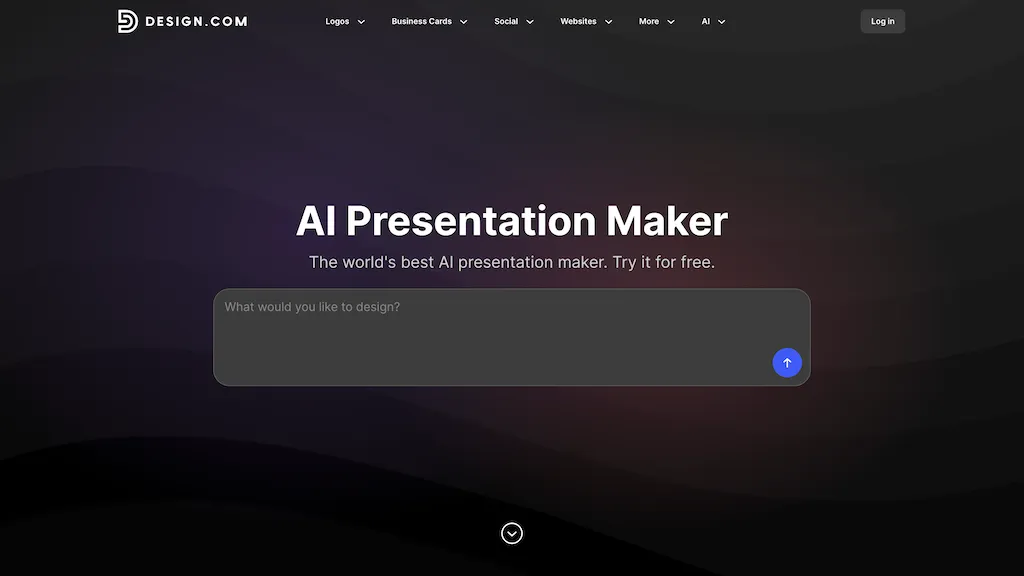
What is Presentation Maker - Design.com?
The Design.com AI Presentation Maker instantly generates professional slide decks based on your business name or keywords – eliminating lengthy design work.It boasts over 589,000 templates, including specialized layouts for pitch decks and webinars.
Easily customize with a drag-and-drop editor, swapping fonts, colors, and elements to achieve a premium aesthetic.Smart layout suggestions guide you toward optimal readability.Key features include automatic brand matching (applying your logo’s style across all slides), an integrated AI logo generator, and export options for PowerPoint and Google Slides.
Create engaging infographics with built-in tools, and leverage the extensive media library of images and icons.It's beginner-friendly, offering a “Generate → Customize → Download” workflow.Perfect for entrepreneurs, marketers, or anyone needing polished presentations quickly – download your fully branded presentation today! The AI Presentation Maker also seamlessly integrates with other Design.com tools like social media templates and digital business cards.
Presentation Maker - Design.com details
- Company
- DesignCrowd Pty Ltd
- Jurisdiction
- New South Wales, Australia
- Data residency
- United States and Australia
- Stated compliance
- GDPR, CCPA
Compliance as stated in Presentation Maker - Design.com's own published documentation.
Presentation Maker - Design.com pricing
FreemiumPresentation Maker - Design.com offers a free plan with paid upgrades available.
Verify on the official pricing page.
View plansPresentation Maker - Design.com's key features
-
AI Slide Generation
-
Extensive Template Library (589,000+)
-
Brand Matching (Logo Integration & Color Palette)
-
Drag-and-Drop Visual Editor
-
Smart Layout Suggestions
-
Infographic Tools
-
Large Media Library (Images & Icons)
-
Export to PowerPoint/Google Slides
-
Beginner-Friendly Workflow (Generate -> Customize -> Download)
Presentation Maker - Design.com use cases
-
Creating engaging pitch decks for investors or clients.
-
Designing visually appealing sales reports and marketing materials.
-
Developing professional presentations for webinars, conferences, or internal training.
Presentation Maker - Design.com user reviews
Would you recommend Presentation Maker - Design.com?
Who is Presentation Maker - Design.com for?
-
Presentation designers
-
Marketing strategists
-
Sales teams
-
Educators
-
Creative hobbyists
Presentation Maker - Design.com FAQ
Is Presentation Maker - Design.com free?
Partly. Presentation Maker - Design.com has a free plan with usage limits, and paid plans unlock the full feature set.
Is Presentation Maker - Design.com safe to use?
Presentation Maker - Design.com states GDPR and CCPA compliance in its own published documentation. Presentation Maker - Design.com is operated by DesignCrowd Pty Ltd, registered in New South Wales, Australia.
What are the best alternatives to Presentation Maker - Design.com?
The closest alternatives to Presentation Maker - Design.com are PresentationsAI, SlideAI, SlidesAI, PPT.AI and Alai. You can compare them side by side in the alternatives section further down this page.
What does Presentation Maker - Design.com do with my data?
Its privacy policy states that personal data is not sold or shared for marketing purposes. Customer data is held in United States and Australia.
Who made Presentation Maker - Design.com?
Presentation Maker - Design.com is built and operated by DesignCrowd Pty Ltd, a company registered in New South Wales, Australia.
Compliance, privacy and billing terms are as stated in each product's own published documentation and have not been independently verified by TopAI.tools.


