
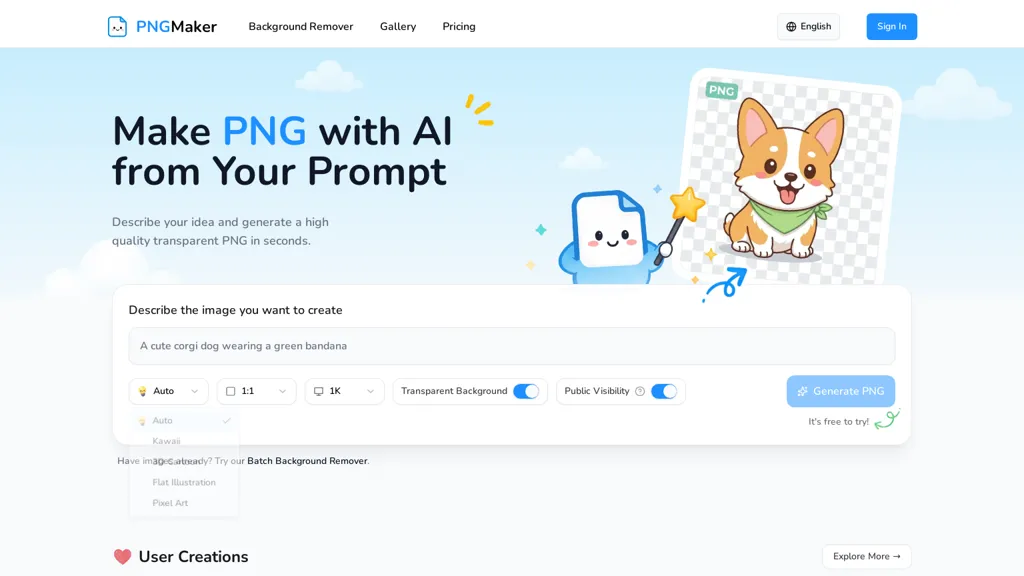
What is PNGMaker?
PNGmaker generates transparent PNG images from text prompts, combining a text-to-image PNG generator with background removal.Produce images in all main aspect ratios and choose 1k, 2k or 4k resolution with styles like kawaii, 3D cartoon, flat illustration and pixel art.
Workflow.write a prompt, select style and aspect ratio, then download a transparent PNG ready for design or publishing.Batch background removal and direct PNG export support e-commerce product images, thumbnails, UI assets, icons and game art.
Privacy controls let users keep generated assets private; outputs are available for commercial use and can be edited.Target users include creators, designers, developers, ecommerce sellers, indie game makers and social media professionals.
Presets and prompt guidance help produce consistent visuals for websites, apps, marketing materials and social posts.
PNGMaker details
- Built for
- Individuals
PNGMaker pricing
FreemiumVerify on the official pricing page.
View plansPNGMaker's key features
-
Text-to-image generation producing transparent PNGs with integrated background removal
-
Supports aspect ratios: 1:1, 4:3, 3:4, 16:9, 9:16
-
Selectable resolutions: 1k, 2k, 4k
-
Style presets: kawaii, 3D cartoon, flat illustration, pixel art
-
Batch background removal and direct PNG export
PNGMaker use cases
-
Create professional, background-free e-commerce product images using pngmaker's transparent PNG generator and batch background removal, exporting 1:1 and 4:3 1k–4k PNGs in flat or photoreal styles ready for listings and A/B tests
-
Generate cohesive game art and UI assets—character sprites, icons, and item images—in kawaii, 3D cartoon or pixel styles with transparent backgrounds and multiple aspect ratios (9:16, 16:9, 3:4) at 4K resolution for immediate engine import
-
Design marketing visuals, social media posts, and app mockups by producing high-resolution transparent PNGs in various aspect ratios and styles, allowing rapid iteration and overlaying without manual masking or extra tools
PNGMaker user reviews
Based on 1 review, 100% of users recommend PNGMaker, rated highly for quality results.
Liked for
Would you recommend PNGMaker?
Who is PNGMaker for?
-
Digital artists
-
Graphic designers
-
Indie game makers
-
E-commerce sellers
-
Content creators
PNGMaker FAQ
Is PNGMaker free?
Partly. PNGMaker has a free plan with usage limits, and paid plans unlock the full feature set. Plans include Starter at $23.9/mo, Standard at $39.9/mo and Premium at $63.9/mo.
What are the best alternatives to PNGMaker?
The closest alternatives to PNGMaker are PNGMaker, Canva AI, Meta Image Generator, ImgGen and Free-AI-Generator.com. You can compare them side by side in the alternatives section further down this page.
What does PNGMaker do with my data?
Its privacy policy states that personal data is not sold or shared for marketing purposes. Data may be shared with third-party service providers that help run the product.
Compliance, privacy and billing terms are as stated in each product's own published documentation and have not been independently verified by TopAI.tools.


