
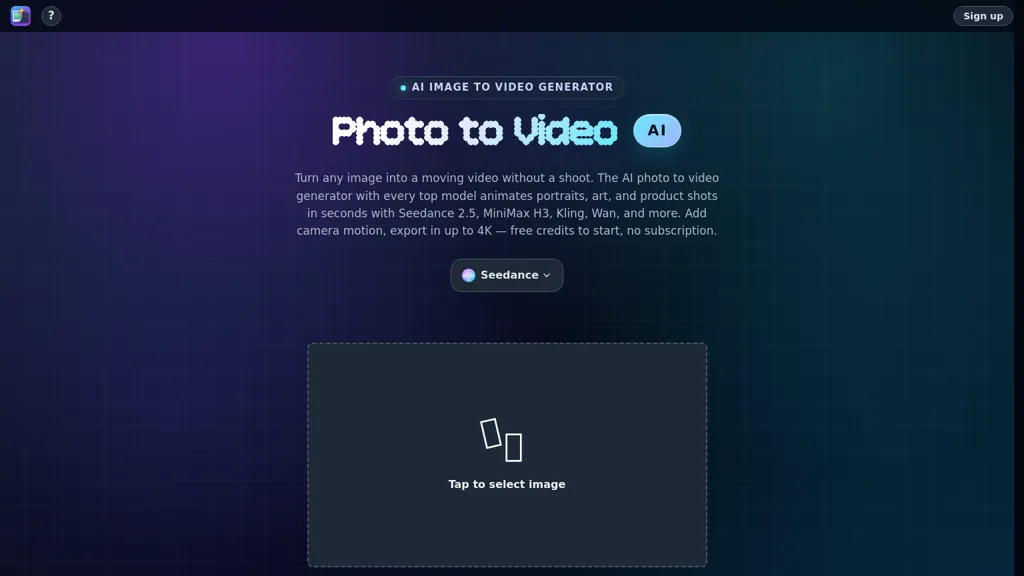
What is Photo to Video?
Photo to Video is an AI photo to video generator that puts every top video model behind one credit balance.Upload a photo or write a prompt, pick a model like Seedance 2.5, Wan 2.7, MiniMax H3, Kling 3.
0, Vidu Q3, Grok Imagine, LTX 2.5 and more — and get a finished video with camera motion and native audio, up to 4K.Most AI video tools wrap a single model and charge monthly; here you can draft on a cheap fast model and finish the same shot on a flagship without paying twice.
Beyond photo to video there are transition, fusion, motion-control, extend, upscale, and AI image-editing modes.Free credits to start, pay per video after, no subscription.Web, iOS, and macOS.
Photo to Video details
- Company
- Joseph Works Limited
- Built for
- Individuals
- Data residency
- Uploaded media is stored on AI provider servers, not on the company’s own servers.
Photo to Video tech specs
- Works with
- OpenAI / Sora Google / Veo xAI / Grok Kling ByteDance / Seedance MiniMax / Hailuo MiniMax
Photo to Video pricing
FreemiumPhoto to Video offers a free plan with paid upgrades available.
- Auto-renewal
- No
Verify on the official pricing page.
View plansPhoto to Video's key features
-
Converts still photos into short physically-plausible video clips with prompt-driven camera and action controls (push, orbit, handheld)
-
Selectable model options that trade off speed and output quality
-
Native lip-sync support
-
Multi-shot storyboarding for coherent sequences with consistent character appearance using reference images
-
Runs generation in the browser with an optional companion iOS app, downloadable produced clips, and a compare slider to review original photo vs generated video
Photo to Video use cases
-
Create attention-grabbing product demo clips from still product photos using Kling AI's prompt-driven camera controls (push, orbit, handheld), multi-quality/speed models and in-browser exports to produce ready-to-share MP4s for social ads
-
Animate family portraits or historical photos into short, lip-synced storytelling videos with consistent character references and multi-shot storyboard sequencing—generate in-browser, tweak camera/action prompts for physically plausible motion, then download to share or archive
-
Develop cinematic shotlists and proof-of-concept scenes for indie films or game cinematics by converting concept art and character references into prompt-controlled, physically plausible motion sequences with native lip-sync, multi-shot storyboarding and downloadable high-quality renders
Photo to Video user reviews
Would you recommend Photo to Video?
Who is Photo to Video for?
-
Social media creators and influencers
-
Digital marketers and advertisers
-
Photographers and portrait studios
-
Video editors and indie filmmakers
-
Content creators and storytellers
-
E‑commerce product marketers
-
Archivists, historians and genealogists
-
App and game developers
-
Casual users animating personal photos
-
Creative agencies and production studios
Photo to Video FAQ
Is Photo to Video free?
Partly. Photo to Video has a free plan with usage limits, and paid plans unlock the full feature set.
Is Photo to Video safe to use?
Photo to Video is operated by Joseph Works Limited.
What are the best alternatives to Photo to Video?
The closest alternatives to Photo to Video are VideoAI, Klingvideo.com, Kling3.net, VideoMaker.me and Kling 2.6 AI-. You can compare them side by side in the alternatives section further down this page.
What does Photo to Video do with my data?
Its privacy policy states that personal data is not sold or shared for marketing purposes. Data may be shared with third-party service providers that help run the product. Customer data is held in Uploaded media is stored on AI provider servers, not on the company’s own servers..
Does Photo to Video auto-renew or offer refunds?
Photo to Video subscriptions do not renew automatically.
Does Photo to Video have an API?
Yes. Photo to Video offers an API, so you can call it from your own applications instead of using the interface directly.
Who made Photo to Video?
Photo to Video is built and operated by Joseph Works Limited.
Which AI models does Photo to Video use?
Photo to Video is built on OpenAI / Sora, Google / Veo, xAI / Grok, Kling, ByteDance / Seedance, MiniMax / Hailuo and MiniMax. Which models you can reach may depend on your plan.
Compliance, privacy and billing terms are as stated in each product's own published documentation and have not been independently verified by TopAI.tools.


