
What is Paseo?
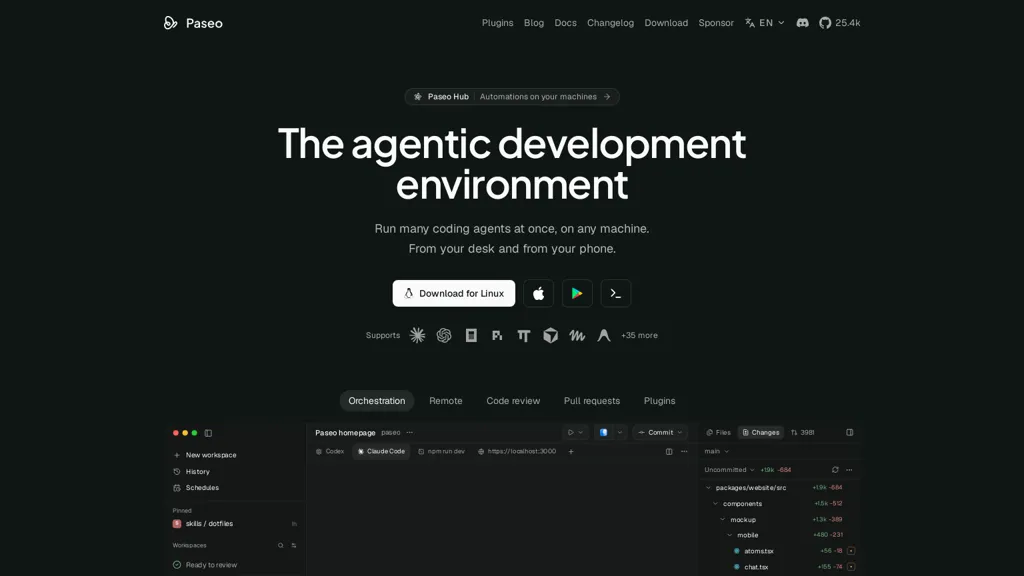
Paseo is an open-source agent orchestration platform for running multiple code agents (Claude Code, Codex, OpenCode and others) on local or remote machines.
It supports concurrent agent execution with workspace management, history, schedules, release tracking, and automated triggers from GitHub, Linear, Slack, Discord, and webhooks. Desktop, native mobile (feature parity), and web clients connect to a headless daemon for remote deployment and monitoring.
Remote access can use an optional end-to-end encrypted relay or user-configured tunnels while agents and code execute on your machines. Extensibility through plugins and a TypeScript SDK (MCP/CLI) enables custom UI panels, automated workflows, and integrations.
Providers are interchangeable and run via installed implementations without altering provider behavior. Distributed orchestration, self-hosted hub options, and an Apache 2.0 license support local-first operation and customization without telemetry.
Paseo pricing
FreeThis tool is free to use, with no credit card required.
Verify on the official pricing page.
Get started freePaseo's key features
-
Multi-agent orchestration for running code agents on local or remote machines
-
Concurrent agent execution with workspace management, history, schedules, release tracking, and automated triggers (GitHub, Linear, Slack, Discord, webhooks)
-
Desktop, native mobile, and web clients connecting to a headless daemon for remote deployment and monitoring
-
Secure remote access via optional end-to-end encrypted relay or user-configured tunnels while agents execute on your machines
-
Extensibility through plugins and a TypeScript SDK/CLI with interchangeable provider implementations for custom UI panels, automated workflows, and integrations
Paseo use cases
-
Orchestrate multi-stage CI/CD pipelines with Paseo to run concurrent build, test, and deployment agents locally or on remote nodes, schedule nightly and on-push runs, integrate with GitHub/Slack/webhooks, and customize behavior using the TypeScript SDK while keeping full workspace history and encrypted remote access for team members
-
Automate customer support and knowledge management by running parallel agents to triage tickets, generate summaries, update a central knowledge base, and trigger workflows from incoming webhooks or CRM integrations, leveraging Paseo's workspace history for audits and plugins for custom connectors
-
Build resilient data pipelines and ML workflows by composing scraping, ETL, validation, and model-training agents that execute concurrently or on schedules, distribute tasks across local-first nodes for privacy, extend functionality with plugins, and track runs and provenance through Paseo's history and workspace features
Paseo user reviews
Based on 3 reviews, 100% of users recommend Paseo, rated highly for quality results.
Liked for
Would you recommend Paseo?
Who is Paseo for?
-
Ai/ml engineers
-
Software developers and engineers
-
Devops engineers and sres
-
Engineering managers and ctos
-
Product teams building ai-powered features
-
Automation engineers and workflow builders
-
Tooling/plugin developers and integrators
-
Open-source contributors and maintainers
-
Security- and privacy-conscious teams/enterprises
-
Startups and smbs needing self-hosted orchestration
Paseo FAQ
Is Paseo free?
Yes. Paseo is free to use and does not require a credit card.
What are the best alternatives to Paseo?
The closest alternatives to Paseo are OpenCode.ai, n8n.io, Atomic Agent, Superset.sh and Maestro AI. You can compare them side by side in the alternatives section further down this page.
Does Paseo have an API?
Yes. Paseo offers an API, so you can call it from your own applications instead of using the interface directly.
Is there a mobile app for Paseo?
Yes. Paseo has a mobile app alongside its web version.


Paseo gives me every AI agent on every platform. Great work.