
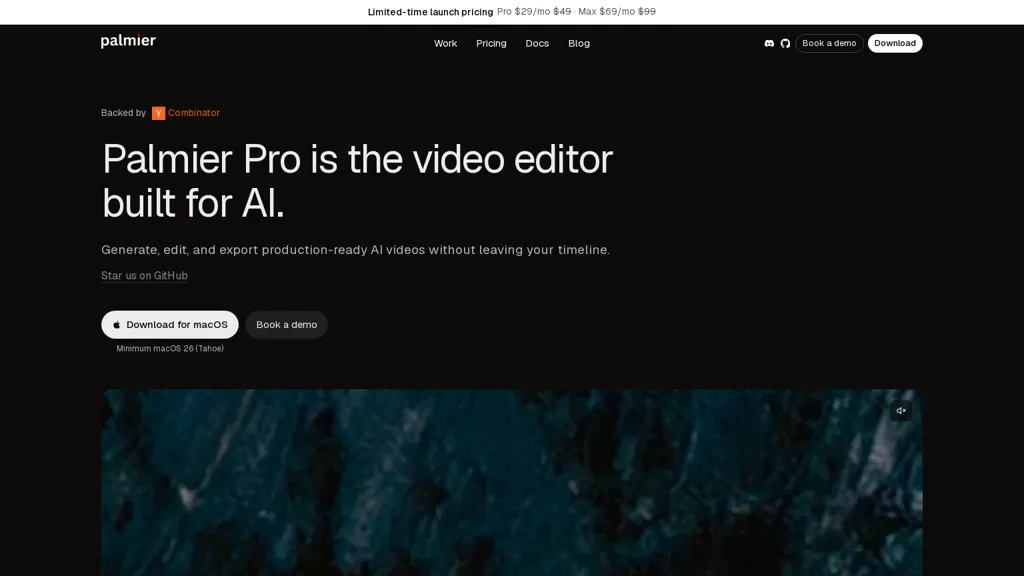
What is Palmier Pro?
Palmier is an AI video editor that combines timeline-based editing with AI generation and agent workflows.
It provides automated content generation, scene assembly, and editable timelines for precise cuts and rearrangements.
Agent workflows enable task automation, scripted actions, and multi-step media processing for recurring production tasks.
Collaboration features include team projects, focused review sessions, and live walkthrough demos for onboarding and handoffs.
Native macOS support and export options cover common video formats and development workflows, including GitHub integration.
Designed for content creators, video editors, and product teams seeking streamlined AI-assisted video production.
Palmier Pro details
- Company
- Palmier, Inc.
- Built for
- Individuals
Palmier Pro tech specs
- Works with
- OpenAI / GPT Anthropic / Claude Google / Nano Banana xAI / Grok Kling ByteDance / Seedance Ideogram Recraft ElevenLabs MiniMax
- Integrations
- Slack
Palmier Pro pricing
Free- Auto-renewal
- Yes
Verify on the official pricing page.
Get started freePalmier Pro's key features
-
Timeline-based editing with integrated AI generation
-
Automated content generation
-
Scene assembly with editable timelines for precise cuts and rearrangements
-
Agent workflows for task automation, scripted actions, and multi-step media processing
-
Native macOS support and export options for common video formats and GitHub integration
Palmier Pro use cases
-
Create polished social media video series using Palmier's AI timeline editor to automatically generate scenes, assemble clips, and apply consistent branding, collaborate in-app on macOS, and export version-controlled projects to GitHub for continuous iteration
-
Automate long-form video production by converting scripts into multi-scene timelines with AI agent workflows that generate B-roll, captions, and transitions, then refine using editable timelines and multi-step media processing before GitHub-compatible export
-
Run collaborative review and localization workflows - share editable timelines with stakeholders, track and merge revisions via version-control export, let AI agents produce language variants, subtitles, and audio mixes, and maintain an auditable project history in GitHub
Palmier Pro user reviews
Based on 2 reviews, 100% of users recommend Palmier Pro, rated highly for quality results.
Liked for
Would you recommend Palmier Pro?
Who is Palmier Pro for?
-
Software developers
-
Video editors
-
Content creators
-
Product teams
-
Creative teams
Palmier Pro FAQ
Is Palmier Pro free?
Yes. Palmier Pro is free to use and does not require a credit card.
Is Palmier Pro safe to use?
Palmier Pro is operated by Palmier, Inc..
What are the best alternatives to Palmier Pro?
The closest alternatives to Palmier Pro are Imagine.art, Flow - Google, Focal AI, VideoGen.io and AI Video Cut. You can compare them side by side in the alternatives section further down this page.
What does Palmier Pro do with my data?
Palmier Pro states that customer content is not used to train its models. Its privacy policy states that personal data is not sold or shared for marketing purposes. Data may be shared with third-party service providers that help run the product.
Does Palmier Pro auto-renew or offer refunds?
Palmier Pro subscriptions renew automatically until you cancel.
Who made Palmier Pro?
Palmier Pro is built and operated by Palmier, Inc..
Which AI models does Palmier Pro use?
Palmier Pro is built on OpenAI / GPT, Anthropic / Claude, Google / Nano Banana, xAI / Grok, Kling, ByteDance / Seedance, Ideogram, Recraft, ElevenLabs and MiniMax. Which models you can reach may depend on your plan.
What does Palmier Pro integrate with?
Palmier Pro connects with Slack.
Compliance, privacy and billing terms are as stated in each product's own published documentation and have not been independently verified by TopAI.tools.


