
What is Painboard?
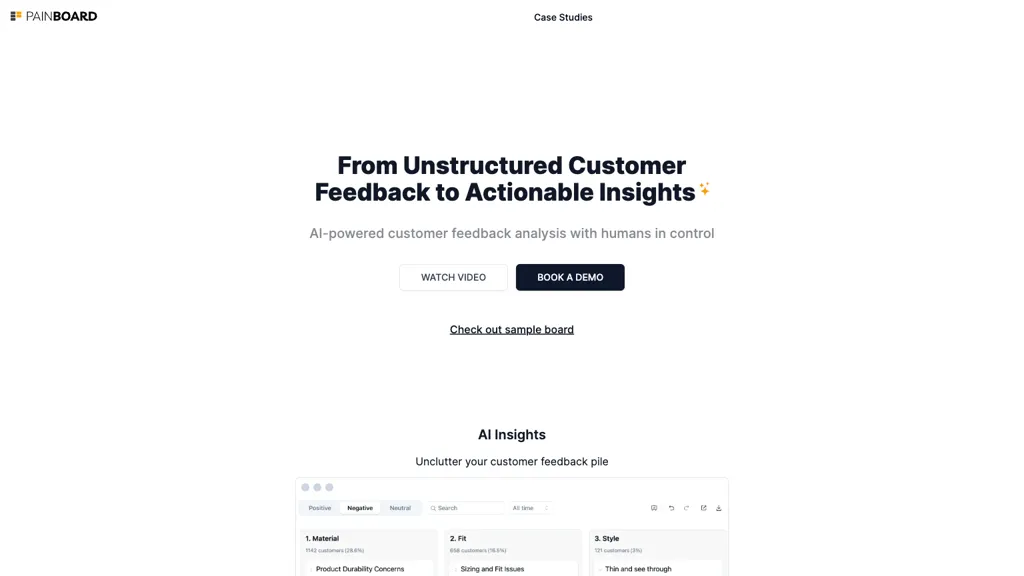
Painboard centralizes unstructured customer feedback from NPS surveys, product reviews, support tickets, and call transcripts, allowing teams to analyze data at scale with AI. The tool builds a custom taxonomy of themes, enabling product managers, designers, and support analysts to filter, segment, and visualize insights by channel, location, and time.
Quantitative metrics such as issue frequency and revenue impact are derived from qualitative data, supporting data‑driven decisions and prioritization of feature work. A smart dashboard adapts to each user’s workflow, letting teams merge, split, rename, or nest themes, while the system remembers these customizations and automatically routes new feedback to the appropriate categories.
Painboard highlights emerging themes, provides a 10,000‑foot view of highlights and sentiment, a 1,000‑foot view of theme hierarchy, and a ground‑level view of customer quotes in context. Sharing is streamlined through direct URLs that display consistent views for colleagues across the organization.
Painboard details
- Company
- jimu Labs, Inc.
- Data residency
- United States
- Stated compliance
- GDPR, CCPA
Compliance as stated in Painboard's own published documentation.
Painboard pricing
SubscriptionPricing details aren't listed here — check the official pricing page below.
- Auto-renewal
- Yes
Verify on the official pricing page.
View plansPainboard's key features
-
Centralize feedback from multiple channels
-
AI builds taxonomy and surfaces insights
-
Quantify themes with filter, segment, visualize
-
Customizable dashboard learns and adapts
-
Auto-identify new emerging themes
-
Share views via secure URLs
Painboard use cases
-
Aggregate and analyze customer feedback from surveys, support tickets, and social media, automatically generating a custom taxonomy and sentiment scores to surface high‑impact issues for product managers
-
Integrate feedback across all channels, remove PII for compliance, and deliver an adaptive dashboard that lets cross‑functional teams segment by demographic or usage patterns, prioritizing features with the greatest business value
-
Translate qualitative insights into quantitative metrics, providing real‑time feature prioritization charts, secure sharing of insights, and automated reporting to stakeholders without manual data wrangling
Painboard user reviews
Would you recommend Painboard?
Who is Painboard for?
-
Technology developers
-
Business strategists
-
Data analysts
-
Digital marketers
-
Customer advocates
Painboard FAQ
Is Painboard free?
No. Painboard is a paid product and requires a paid plan to use.
Is Painboard safe to use?
Painboard states GDPR and CCPA compliance in its own published documentation. Painboard is operated by jimu Labs, Inc..
What are the best alternatives to Painboard?
The closest alternatives to Painboard are SurveySparrow, viable, Cynthia AI, Zefi.ai and Kraftful. You can compare them side by side in the alternatives section further down this page.
What does Painboard do with my data?
Its privacy policy states that personal data is not sold or shared for marketing purposes. Data may be shared with third-party service providers that help run the product. Customer data is held in United States.
Does Painboard auto-renew or offer refunds?
Painboard subscriptions renew automatically until you cancel.
Who made Painboard?
Painboard is built and operated by jimu Labs, Inc..
Compliance, privacy and billing terms are as stated in each product's own published documentation and have not been independently verified by TopAI.tools.


