
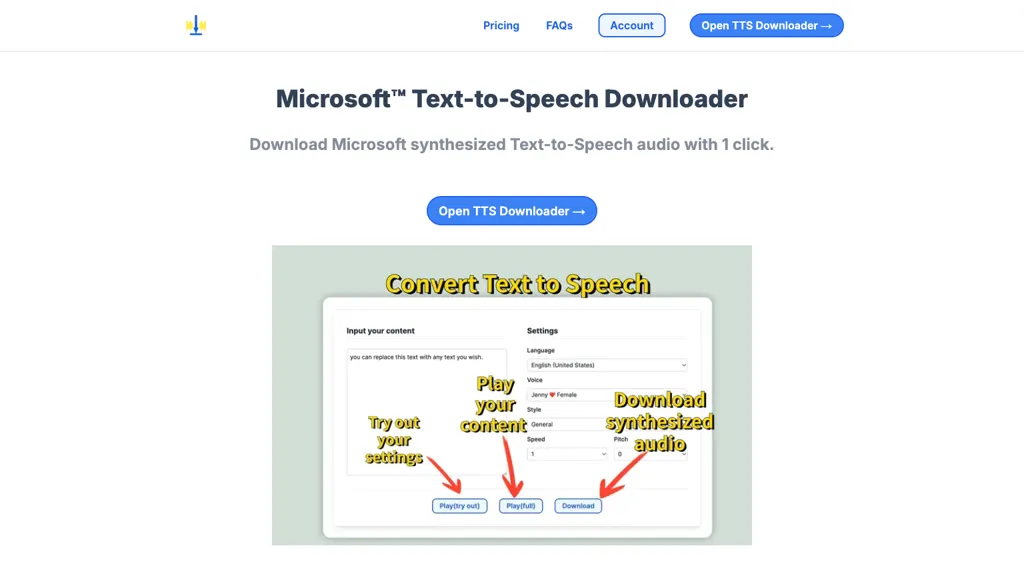
What is Ms text-to-speech downloader?
Microsoft TTS Downloader lets users convert text into Microsoft Azure‑powered speech with a single click, allowing immediate playback or direct download of the synthesized audio. The tool abstracts the Azure Cloud interface, so users—such as writers, educators, or accessibility professionals—can produce high‑quality audio files without technical setup or Azure credentials.
Audio files match the quality of the Microsoft demo, ensuring consistent voice quality for presentations, e‑books, or multimedia projects. The interface supports batch processing, making it suitable for generating large numbers of clips efficiently. By integrating seamlessly with the Microsoft Text‑to‑Speech service, the downloader provides a straightforward workflow for turning written content into natural‑sounding speech.
Ms text-to-speech downloader details
- Built for
- Individuals
Ms text-to-speech downloader tech specs
- Cloud
- Azure
Ms text-to-speech downloader pricing
Freemium- Refund window
- 3 days
Verify on the official pricing page.
View plansMs text-to-speech downloader's key features
-
Microsoft TTS conversion
-
One-click audio playback and download
-
No technical expertise required
-
Audio identical to demo app
-
Unlimited play and download
Ms text-to-speech downloader use cases
-
Convert marketing copy into engaging voice‑over audio for social media ads in seconds, without any coding or Azure credentials
-
Batch‑process customer support scripts into natural‑sounding recordings for automated call‑center playbacks and downloadable transcripts
-
Generate audiobook versions of company whitepapers to enable on‑the‑go consumption by executives and field teams
Ms text-to-speech downloader user reviews
Based on 2 reviews, 50% of users recommend Ms text-to-speech downloader, rated highly for quality results.
Liked for
Disliked for
Would you recommend Ms text-to-speech downloader?
Who is Ms text-to-speech downloader for?
-
Content creators
-
Software developers
-
Product designers
-
E-commerce sellers
-
Academic educators
Ms text-to-speech downloader FAQ
Is Ms text-to-speech downloader free?
Partly. Ms text-to-speech downloader has a free plan with usage limits, and paid plans unlock the full feature set. Plans include Pro at $5/mo (billed yearly) and Pro at $1.5/mo (billed yearly).
What are the best alternatives to Ms text-to-speech downloader?
The closest alternatives to Ms text-to-speech downloader are Free Text-To-Speech, ttsMP3.com, SpeechGen, FreeTTS and Luvvoice. You can compare them side by side in the alternatives section further down this page.
What does Ms text-to-speech downloader do with my data?
Its privacy policy states that personal data is not sold or shared for marketing purposes. Data may be shared with third-party service providers that help run the product.
Does Ms text-to-speech downloader auto-renew or offer refunds?
Ms text-to-speech downloader states a 3-day refund window.
Compliance, privacy and billing terms are as stated in each product's own published documentation and have not been independently verified by TopAI.tools.


