
What is Mito AI?
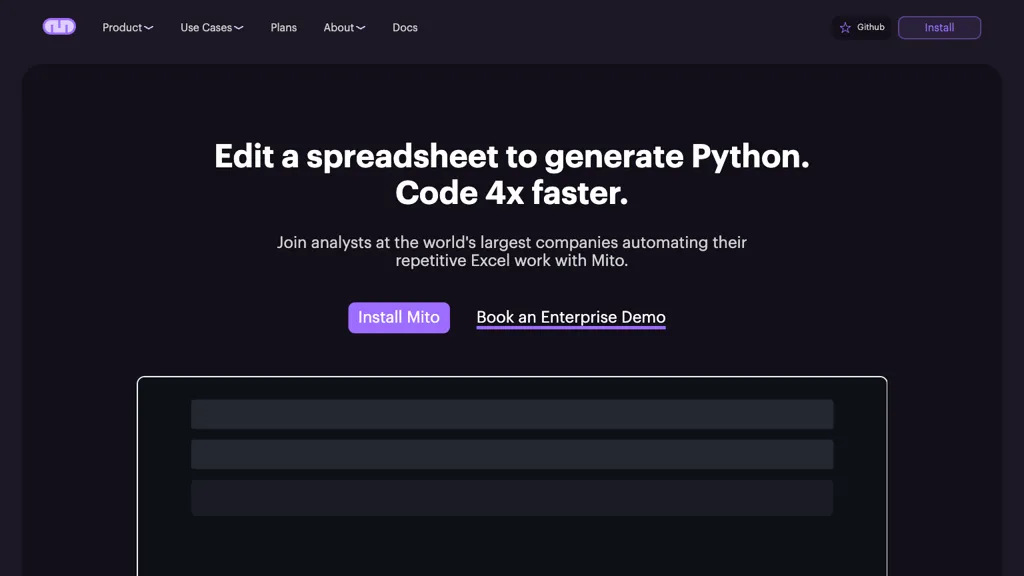
Mito is a Jupyter extension that converts Excel spreadsheets into Python code, allowing analysts to automate reporting without manual scripting. It offers a spreadsheet interface, a point‑and‑click chart wizard, and automatic error correction to streamline exploratory data analysis and feature engineering.
Machine‑learning engineers can run low‑code SQL queries and connect to databases directly from notebooks, while a built‑in Jupyter agent updates notebook content based on AI suggestions. The tool operates entirely on existing infrastructure, supports multiple LLM providers—including Azure, AWS, OpenAI, Anthropic, Gemini, and Qwen—ensuring user data remains within the organization.
Mito integrates with standard Jupyter extensions and can convert notebooks into Streamlit applications for team sharing. Enterprise installations add administrative controls, database and LLM integrations, and training resources for scalable Python adoption.
Mito AI details
- Company
- Saga Inc.
- Jurisdiction
- State of Delaware
- Built for
- Businesses and teams
- Data residency
- United States
Mito AI tech specs
- Works with
- OpenAI / GPT Anthropic / Claude Google / Gemini DeepSeek xAI / Grok Qwen Amazon Bedrock Kimi
- Cloud
- AWS Azure
- Integrations
- GitHub
Mito AI pricing
Paid- Refund window
- 30 days
- Auto-renewal
- Yes
Verify on the official pricing page.
View plansMito AI's key features
-
Jupyter extension for notebook automation
-
Runs locally on your infrastructure
-
Supports multiple LLM providers
-
Low‑code SQL database integration
-
Automates Excel report creation
-
Auto‑error correction in code
-
Builds Streamlit apps from notebooks
Mito AI use cases
-
Convert a multi‑sheet Excel workbook containing sales and inventory data into a ready‑to‑share Jupyter notebook using Mito’s spreadsheet UI and point‑and‑click chart wizard, then export it as a Streamlit app for interactive dashboards accessible to non‑technical stakeholders
-
Use Mito’s low‑code SQL interface to draft, test, and run complex queries against your corporate data warehouse directly from a familiar spreadsheet grid, enabling data scientists to prototype analytics pipelines and save the notebook for version control
-
Leverage Mito’s AI‑assisted notebook updates to automatically correct errors, refactor legacy data‑cleaning code, and add explanatory comments, so developers can maintain high‑quality, reproducible notebooks with minimal manual effort
Mito AI user reviews
Based on 1 review, 100% of users recommend Mito AI, rated highly for ease of use.
Liked for
Would you recommend Mito AI?
Who is Mito AI for?
-
Automation enthusiasts
-
Spreadsheet analysts
-
Data analysts
-
Python developers
-
Product designers
Mito AI FAQ
How much does Mito AI cost?
Mito AI is a paid product with no free plan. Paid plans start at $4200.
Is Mito AI safe to use?
Mito AI is operated by Saga Inc., registered in State of Delaware.
What are the best alternatives to Mito AI?
The closest alternatives to Mito AI are GPTExcel, WisBot, Excelbot, AskExcel and ExcelMaster.ai. You can compare them side by side in the alternatives section further down this page.
What does Mito AI do with my data?
Its privacy policy states that personal data is not sold or shared for marketing purposes. Data may be shared with third-party service providers that help run the product. Customer data is held in United States.
Does Mito AI auto-renew or offer refunds?
Mito AI subscriptions renew automatically until you cancel. It states a 30-day refund window.
Does Mito AI have an API?
Yes. Mito AI offers an API, so you can call it from your own applications instead of using the interface directly.
Who made Mito AI?
Mito AI is built and operated by Saga Inc., a company registered in State of Delaware.
Which AI models does Mito AI use?
Mito AI is built on OpenAI / GPT, Anthropic / Claude, Google / Gemini, DeepSeek, xAI / Grok, Qwen, Amazon Bedrock and Kimi. Which models you can reach may depend on your plan.
What does Mito AI integrate with?
Mito AI connects with GitHub.
Compliance, privacy and billing terms are as stated in each product's own published documentation and have not been independently verified by TopAI.tools.


