
What is Mictoo?
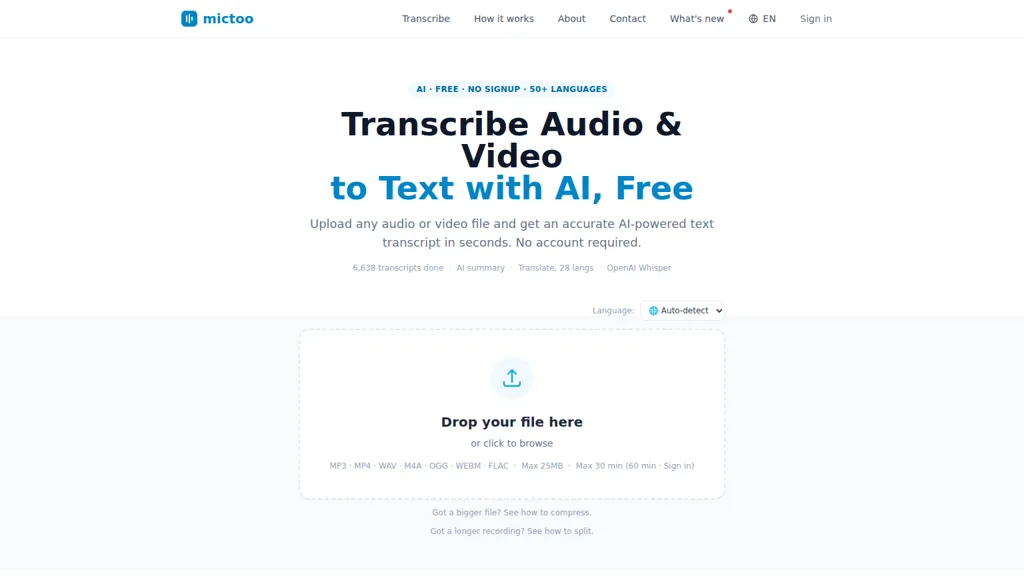
Mictoo transcribes audio and video to text using OpenAI's Whisper, supporting automatic language detection across 50+ languages for multilingual transcription and speech recognition. It accepts common formats (MP3, MP4, WAV, M4A, OGG, WEBM, FLAC) and handles upload and split/compress workflows for longer recordings.
Output includes editable, timestamped transcripts and downloadable TXT or SRT files for captions and subtitles. The service provides GPT-powered summaries and one-click translation into 28 languages with preserved timestamps for translated SRTs. A transcript chat feature lets users query content and receive answers linked to clickable timestamps.
Mictoo details
- Built for
- Individuals
- Data residency
- US
Mictoo tech specs
- Works with
- OpenAI / GPT OpenAI / Whisper
- AI infrastructure
- Groq
Mictoo pricing
FreemiumMictoo offers a free plan with paid upgrades available.
Verify on the official pricing page.
View plansMictoo's key features
-
AI-powered transcription of audio and video using OpenAI's Whisper
-
Automatic language detection and support for 50+ languages
-
Supports MP3, MP4, WAV, M4A, OGG, WEBM, FLAC, MPEG file uploads up to 25 MB (30 min)
-
Editable in-browser transcripts with copy/download (.txt) and timestamped SRT export
-
GPT-powered summaries, one-click translation into 28 languages preserving timestamps, and chat-with-transcript with clickable timestamps
Mictoo use cases
-
Transcribe multilingual meetings, interviews, and calls into editable, timestamped transcripts with automatic language detection, export TXT/SRT for recordkeeping, use one‑click translations that preserve timestamps for global teams, and quickly locate decisions or action items via the searchable transcript chat
-
Generate accurate SRT subtitles and translated timestamped subtitles for videos, webinars, and e-learning content using Whisper-powered transcription, eliminate manual timing work, and pair with GPT-generated summaries to craft concise video descriptions and social clips
-
Create searchable archives of podcasts, interviews, and research recordings by producing editable transcripts, downloadable files, and automated summaries to repurpose content into show notes, blog posts, and quotable highlights while using the transcript chat to find key quotes and segments
Mictoo user reviews
Would you recommend Mictoo?
Who is Mictoo for?
-
Content creators
-
Podcasters
-
Video editors
-
Business executives
-
Translators
Mictoo FAQ
Is Mictoo free?
Partly. Mictoo has a free plan with usage limits, and paid plans unlock the full feature set.
What are the best alternatives to Mictoo?
The closest alternatives to Mictoo are WhisperTranscribe, Whisper AI, Whisper Web, WhisperUI and TranscribetoText.AI. You can compare them side by side in the alternatives section further down this page.
What does Mictoo do with my data?
Mictoo states that customer content is not used to train its models. Its privacy policy states that personal data is sold or shared for marketing purposes. Data may be shared with third-party service providers that help run the product. Customer data is held in US.
Does Mictoo have an API?
Yes. Mictoo offers an API, so you can call it from your own applications instead of using the interface directly.
Which AI models does Mictoo use?
Mictoo is built on OpenAI / GPT and OpenAI / Whisper. Which models you can reach may depend on your plan.
Compliance, privacy and billing terms are as stated in each product's own published documentation and have not been independently verified by TopAI.tools.


