
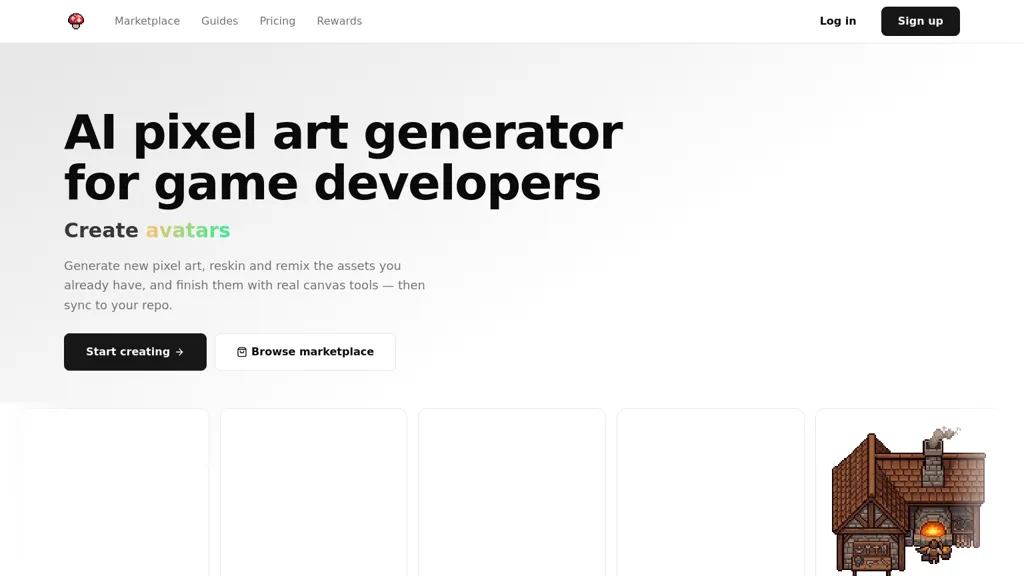
What is MagicPixel ?
MagicPixel is an ai pixel art generator and editor for game developers that creates game-ready sprites, tiles, UI icons and environments from text prompts or image sources.Generations land on a real pixel grid with editable layers, palette control, pixel-perfect tools and per-frame animation support so developers can fine-tune assets directly on the canvas.
Features include silhouette-preserving reskins and variants, palette remapping, and matching asset sets that share palette, lighting, scale and rendering style for cohesive item and character collections.
Export options produce PNG sprite sheets and per-frame PNGs ready for Unity, Godot, GameMaker, Phaser, Bevy and LÖVE.Import and edit.aseprite,.ase,.png and animated GIF files with frames, layers and tags preserved; import palettes (.gpl,.hex,.pal) and enforce strict color counts.
A CLI syncs assets into project folders with renames, version bumps and deletions handled, while an MCP endpoint enables automated generation via Claude, ChatGPT, Cursor and GitHub Copilot.
Target resolutions span 32×32 to 1024×1024 with configurable brush sizes and fixed-color generation (8–256) to meet pixel-art workflow constraints.
MagicPixel details
- Built for
- Individuals
MagicPixel tech specs
- Works with
- OpenAI / GPT Anthropic / Claude
- Cloud
- Supabase
- Integrations
- GitHub
MagicPixel pricing
Subscription- Free trial
- 1 days
Verify on the official pricing page.
View plansMagicPixel 's key features
-
Generate game-ready pixel art (sprites, tiles, UI icons, environments) from text prompts or image sources
-
Pixel-perfect editor with a real pixel grid, editable layers, palette control, configurable brush sizes, and per-frame animation support
-
Silhouette-preserving reskins and variants, palette remapping, and strict color-count enforcement for fixed-color generation
-
Import/export support: import .aseprite/.ase/.png and animated GIFs with frames/layers/tags preserved; import palettes (.gpl, .hex, .pal); export PNG sprite sheets and per-frame PNGs for game engines
-
Automation and integration: CLI to sync assets into project folders with renames/version bumps/deletions, and an MCP endpoint for automated generation via AI tools
MagicPixel use cases
-
Create pixel-perfect layered character sprites and per-frame animations from text prompts or concept images using MagicPixel, control palettes and remap colors for consistent art direction, then export engine-ready PNGs or .aseprite files for immediate import into Unity or Godot
-
Rapidly produce cohesive tilemaps, environment tiles and UI elements that match an existing asset-set using MagicPixel's asset-set matching and palette remapping, export optimized sprite sheets and layered tilesets to speed level design
-
Automate your art pipeline by batch-generating and editing sprite sheets, animated frames and seasonal skin variants via MagicPixel's CLI or API, integrate into CI/CD to produce engine-ready assets with consistent palettes and naming conventions
MagicPixel user reviews
Based on 5 reviews, 100% of users recommend MagicPixel , rated highly for ease of use.
Liked for
Would you recommend MagicPixel ?
Who is MagicPixel for?
-
Pixel artists
-
Indie game developers
-
2d sprite animators
-
Tile designers
-
Ui/ux game designers
MagicPixel FAQ
How much does MagicPixel cost?
MagicPixel is a paid product with no free plan. Plans include Hobby at $10/mo, Indie at $20/mo, Studio at $50/mo and Credits top-up at $20.
Is MagicPixel safe to use?
MagicPixel carries the TopAI.tools verified mark, which we award after a manual review of pricing transparency, published terms, public following and working functionality.
What are the best alternatives to MagicPixel ?
The closest alternatives to MagicPixel are Sprite Sheet Generator - Gamelab studio, Rosebud, pixie.haus, Pixel-art.ai and AIEasyPic. You can compare them side by side in the alternatives section further down this page.
What does MagicPixel do with my data?
Its privacy policy states that personal data is not sold or shared for marketing purposes. Data may be shared with third-party service providers that help run the product.
Does MagicPixel have an API?
Yes. MagicPixel offers an API, so you can call it from your own applications instead of using the interface directly.
Which AI models does MagicPixel use?
MagicPixel is built on OpenAI / GPT and Anthropic / Claude. Which models you can reach may depend on your plan.
What does MagicPixel integrate with?
MagicPixel connects with GitHub.
Compliance, privacy and billing terms are as stated in each product's own published documentation and have not been independently verified by TopAI.tools.


 Alex Cinovoj
 FunkoPop
Hope you enjoy generating pixel art with my tool. Put a lot of love into this and will continue to do so. <3