
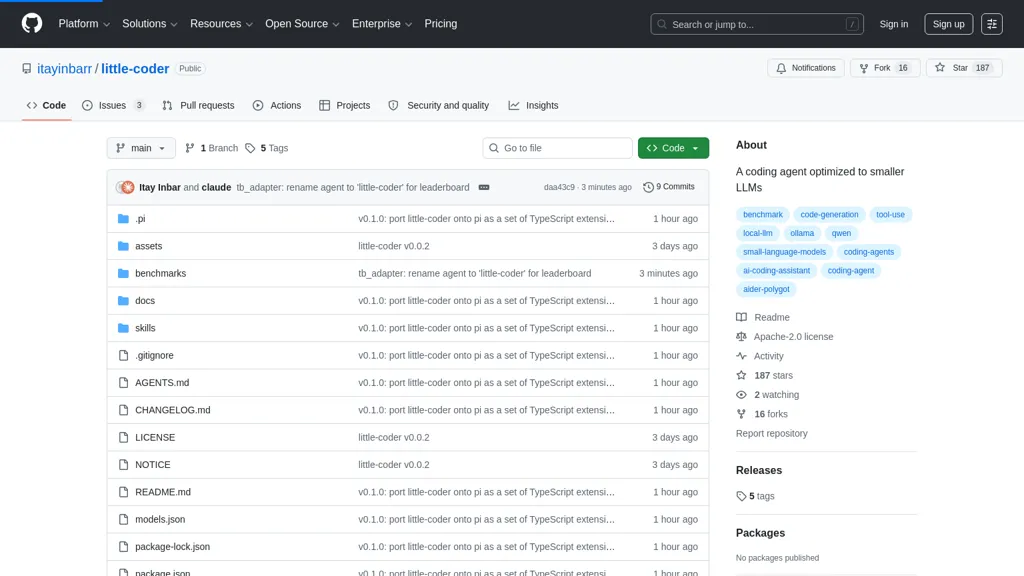
What is Little-Coder?
Little-coder is a Pi-based coding agent for running smaller local LLMs via llama.cpp or Ollama.It provides a Python/Node.js CLI and TypeScript extensions that adapt cloud-style coding agent workflows for 5–25 GB models served locally.
Core mechanisms preserved from the whitepaper include the write-vs-edit invariant, per-turn skill injection, algorithm-cheat-sheet injection, thinking-budget cap, output parsers, quality monitor, per-model profiles, and evidence-aware compaction.
The repository contains a Pi port, build and serve instructions for llama.cpp (GPU and MoE options), Ollama setup, model fetching steps, and reproducible tags for reported benchmark runs.Developers and researchers can use little-coder for local code generation, on-device development, model benchmarking, and reproducing published results with included configs and documentation.
Benchmarks and whitepaper documents support evaluation across local LLMs such as Qwen variants and custom GGUF models.Quick-start steps and scripts facilitate setup on laptops, GPUs, and Raspberry Pi devices for integrated developer workflows and edge deployments.
Little-Coder pricing
FreeThis tool is free to use, with no credit card required.
Verify on the official pricing page.
Get started freeLittle-Coder's key features
-
Runs local small LLMs via llama.cpp or Ollama (Pi-based coding agent)
-
Python and Node.js CLIs plus TypeScript extensions for local cloud-style coding agent workflows
-
Core agent mechanisms: write-vs-edit invariant, per-turn skill injection, algorithm-cheat-sheet injection, thinking-budget cap, output parsers, quality monitor, per-model profiles, evidence-aware compaction
-
Build/serve instructions and scripts for llama.cpp (GPU and MoE) and Ollama, plus model fetching and reproducible benchmark tags
-
Benchmarking and evaluation support for local LLMs (e.g., Qwen variants and custom GGUF models) with reproducible configs and documentation
Little-Coder use cases
-
Build an offline on-device coding assistant on a Raspberry Pi using little-coder's Python/Node CLIs and TypeScript extensions to generate, run, and debug code locally with 5–25 GB LLMs (llama.cpp or Ollama) while using evidence-aware compaction for more reliable suggestions
-
Run reproducible benchmarks to compare low-memory LLMs and optimize edge deployments using little-coder's benchmark suite and build/serve guides, producing repeatable performance reports to pick the best model for constrained hardware
-
Automate secure local code generation and evaluation in CI/CD by integrating little-coder's CLI developer workflows and on-device evaluation tools to produce audited, reproducible artifacts for edge LLM deployment without sending code to the cloud
Little-Coder user reviews
Based on 1 review, 100% of users recommend Little-Coder, rated highly for quality results.
Liked for
Would you recommend Little-Coder?
Who is Little-Coder for?
-
Local llm developers
-
Embedded developers
-
Benchmark engineers
-
Reproducibility researchers
-
Students
Little-Coder FAQ
Is Little-Coder free?
Yes. Little-Coder is free to use and does not require a credit card.
What are the best alternatives to Little-Coder?
The closest alternatives to Little-Coder are Llama.cpp, OpenCode.ai, Lmstudio.ai, Jan and Ollama.ai. You can compare them side by side in the alternatives section further down this page.


Very promising harness for local llms and small models