
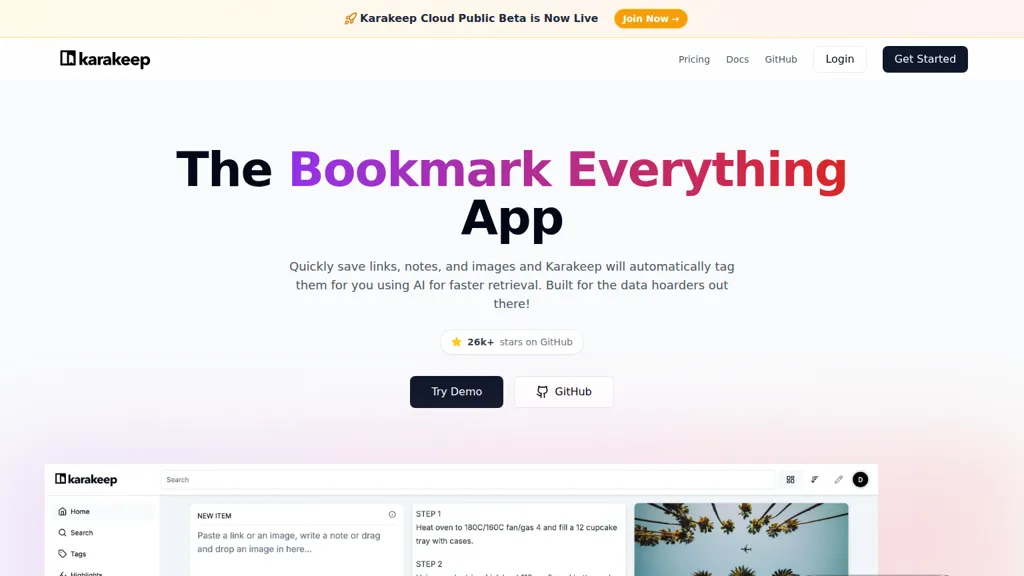
What is Karakeep?
Karakeep is an open-source bookmark manager for saving links, notes, images, and PDFs with browser extensions, native apps, and a CLI.AI tagging automatically assigns tags to saved items to improve retrieval and support full-text search across bookmarks and highlights.
Shared lists and bulk actions enable team curation, while a rule engine and auto-fetch automate organization and metadata collection.RSS feed ingestion and web clipping capture content streams and on-page highlights for later review and research.
REST API and webhooks provide integration points for developer workflows and third-party services.Self-hosting via Docker and the public codebase offer deployment flexibility and data control for privacy-focused users and organizations.
Features such as full-text search, cross-platform extensions, and dark mode support researchers, content managers, and engineering teams.
Karakeep details
- Company
- Localhost Labs Ltd
- Jurisdiction
- England & Wales
- Built for
- Businesses and teams
- Data residency
- Europe
Karakeep tech specs
- Integrations
- GitHub
Karakeep pricing
- Refund window
- 7 days
- Auto-renewal
- Yes
Verify on the official pricing page.
View plansKarakeep's key features
-
Save bookmarks, notes, images, and PDFs
-
Automatic AI tagging of saved items
-
Collaborative shared lists
-
Customizable rule engine for bookmark automation
-
REST API and webhooks for integrations
Karakeep use cases
-
Organize and retrieve research across devices by clipping web pages, PDFs and highlights with Karakeep's browser extensions and native apps; use AI auto-tagging, full-text search and rules to automatically categorize new saves and build annotated reading lists for projects or papers
-
Run a private, self-hosted shared library for your team or community by ingesting RSS feeds, auto-tagging incoming links and creating shared lists so teammates can collaborate on curated resources, route content with rules and quickly find answers via full-text search
-
Automate content curation and newsletter prep by clipping article highlights, images and notes, using RSS ingestion and AI tags to filter and collect items into exportable lists or CSV via the CLI or native apps, speeding editorial workflows while keeping data private on your self-hosted instance
Karakeep user reviews
Would you recommend Karakeep?
Who is Karakeep for?
-
Content curators
-
Students
-
Researchers
-
Bookmark enthusiasts
-
Self-hosting enthusiasts
Karakeep FAQ
Is Karakeep safe to use?
Karakeep is operated by Localhost Labs Ltd, registered in England & Wales. It has a substantial audience that is independently measured month to month.
What are the best alternatives to Karakeep?
The closest alternatives to Karakeep are MyMind, TwitterBookmarks, Kome, QuickSearchPlus and OmniBox. You can compare them side by side in the alternatives section further down this page.
What does Karakeep do with my data?
Karakeep states that customer content may be used to train its models. Its privacy policy states that personal data is not sold or shared for marketing purposes. Data may be shared with third-party service providers that help run the product. Customer data is held in Europe.
Does Karakeep auto-renew or offer refunds?
Karakeep subscriptions renew automatically until you cancel. It states a 7-day refund window.
Does Karakeep have an API?
Yes. Karakeep offers an API, so you can call it from your own applications instead of using the interface directly.
Is there a mobile app for Karakeep?
Yes. Karakeep has a mobile app alongside its web version.
Who made Karakeep?
Karakeep is built and operated by Localhost Labs Ltd, a company registered in England & Wales.
What does Karakeep integrate with?
Karakeep connects with GitHub.
Compliance, privacy and billing terms are as stated in each product's own published documentation and have not been independently verified by TopAI.tools.


