
What is HTMLSlides AI?
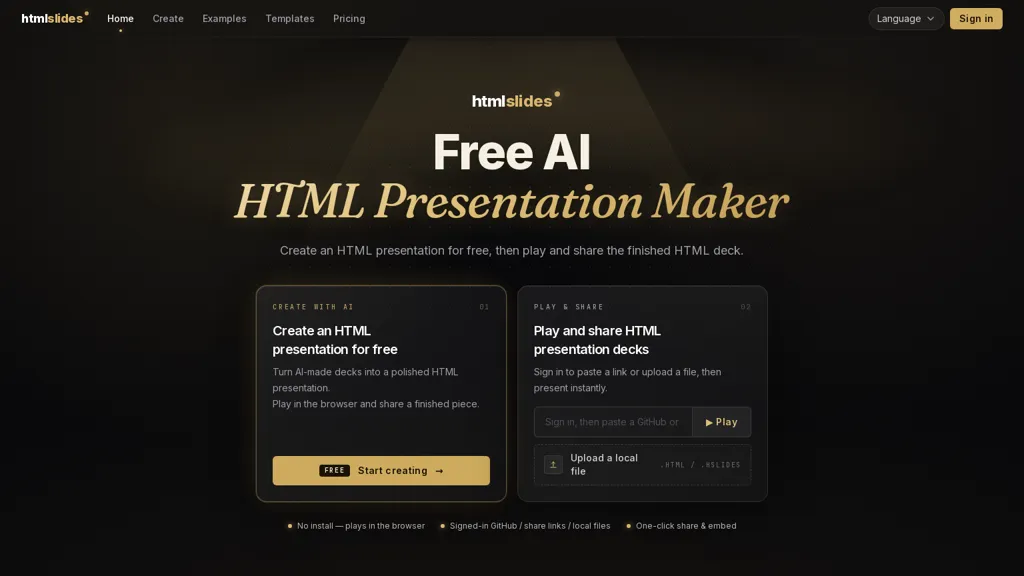
HTMLSlides is an AI HTML presentation maker for creating, playing, sharing, and embedding interactive HTML slide decks.It generates decks from prompts or uploaded files and offers a template marketplace for animated, responsive slide designs.
Decks play directly in the browser with real animations, interactivity, live content, and consistent rendering across devices.Files and sources supported include.html/.hslides, GitHub links, and local uploads; each import gets a shareable link and an embed snippet.
Presenter features include speaker view, editable notes, laser pointer, and autoplay; one-click export creates downloadable video files.htmlslides targets educators, product teams, marketers, and developers who need browser-native presentations that preserve animation and simplify distribution.
HTMLSlides AI details
- Built for
- Individuals
HTMLSlides AI tech specs
- Works with
- Anthropic / Claude
- Integrations
- GitHub
HTMLSlides AI pricing
FreemiumVerify on the official pricing page.
View plansHTMLSlides AI's key features
-
Generate slide decks from text prompts or uploaded files
-
Template marketplace with animated, responsive slide designs
-
Browser-native playback with real animations, interactivity, and live content
-
Support for .html/.hslides, GitHub links, and local uploads with shareable links and embed snippets
-
Presenter tools (speaker view, editable notes, laser pointer, autoplay) and one-click export to downloadable video
HTMLSlides AI use cases
-
Create a professional-looking, interactive pitch or product demo from a prompt or upload using htmlslides without any coding, preserving animations and live content and then share via a single link or embed snippet for clients or investors
-
Convert onboarding materials, tutorials or API documentation into browser-native interactive slide courses with live code/examples and responsive animated templates, rehearse with presenter tools for remote training and one-click export to video for offline distribution
-
Generate conference or webinar presentations quickly with AI-powered templates, customize animations and presenter view in-browser, publish embeddable slides or export to video and social-ready formats for broad distribution
HTMLSlides AI user reviews
Based on 1 review, 100% of users recommend HTMLSlides AI, rated highly for ease of use.
Liked for
Would you recommend HTMLSlides AI?
Who is HTMLSlides AI for?
-
Educators
-
Product designers
-
Developers
-
Marketers
-
Content creators
HTMLSlides AI FAQ
Is HTMLSlides AI free?
Partly. HTMLSlides AI has a free plan with usage limits, and paid plans unlock the full feature set. Plans include 10 credits at $1, 60 credits at $5 and 150 credits at $10.
What are the best alternatives to HTMLSlides AI?
The closest alternatives to HTMLSlides AI are Autoppt, Smallppt, PPT.AI, Powerpresent AI and DesignerBot. You can compare them side by side in the alternatives section further down this page.
What does HTMLSlides AI do with my data?
Its privacy policy states that personal data is not sold or shared for marketing purposes. Data may be shared with third-party service providers that help run the product.
Which AI models does HTMLSlides AI use?
HTMLSlides AI is built on Anthropic / Claude. Which models you can reach may depend on your plan.
What does HTMLSlides AI integrate with?
HTMLSlides AI connects with GitHub.
Compliance, privacy and billing terms are as stated in each product's own published documentation and have not been independently verified by TopAI.tools.


 PapiaNo
This looks interesting. How much control you have over the generated HTML after AI creates it. Can you easily customize the code and animations, or is it mainly designed to be edited through the built-in editor then exported?